
Strategic Deterrence Digital Chief of Staff
A dashboard-first decision-support prototype that helps U.S. Air Force program leaders consolidate fragmented program data, track risk, and prepare evidence-backed decisions for the Minuteman III program.
Guidehouse AI Studio · U.S. Air Force Nuclear Weapons Center · 2026
Overview
A digital chief of staff for a nuclear-deterrence program
- Concept and clickable Figma prototype built as Guidehouse's response to an Air Force RFP for the Minuteman III program
- Consolidates readiness, schedule, cost, risk, and acquisition data into one executive dashboard
- Pairs it with an AI-assisted “Ask the Chief” capability and a decision workspace for comparing courses of action
- Built in Figma Make on the USWDS kit, fast to prototype and accessible by default for a federal audience
The Problem
Sixty disconnected systems between a risk and a decision
The Minuteman III program manages information across roughly 60 disconnected data systems (databases, shared drives, technical documents, maintenance logs, and risk repositories). Pulling a credible picture out of them was almost entirely manual.
- Disconnected systems
- ~60
- People gathering data
- 4–12
- Time to prep an analysis
- ~1 week
- Time to reach leadership
- 2–3 weeks
The Design Decision
Dashboard first, AI second
The original request was broad and AI-forward: an assistant that could answer questions, analyze data, predict risk, and recommend courses of action on its own. I reframed that ambition around what program leaders actually needed first.
“Program leaders needed a familiar, Power BI-like operating view before they needed a chatbot. AI became a capability inside that view, not a replacement for it.”
Actionable, Not Just Informational
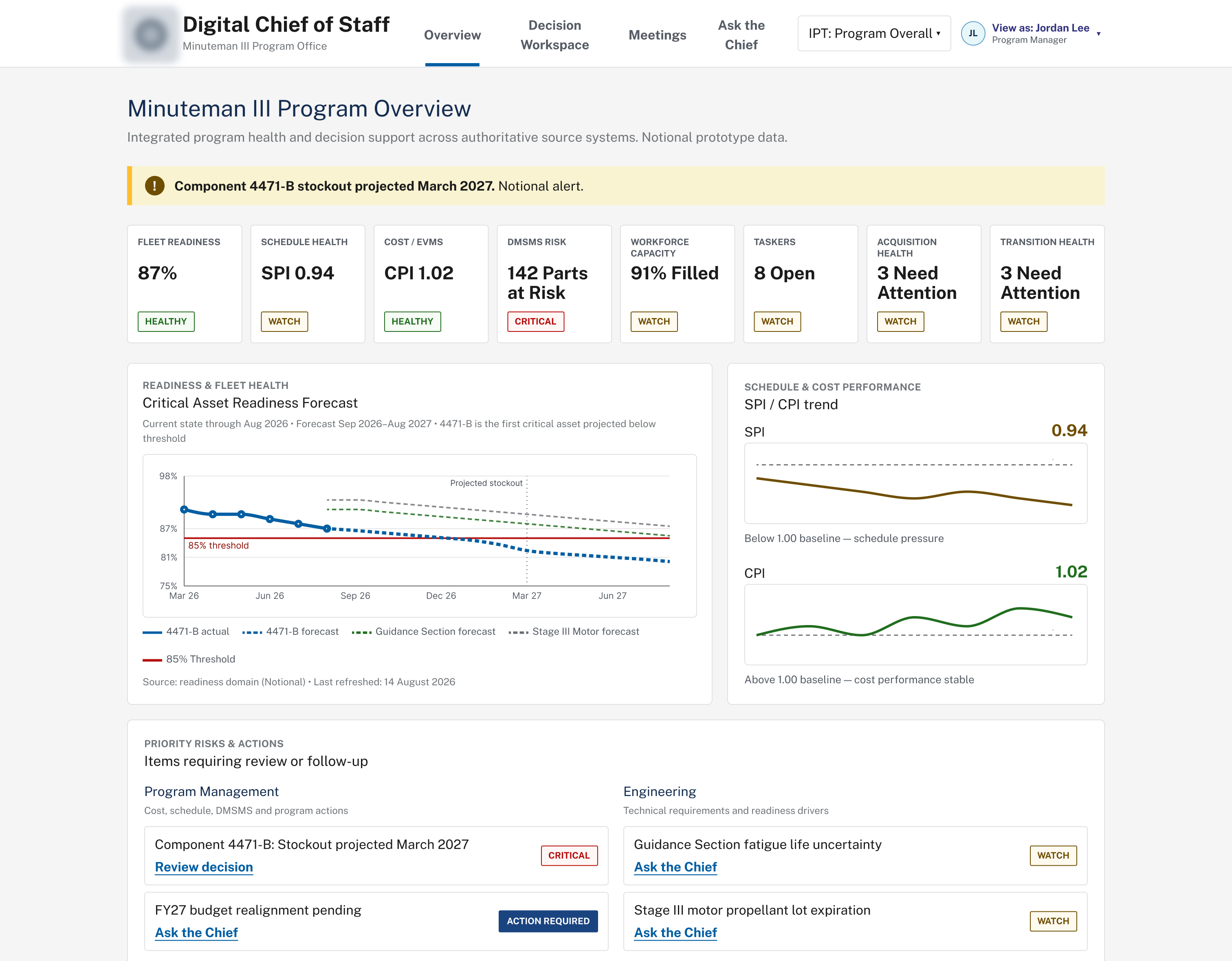
A red KPI is the start of the story, not the end
Every KPI card is clickable. Selecting a concerning metric opens a drill-down explaining why: the driving component, the forecast, and a direct link into the decision that needs to be made.
- Senior leaders see the whole program; an IPT lead opens directly into a focused view like Ground Mechanical
- Primary driver and next critical assets called out explicitly
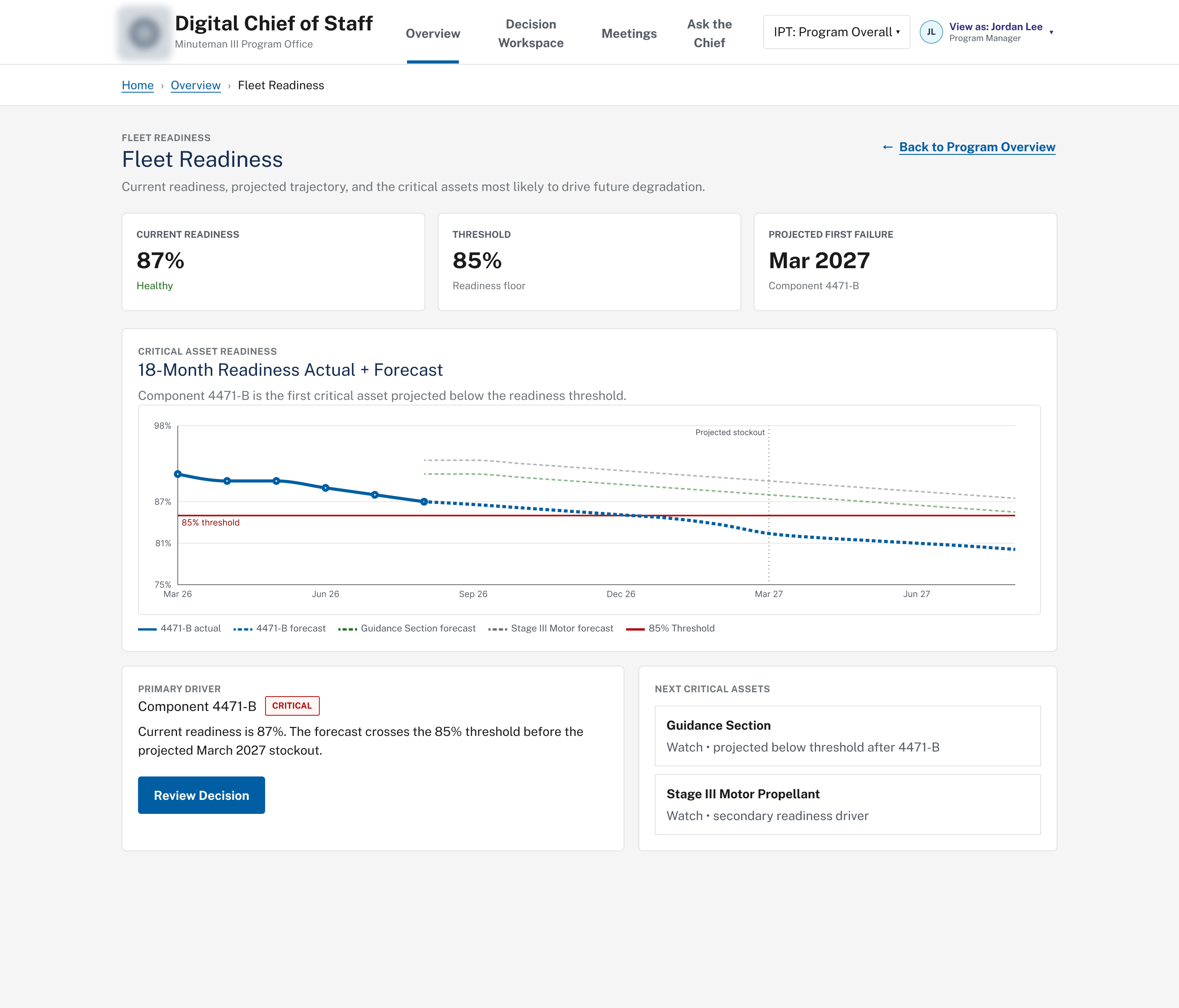
Programhealth,onedrill-downaway
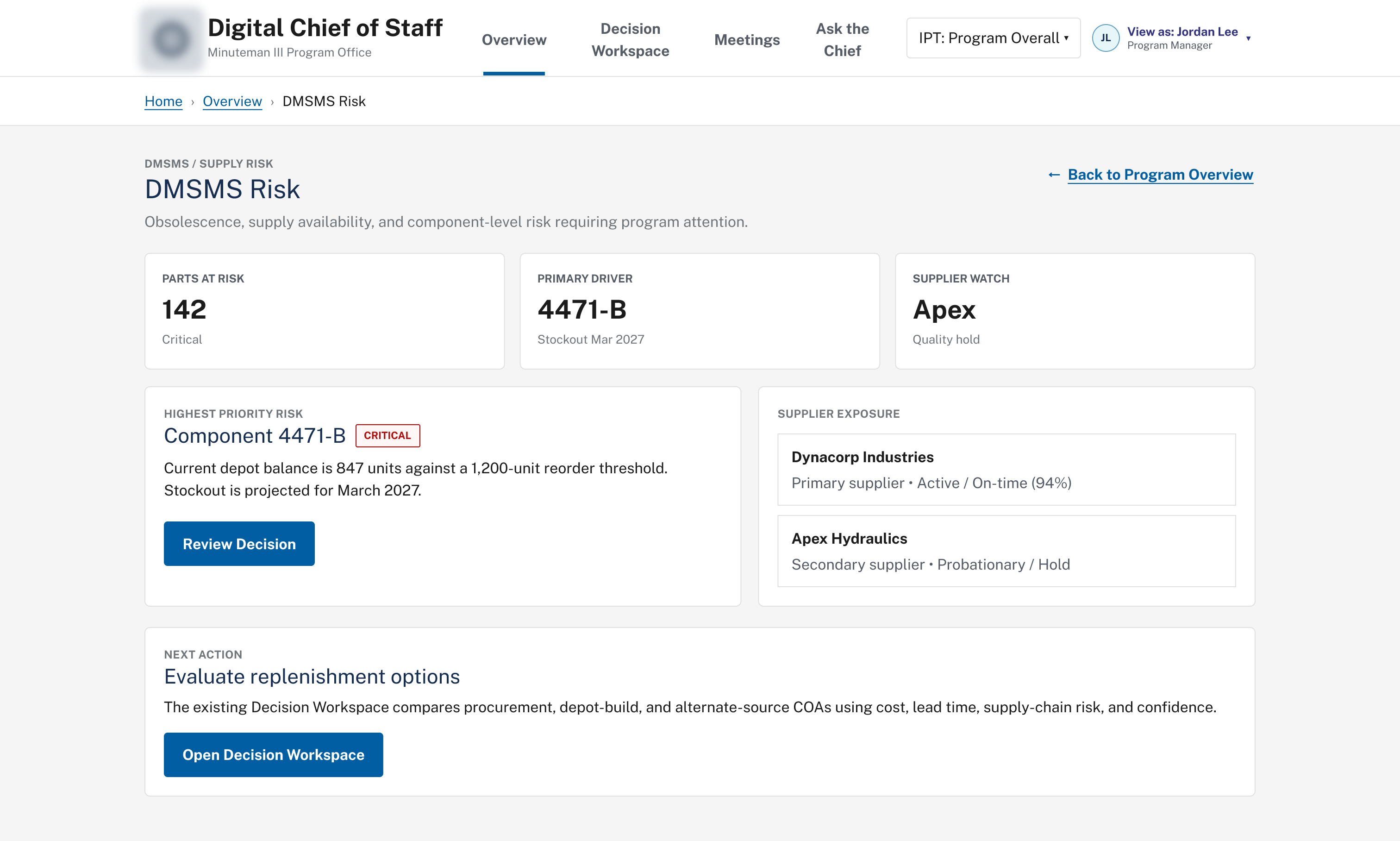
DMSMS & supply risk
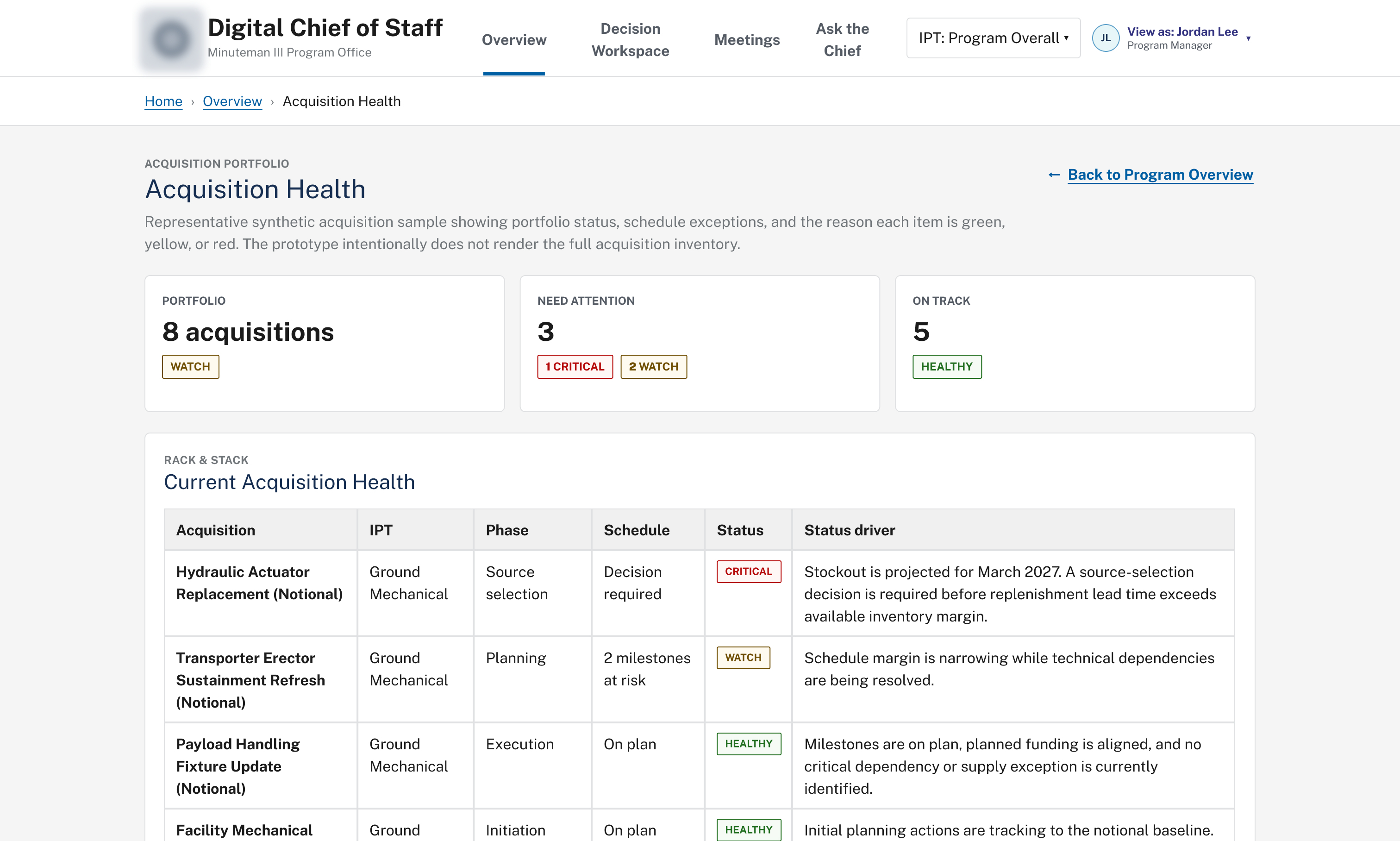
Acquisition portfolio health
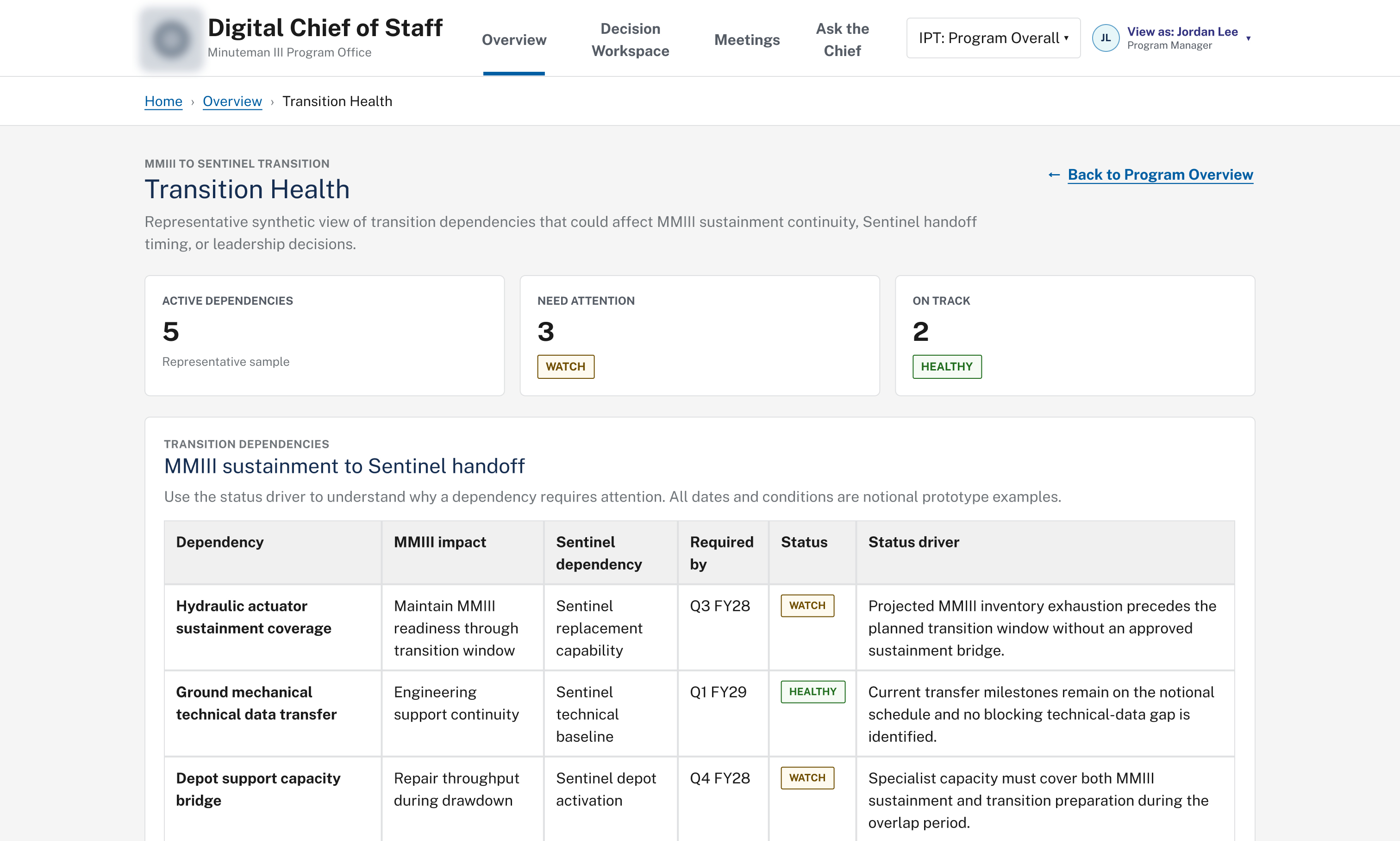
MMIII-to-Sentinel transition health
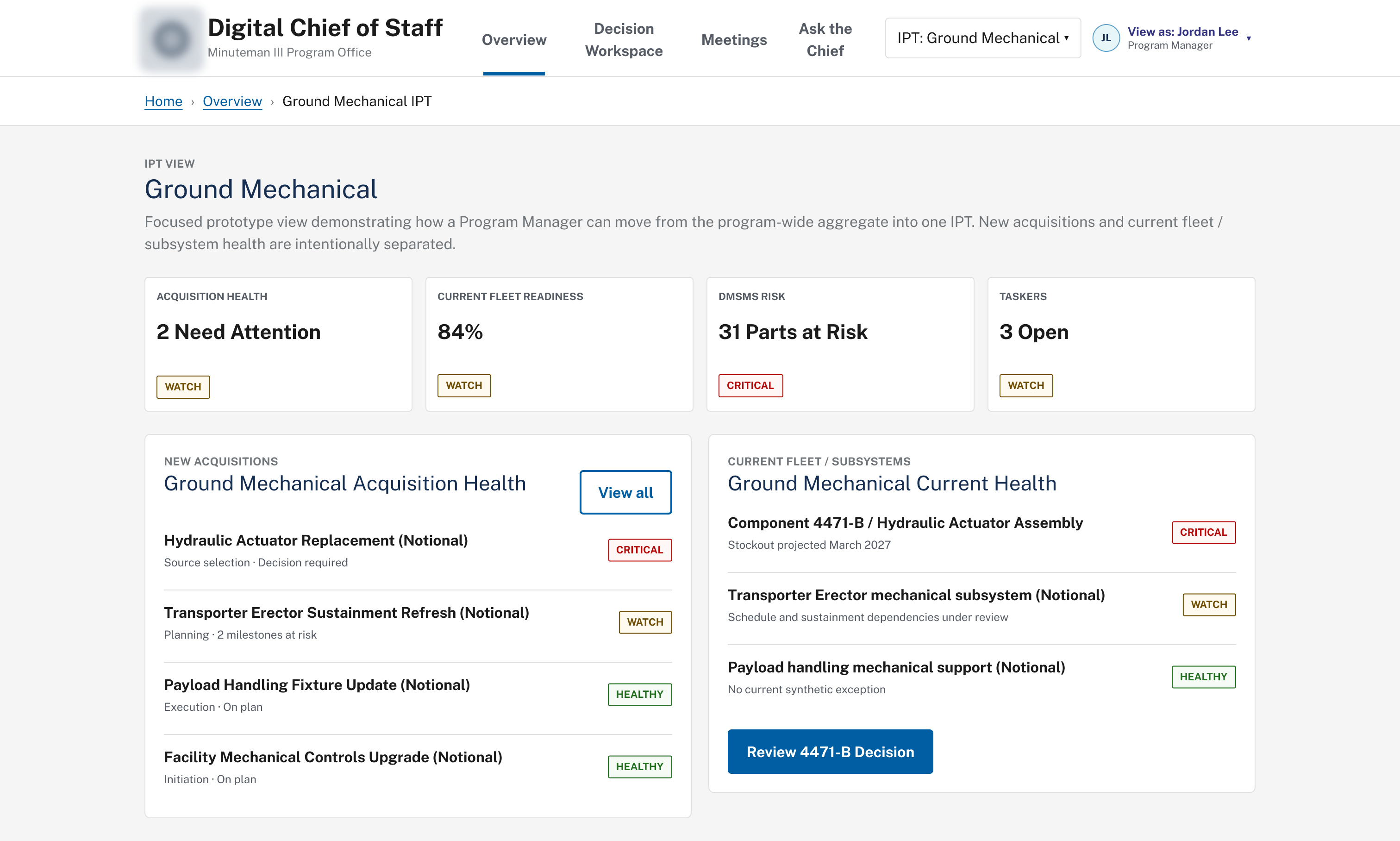
Ground Mechanical IPT view
AsktheChief
The entry point to the AI capability. It lets a program leader ask about program health, risk, or a specific IPT without opening any underlying system, then hands supported questions off to structured decision analysis. A single question can return a synthesized Program Management Review with accomplishments, issues by severity, and required decisions. Every figure is traceable back to its source.
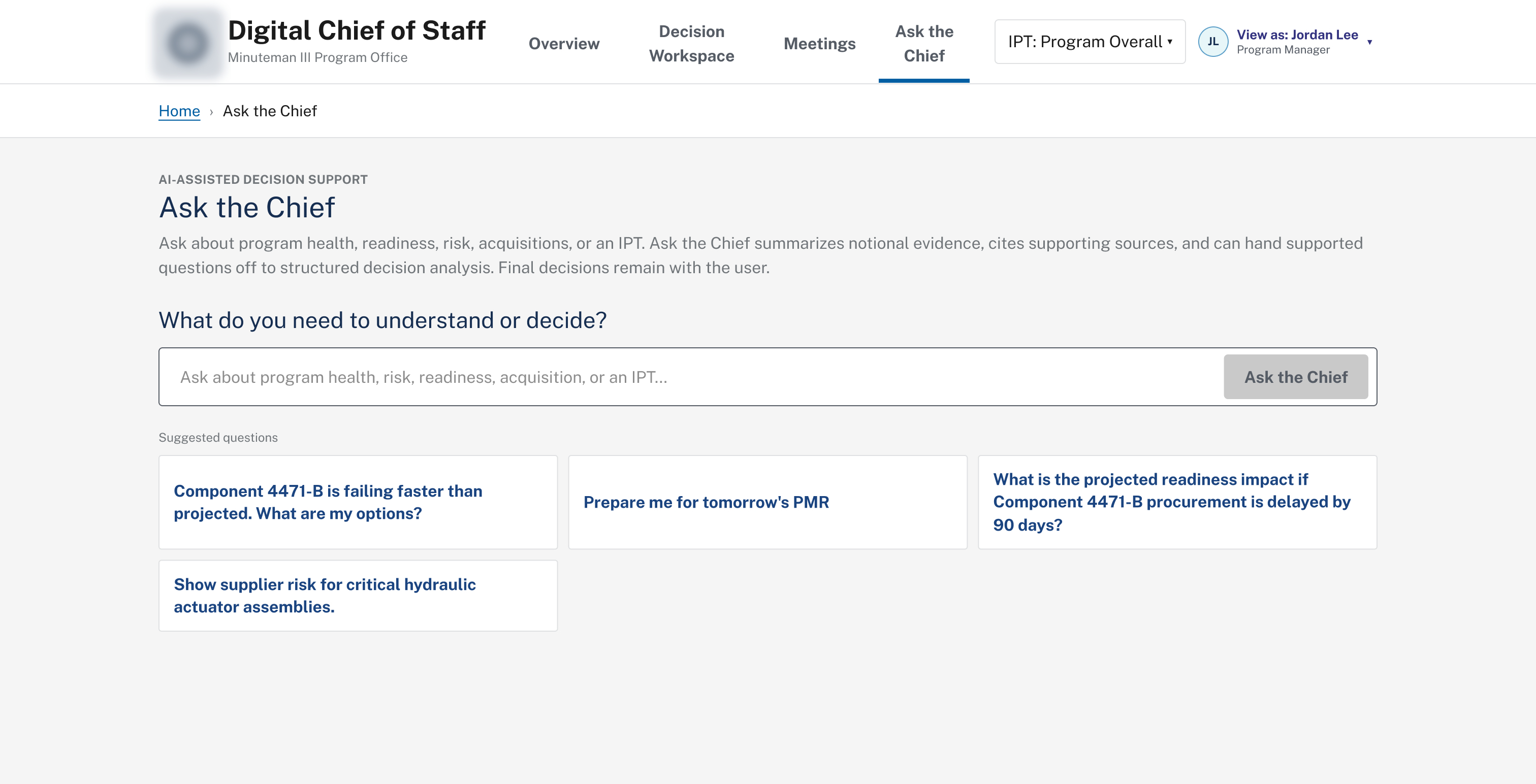
Guided entry point with suggested questions
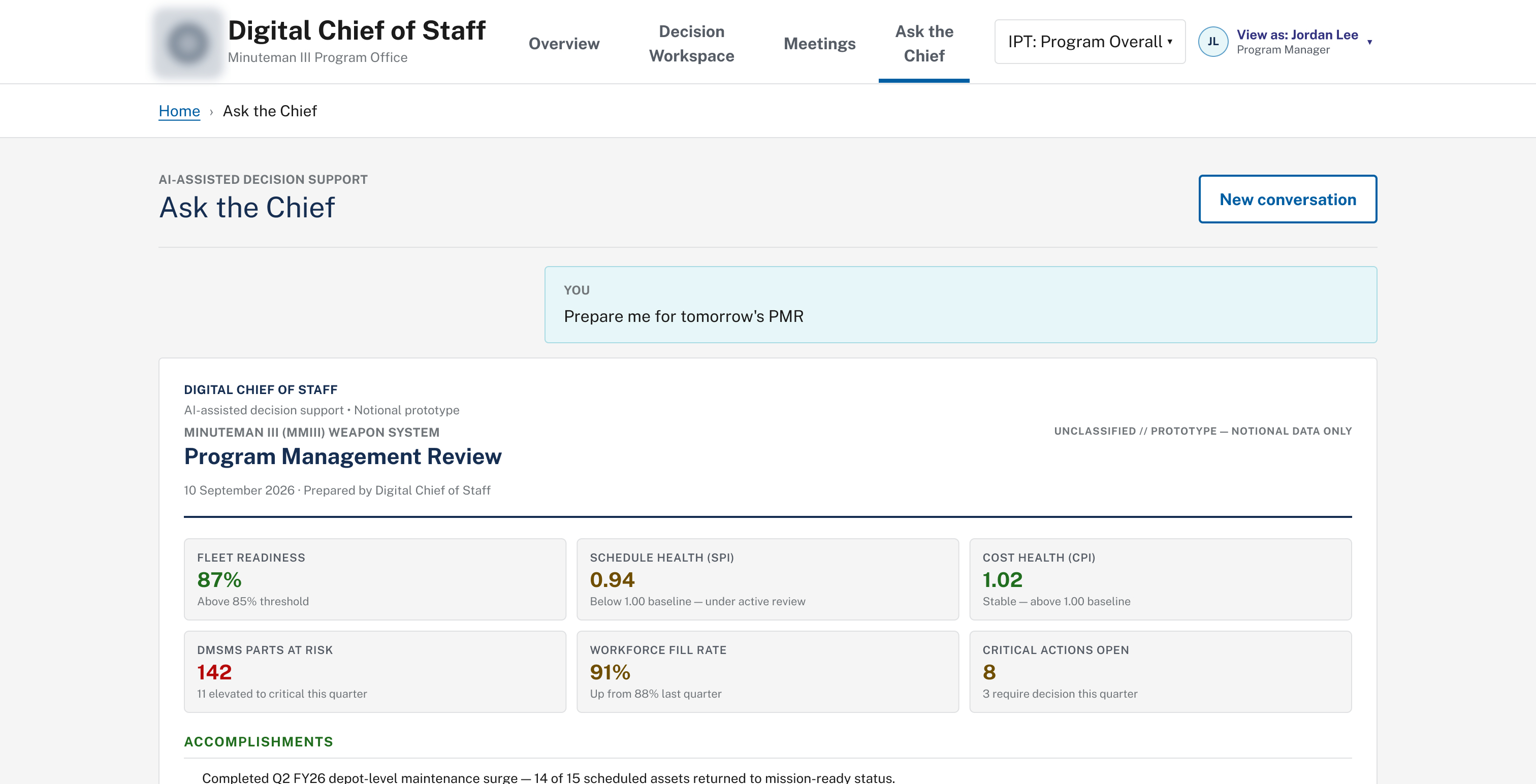
“Prepare me for tomorrow’s PMR”
Content generated this way is marked notional and synthetic throughout. This was a deliberate choice to keep the demonstration honest about what wasn't yet connected to real Air Force systems.
DecisionWorkspace
The differentiator stakeholders wanted beyond a Power BI-style dashboard. Given a risk like a projected parts stockout, the workspace lays out multiple courses of action side by side with cost, lead time, supply-chain risk, and a confidence score, plus a system recommendation the user can accept or override. Once selected, the decision is confirmed explicitly; nothing executes on its own.
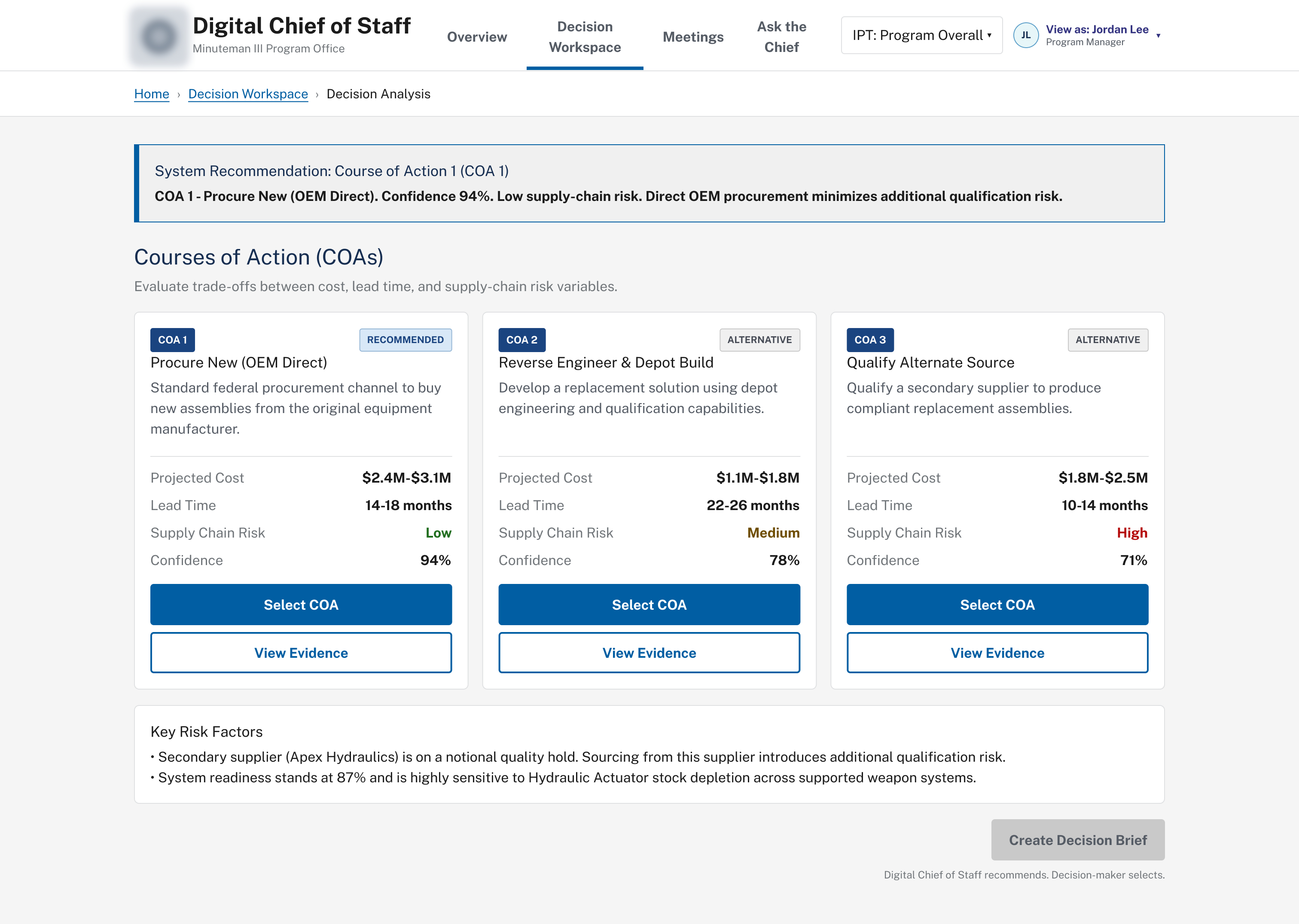
Comparing courses of action
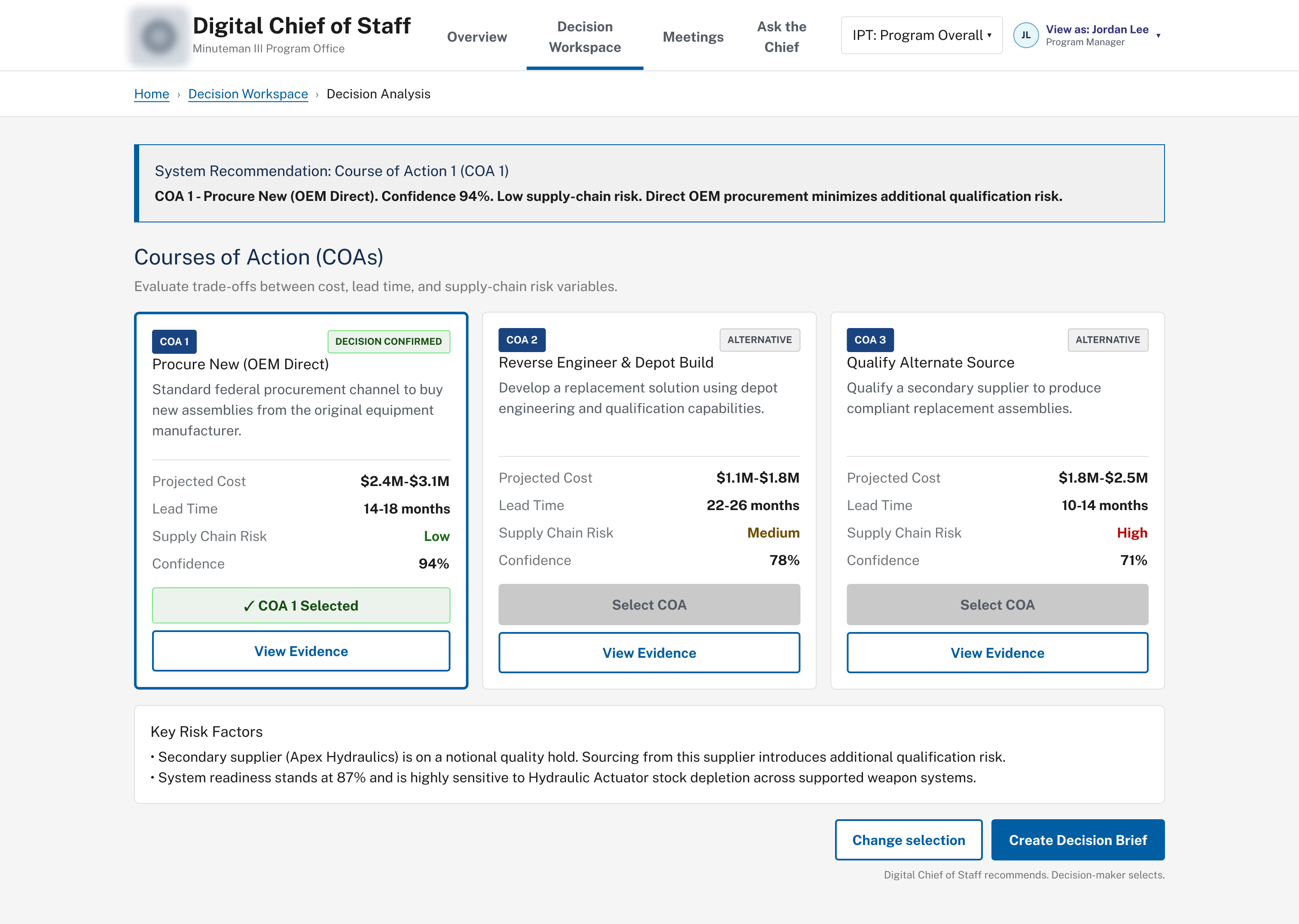
Decision confirmed, ready for a brief
EvidenceBehindEveryRecommendation
To make AI-assisted results trustworthy in a security-sensitive environment, every course of action links back to its source evidence: supplier status, failure trends, and the underlying source records themselves, down to record counts and sync status per system.
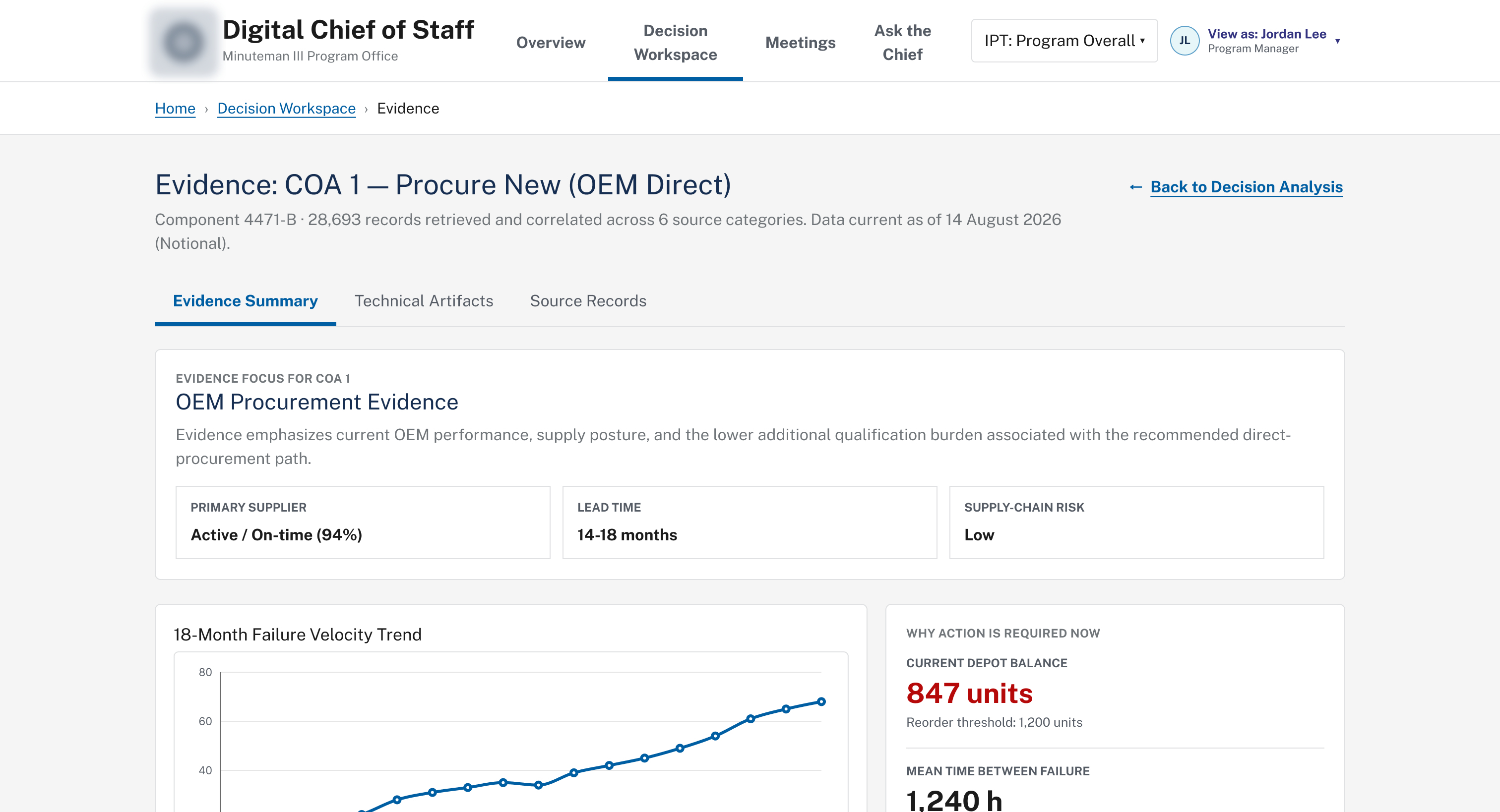
Evidence summary
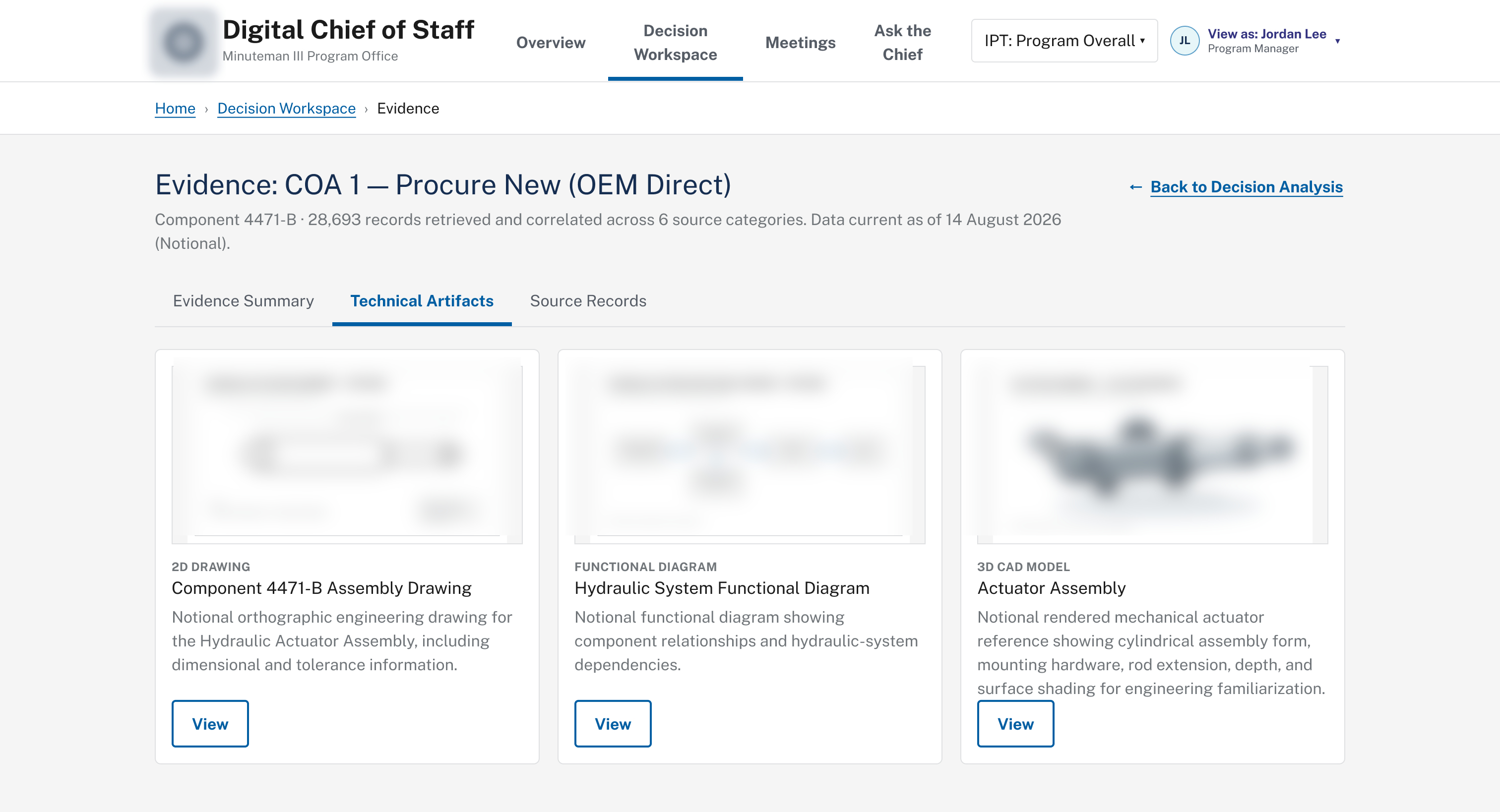
Technical artifacts
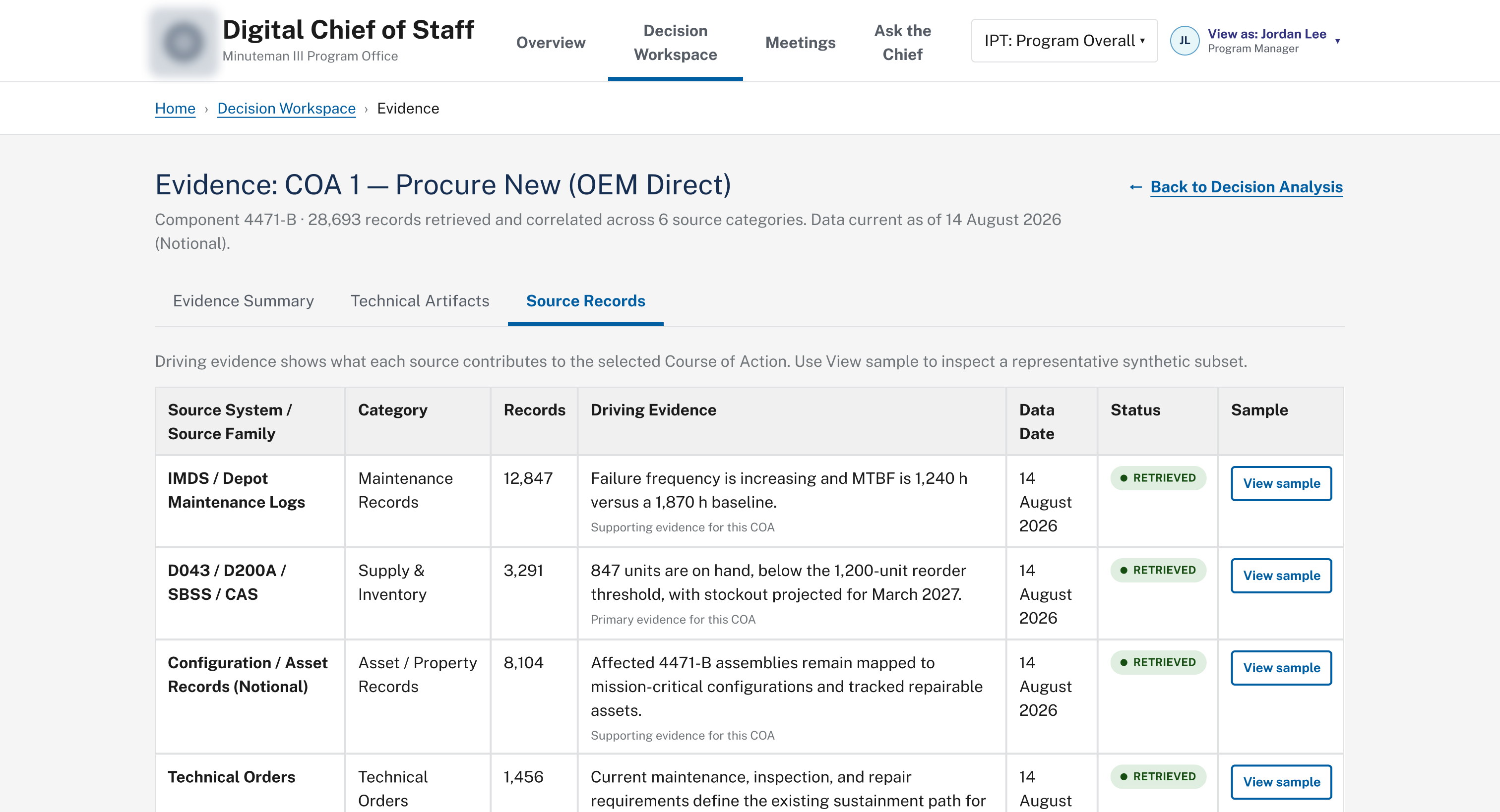
Source records
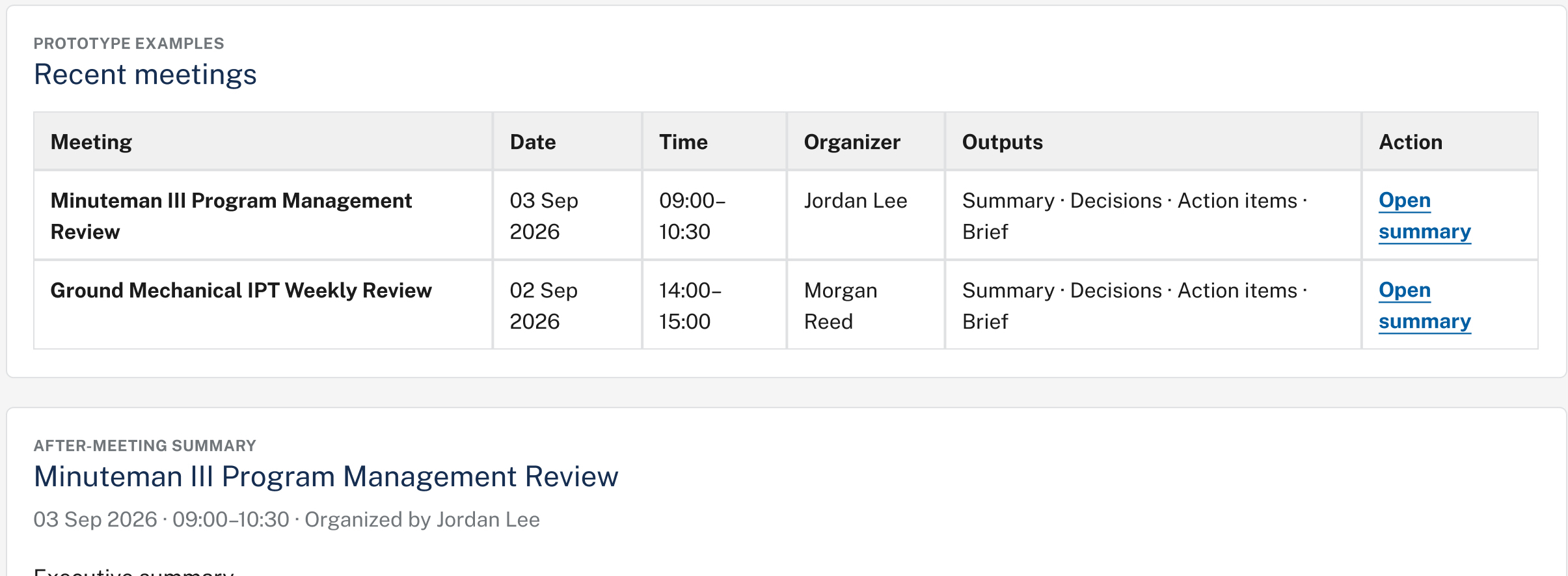
Meeting Assistant
Turning a transcript into taskers, not just notes
A proposed Microsoft Teams integration would turn an approved meeting transcript into a structured summary, tracked decisions, assigned action items, and a copy-ready leadership brief.
Main Challenges
Designing without live data, in a domain I didn't own
- Ambiguous, multi-product scope: the request combined dashboarding, AI search, predictive analytics, decision support, and report generation into one vision. Deciding what belonged in a first demo versus a future-state capability was the first real design problem.
- No live data or finalized content model: everything ran on synthetic, notional data. I had to keep constant track of what was confirmed by requirements versus a reasonable UX placeholder standing in for a real integration.
- A complex technical domain: nuclear deterrence, sustainment, and acquisitions. I kept domain experts actively validating terminology and decision logic as the design moved.
- AI that's useful without being a black box: source visibility, evidence access, and keeping decision ownership with the user were the answer, not a more confident-sounding assistant.
Wheretheprototypelanded
- Reframed an AI-forward concept into a dashboard-first experience stakeholders actually trusted
- Built a clickable Figma prototype covering executive dashboard, IPT views, Ask the Chief, decision workspace, and evidence review
- Gave domain experts something concrete to react to, sharpening feedback beyond a written requirements document
- Supported Guidehouse's RFP response and capture-team demonstrations to Air Force stakeholders
Reflection
Trust is a design decision, not a feature
This came together in a two-week window with no finalized content model and no production data to design against. The decision that mattered most wasn't a screen. It was insisting AI stay secondary to a dashboard people already knew how to read, and that every recommendation carry its evidence with it.