
WE-CARE (Women Engaged in Comprehensive Care for Substance Use)
Designed a mobile app to expand substance use screenings and care linkage for women of childbearing age — from user research and personas through interactive prototype and iterative usability testing.
Beneten Technologies · 2022
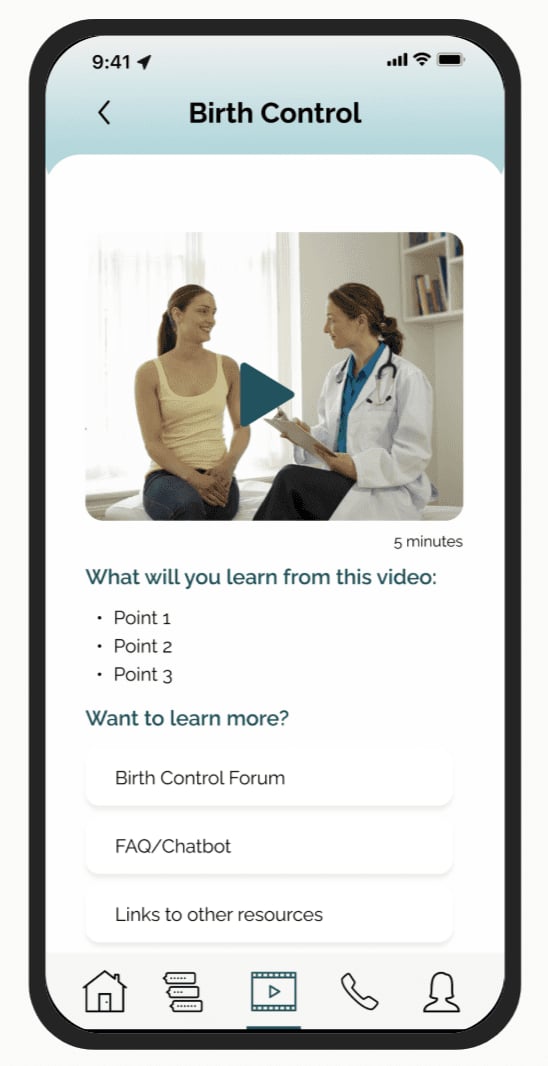
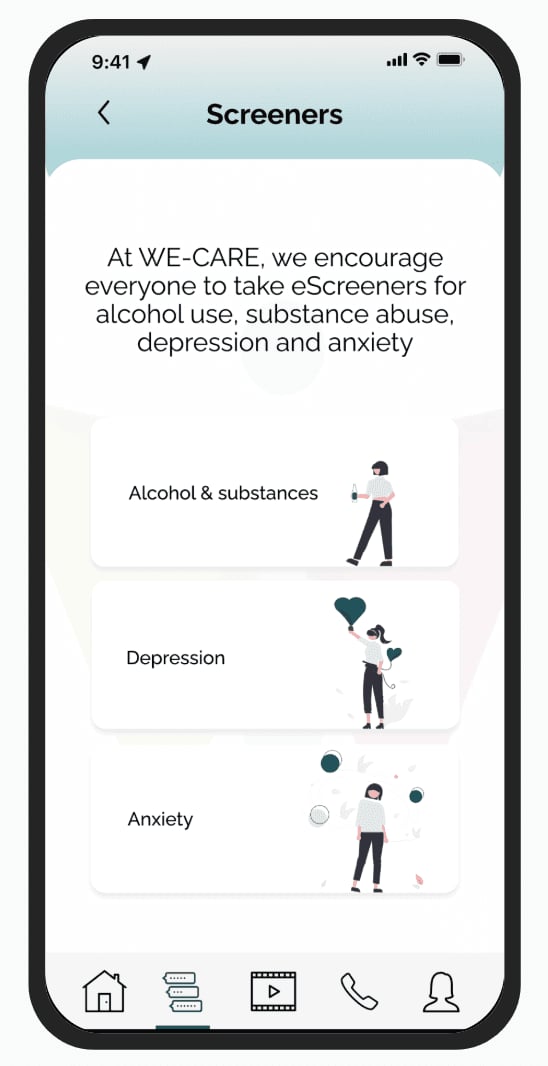
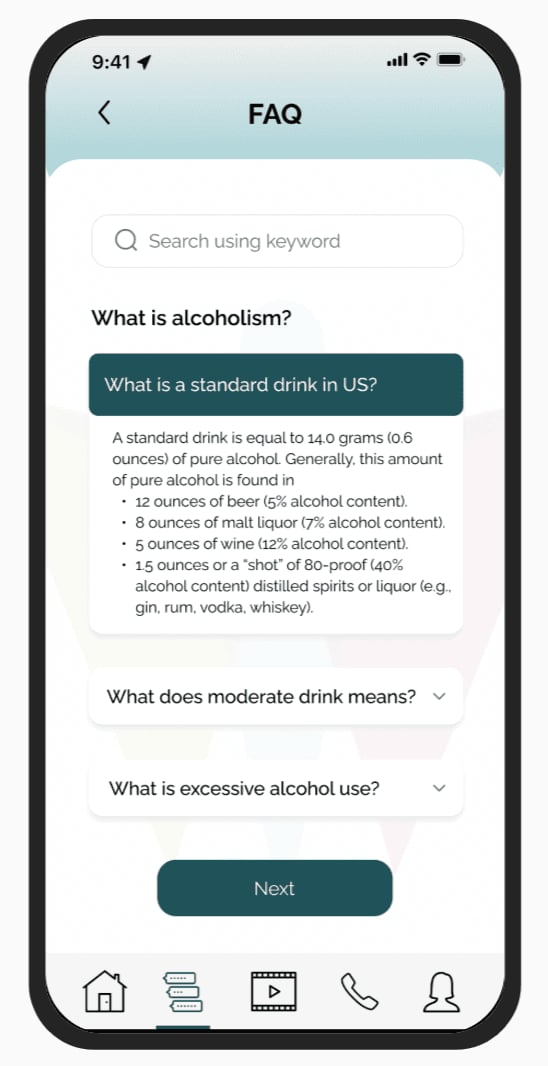
The WE-CARE app facilitates care for expectant mothers by incorporating innovative features such as universal e-screenings for alcohol, illicit drugs, depression, and anxiety, educational resources, a moderated forum for anonymous discussions, a chatbot, and an anonymous referral to a comprehensive drug and alcohol treatment center.
DesignProcess
This case study follows the structured design thinking process—Understand, Research, Ideate, Analyze, Design & Ideate, Prototype and Test—to create user-centered and impactful solutions.
Understand
WE-CARE Overview
WE-CARE addresses substance use among women of childbearing age (18–44) and its link to mental health disorders like anxiety and depression. Through universal screening, it identifies at-risk women, assesses their need for treatment, and offers personalized referrals. However, adoption rates remain low.
WE-CARE Project Goal
The app aims to support women by providing screening and care linkage for substance use disorder (SUD), anxiety, and depression through:
- Microlearning videos to educate on substance use risks and stigma
- Anonymous e-screenings to assess care needs
- Linkage to care (LTC) for connecting with healthcare providers
- Support tools like hotlines, forums, and chatbots
- Appointment reminders to track care plans
This ensures accessible, stigma-free support for at-risk women.
- Role
- UX Designer
- Tools
- Figma
Miro - Design Constraints
- Has to be mobile
- Stakeholders
- Overall: 5+ weeks
Discovery & Research: 2+ weeks
Design & testing: 3 weeks
Problem
Identifying and treating alcohol and substance use disorders (AUD/SUD) in women of childbearing age is crucial but hindered by barriers such as limited screening, stigma, time constraints, and lack of provider knowledge. Healthcare professionals also struggle with connecting patients to trauma-informed care.
Solution
WE-CARE is a mobile app that expands screenings, offers anonymous referrals and educational materials, and facilitates communication between patients and providers. By leveraging secure cloud-based technology, it addresses barriers like time, willingness, and access, ensuring seamless virtual screenings, referrals, and ongoing support.
Research&Findings
During the Discovery Phase, a Project Plan was created to outline tasks and deadlines, ensuring the project stayed on track.
Project Requirements
To provide design system components that allow for the delivery of:
- Anonymous automated support for at-risk women
- Micro-learning materials to both WOCA and HCPs
- E-screeners
Deliverables
Initial design based on understanding including:
- Customer journey map
- Personas (for multiple roles)
- 3–5 User flows
- Storyboard for concept designs
- Interactive wireframe in Figma
Project Plan — High-Level Timeline/Schedule
- Week 1: App design walkthrough, onboarding, and goal alignment
- Week 2: Storyboard creation and concept designs
- Week 3: Refining concept designs, detailed user flow, and feedback integration
- Week 4: Developing interactive wireframes and testing with users
- Week 5: Iterating wireframes based on user feedback
Research Findings
Early research by Beneten Technologies found that up to 28% of women of childbearing age engage in binge drinking before pregnancy awareness, with high rates of comorbid substance use. Despite recommendations for universal screening, screening rates in women's health clinics remain low.
User Interviews & Insights
Beneten Technologies research team conducted in-depth interviews with healthcare providers (HCPs) and here are some example questions asked during the interviews.
Example Questions
- Not all practices conduct universal screening for alcohol use. Why do you think that is?
- Some screenings are done at home and some are done in the office. Do you think one location would be preferred over the other? Why?
- After screening for alcohol and substance use, what do you do in terms of follow-ups?
- Do you have evidence-based educational materials on alcohol and substance use for patients?
- What's the process of transferring screening results to EHR in your practice?
- Anything important you want us to know when it comes to supporting WOCA at risk for substance abuse?
Research Takeaways
Expanding universal screening among women of childbearing age (WOCA) requires an engaging, accessible solution. WE-CARE offers:
- Microlearning materials
- Anonymous e-screenings
- Automated support
- Appointment management
Synthesizing
Research Synthesis
I created three personas for each user segment based on my research findings from surveys and interviews and direction from the client.
Target Users
The app primarily serves women of childbearing age (18–44) and healthcare providers.
Personas
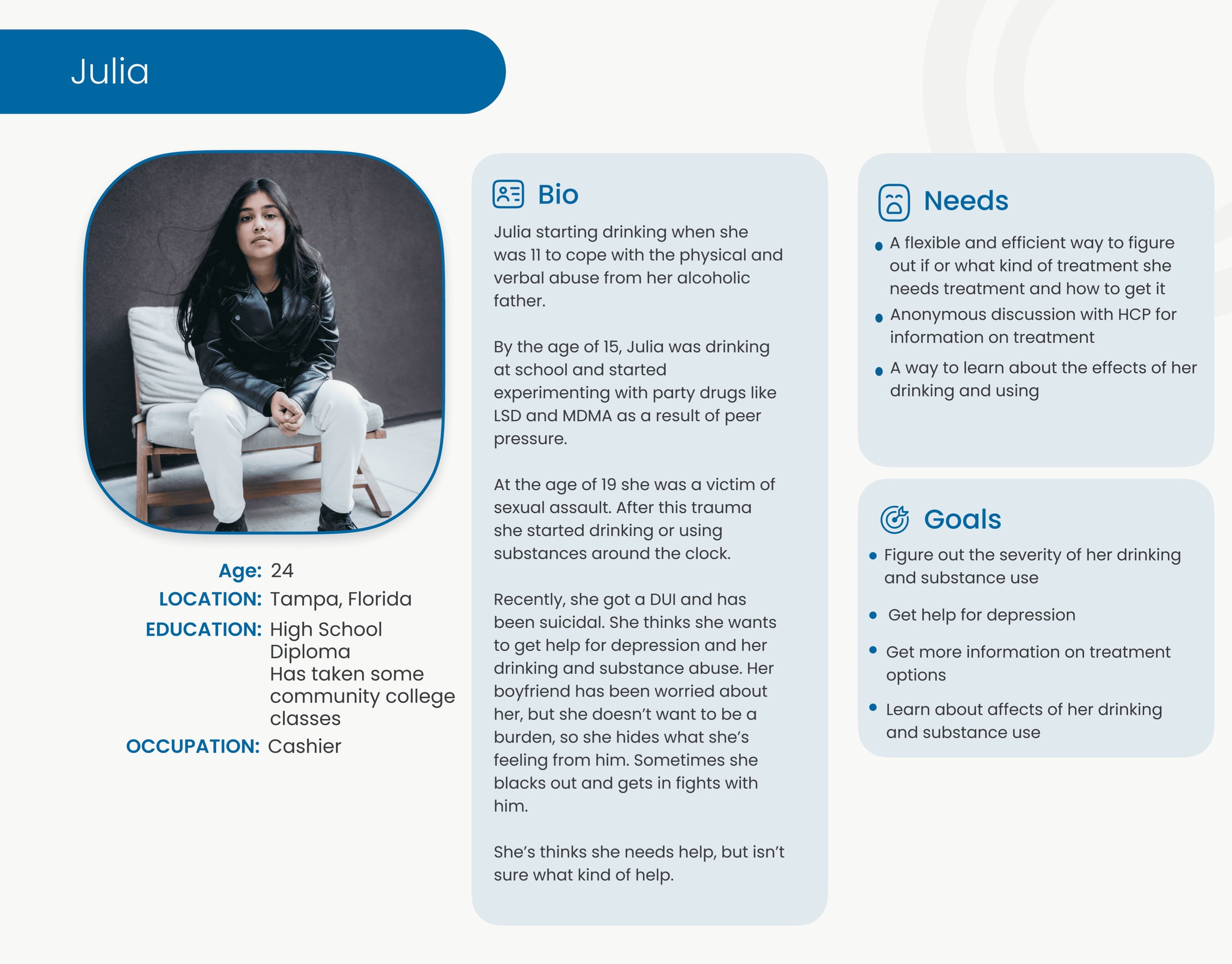
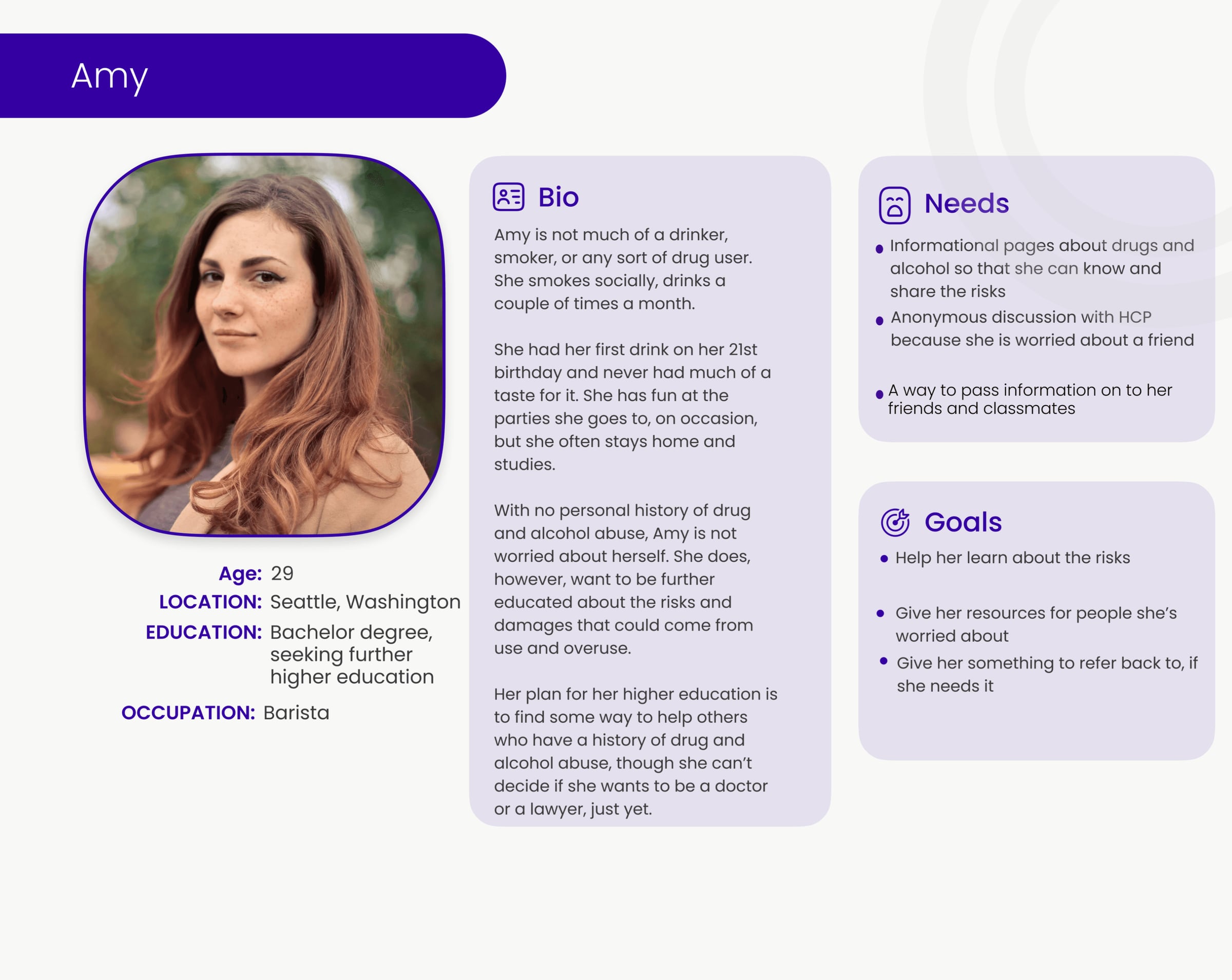
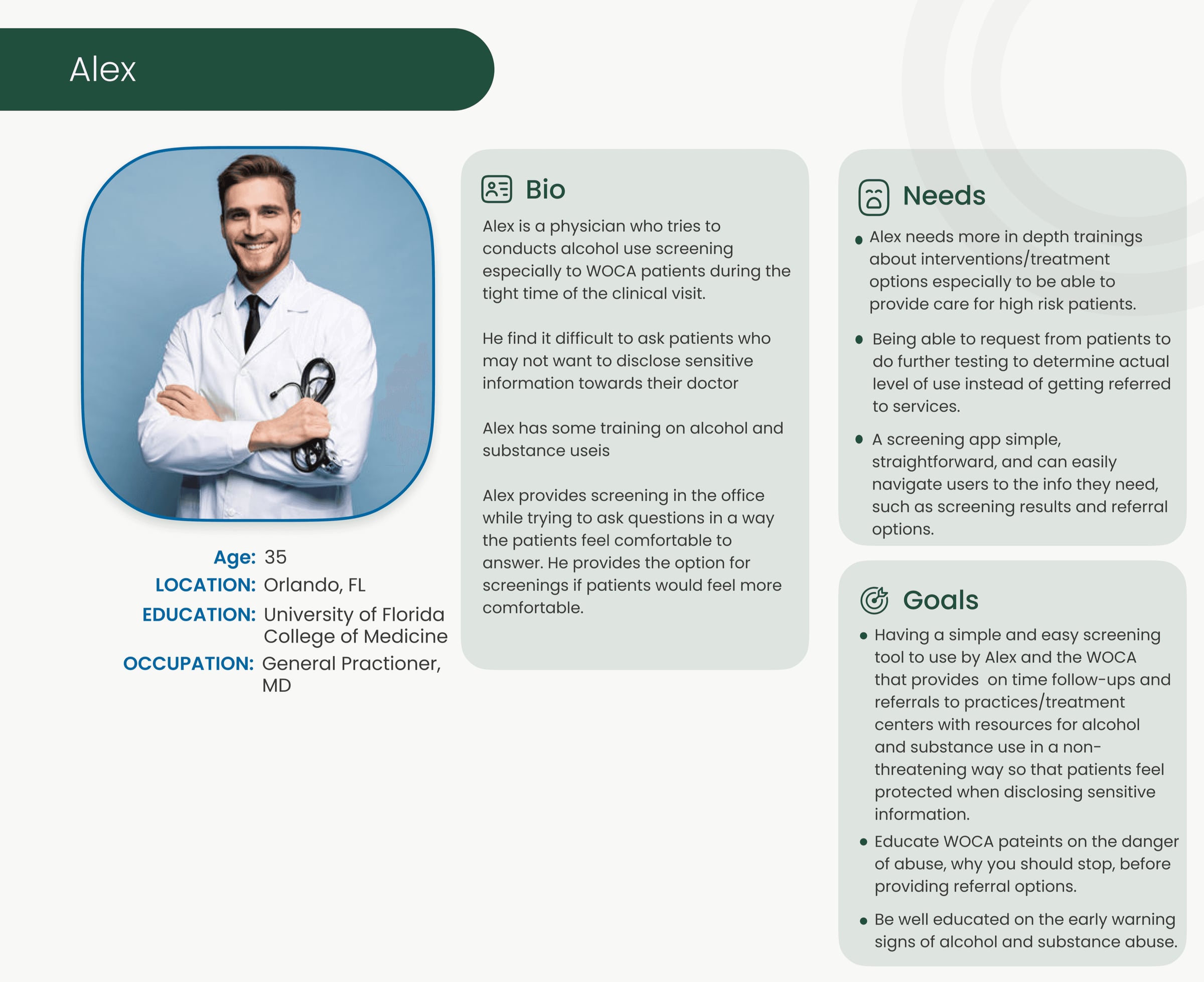
To better understand user needs, the team developed three personas based on user research, surveys, and client direction. These personas guide design decisions to align with user goals.
Julia
A young woman from Florida with a history of substance use, now experiencing depression and unsure where to seek help.
Amy
A barista in her late twenties from Seattle who drinks and smokes occasionally but has no substance abuse history. She is interested in learning about substance use risks.
Alex
A physician who screens WOCA patients for alcohol use, aiming to make screenings comfortable and educate patients on substance use.
Design&Ideate
Problem Statement
WE-CARE supports expectant mothers and women of childbearing age at high and low risk for alcohol and substance abuse, represented by the Julia and Amy personas. The app features universal e-screenings, educational resources, a moderated forum, a chatbot, and anonymous referrals to treatment centers. Julia, the high-risk user, is the primary focus.
UserJourney
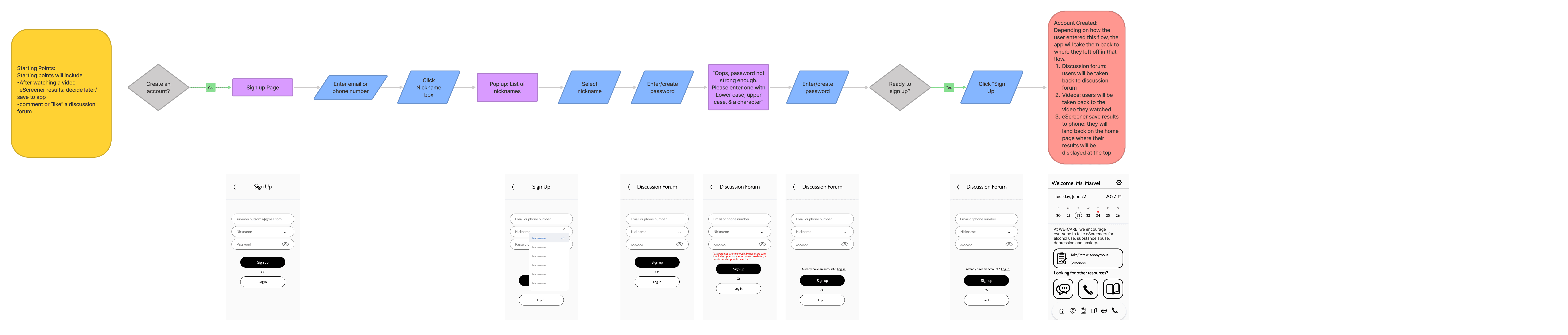
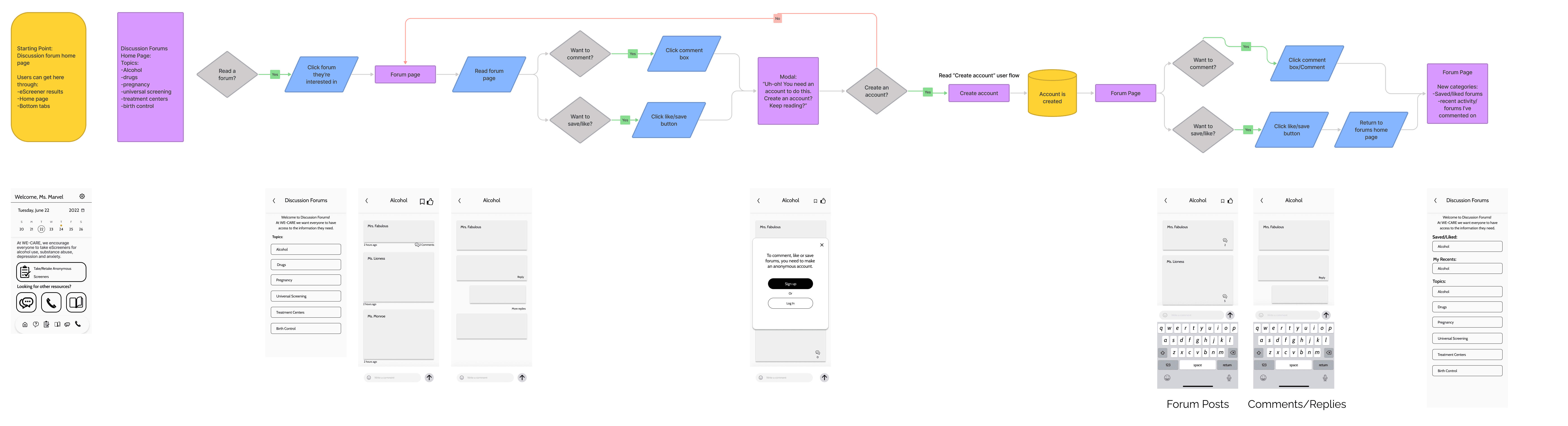
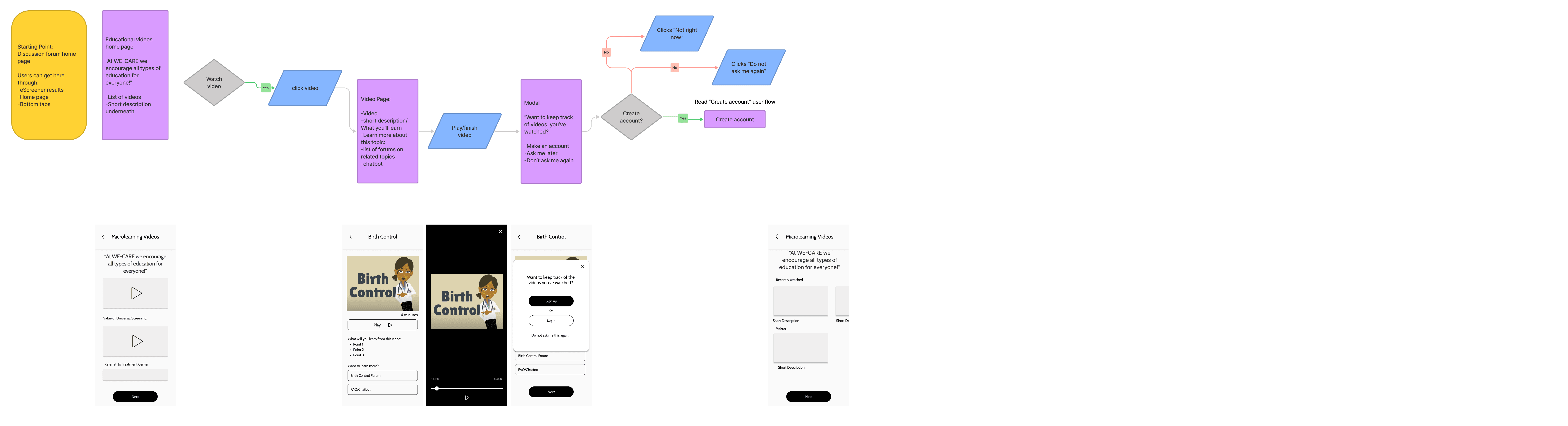
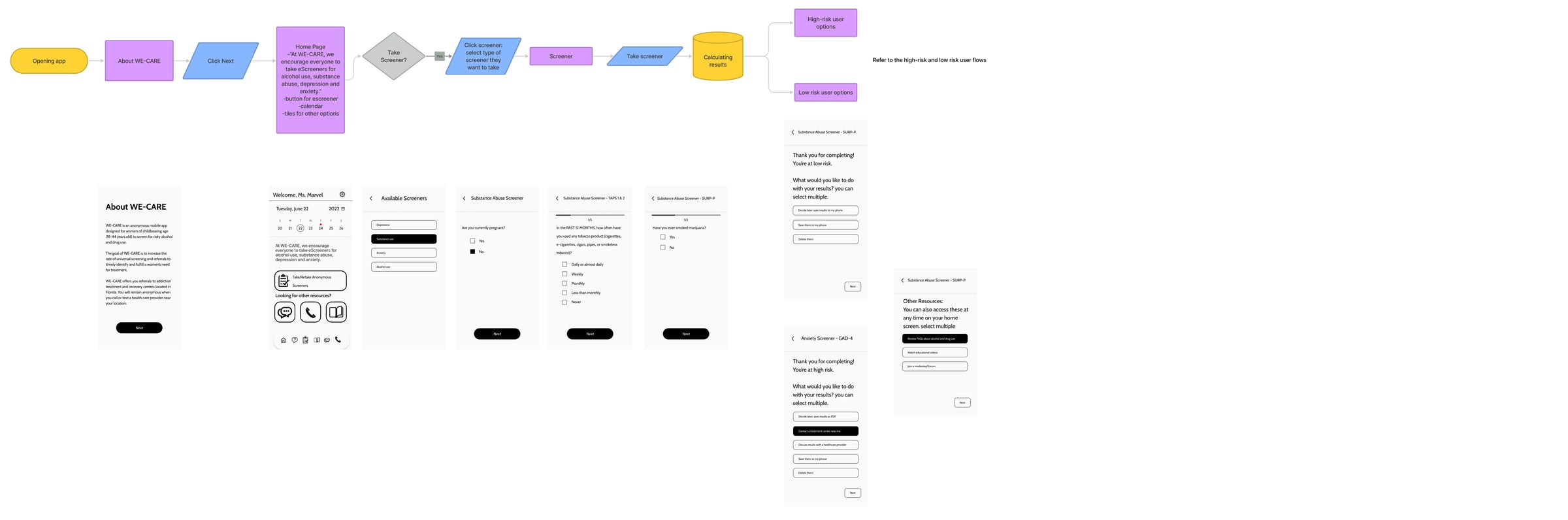
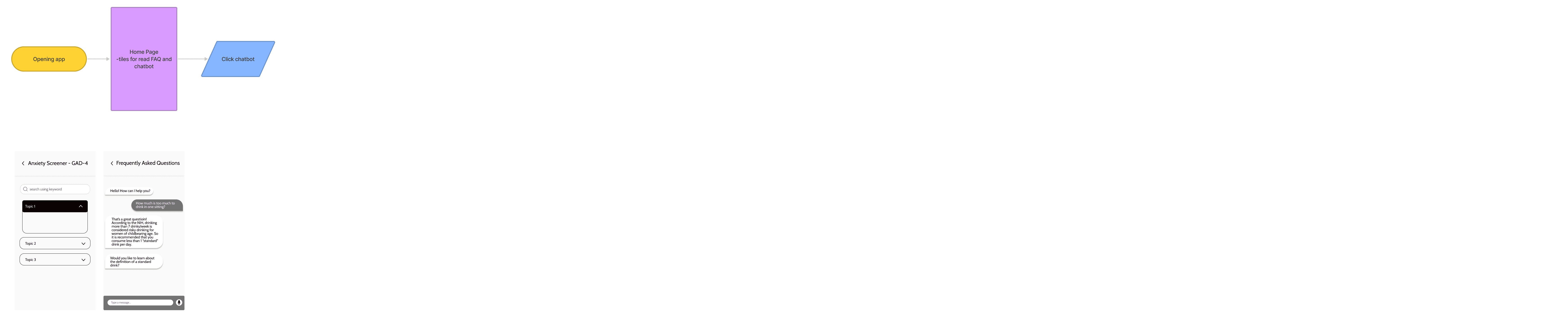
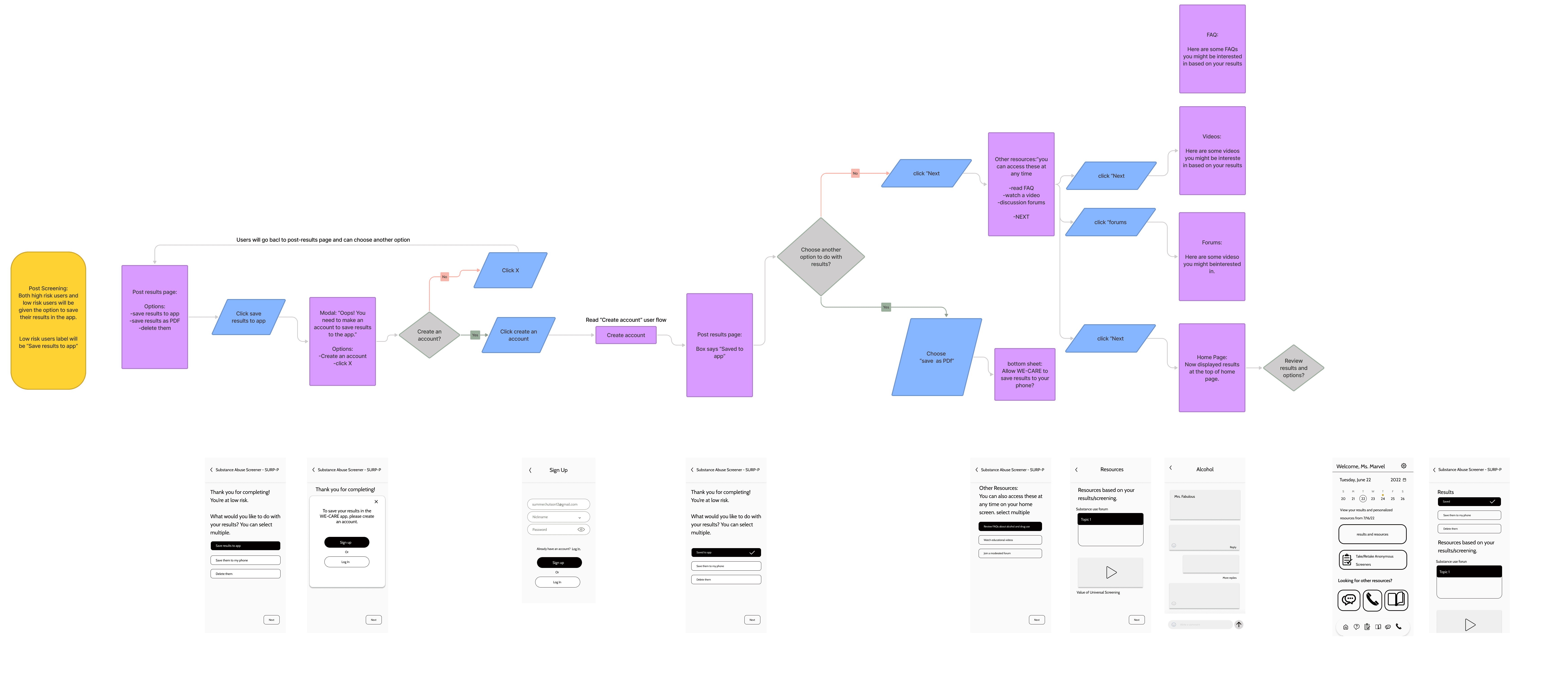
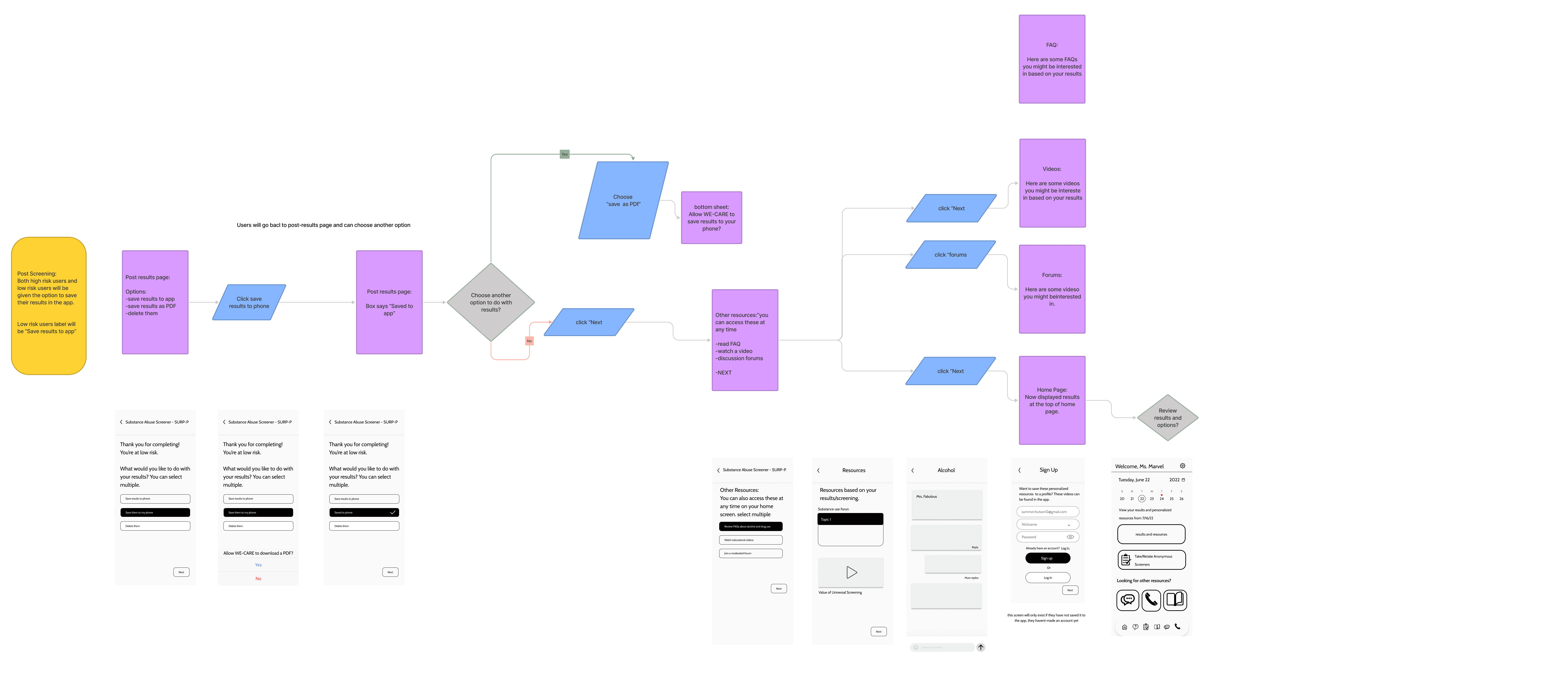
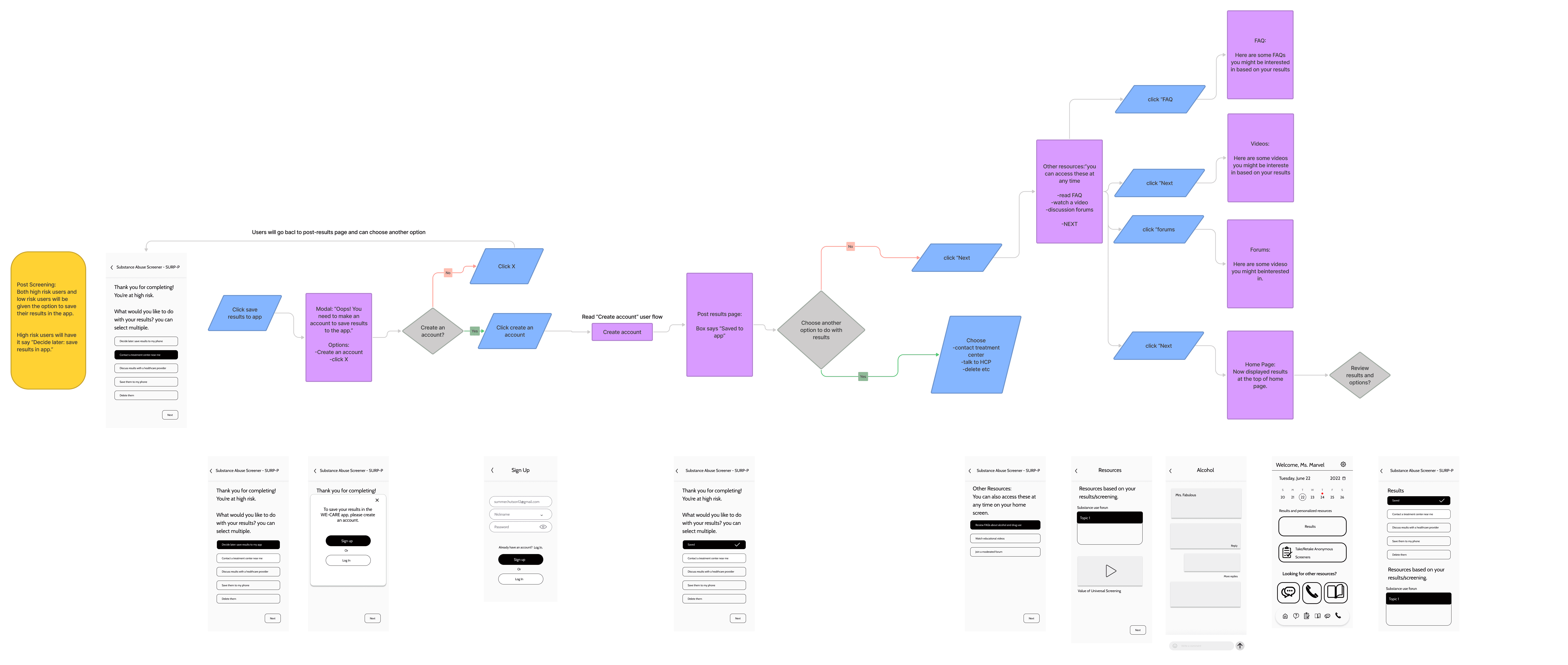
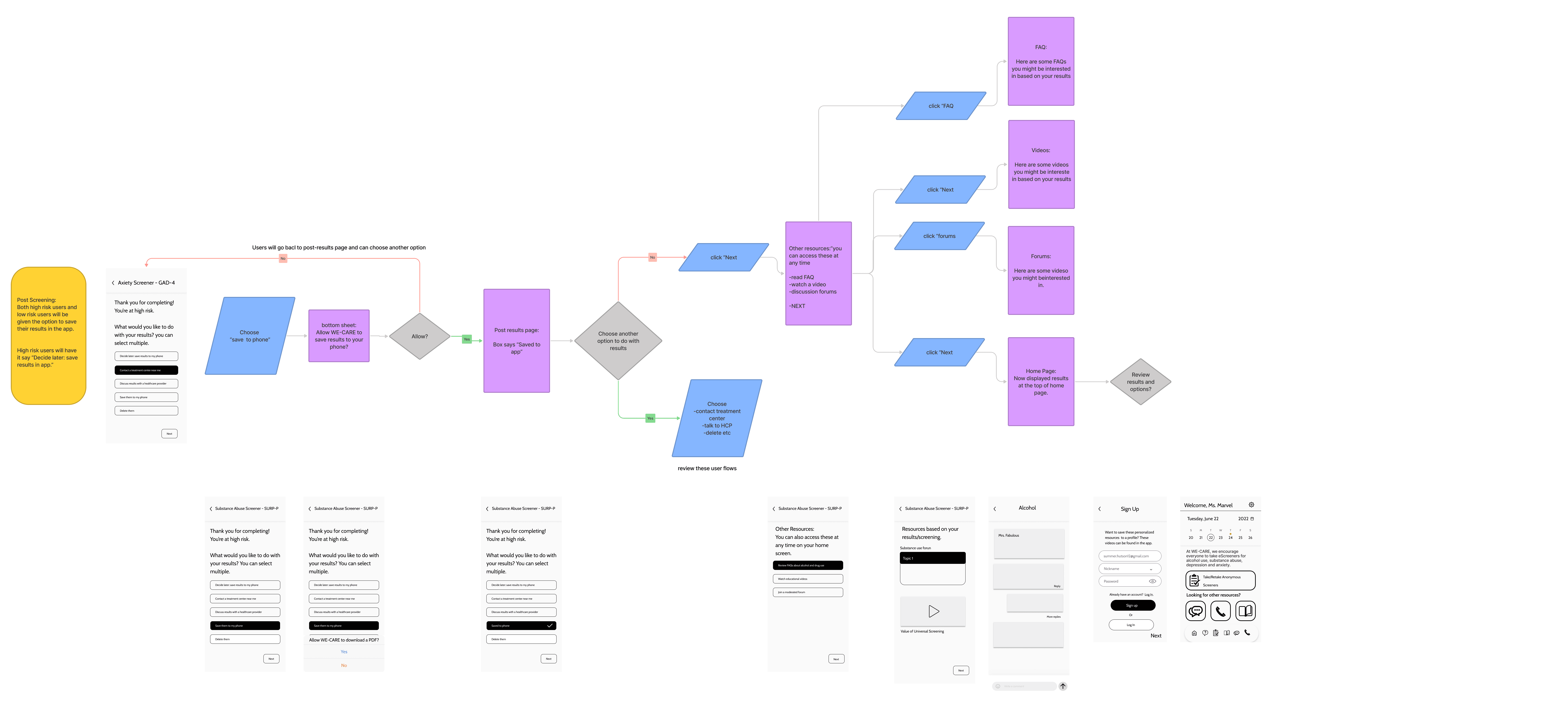
Creating User Flows
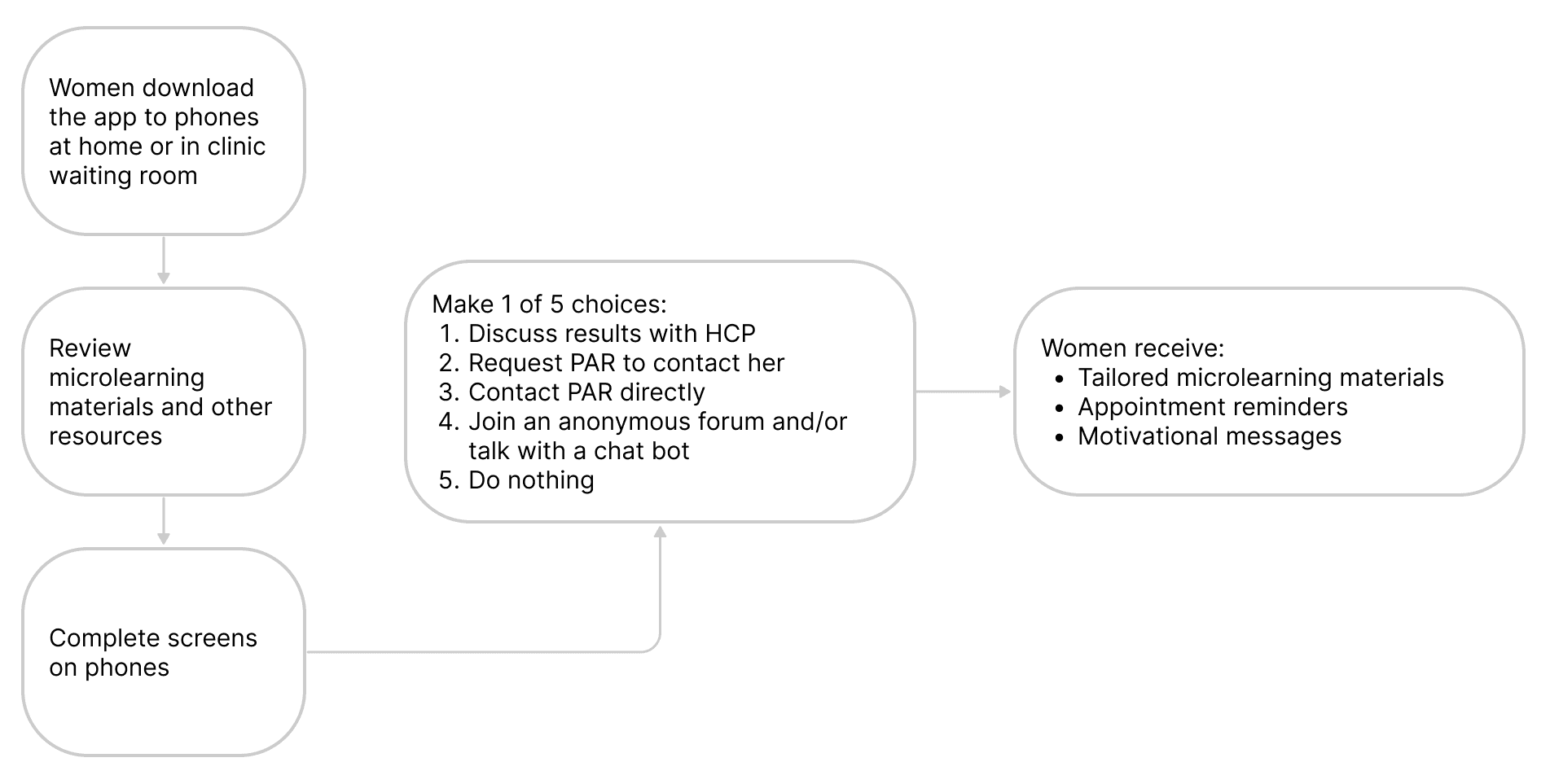
Based on research insights, key user flows include:
- Create an Account
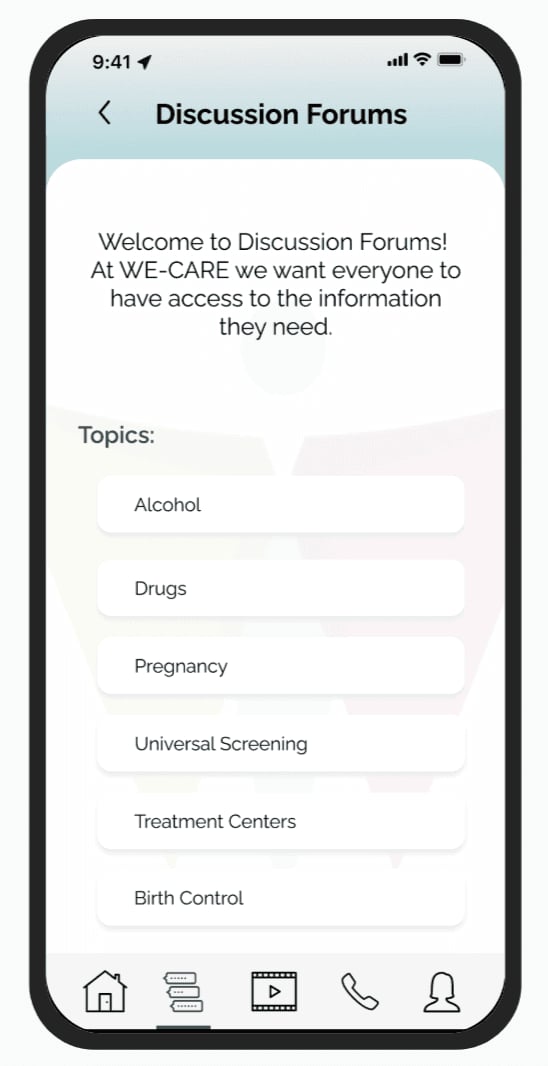
- Read, Like and comment on Discussion Forum
- Watch videos/Save video progress
- Take a screener
- Read FAQ/Chatbot
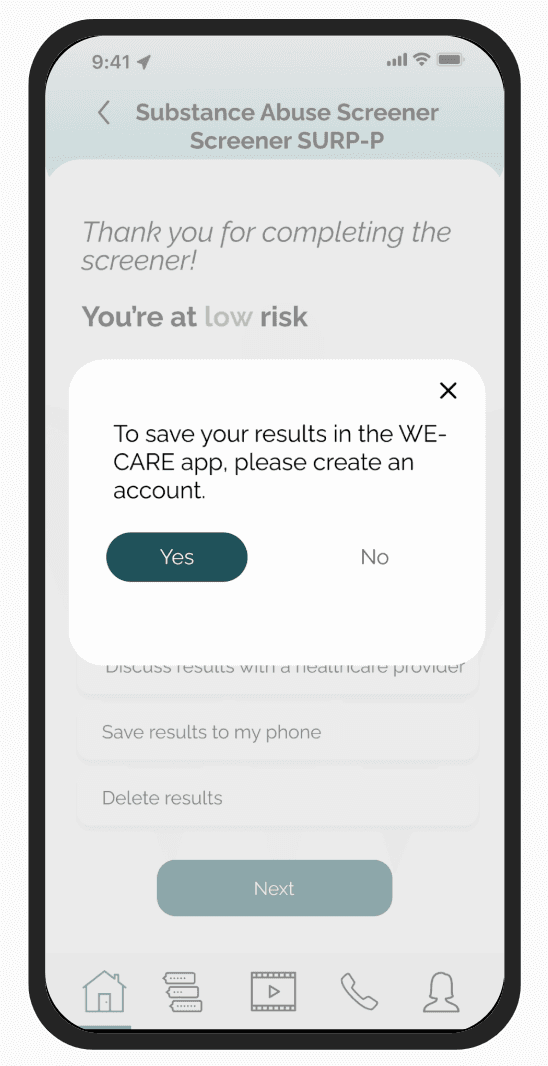
- Post Screening: Low Risk: save results to app
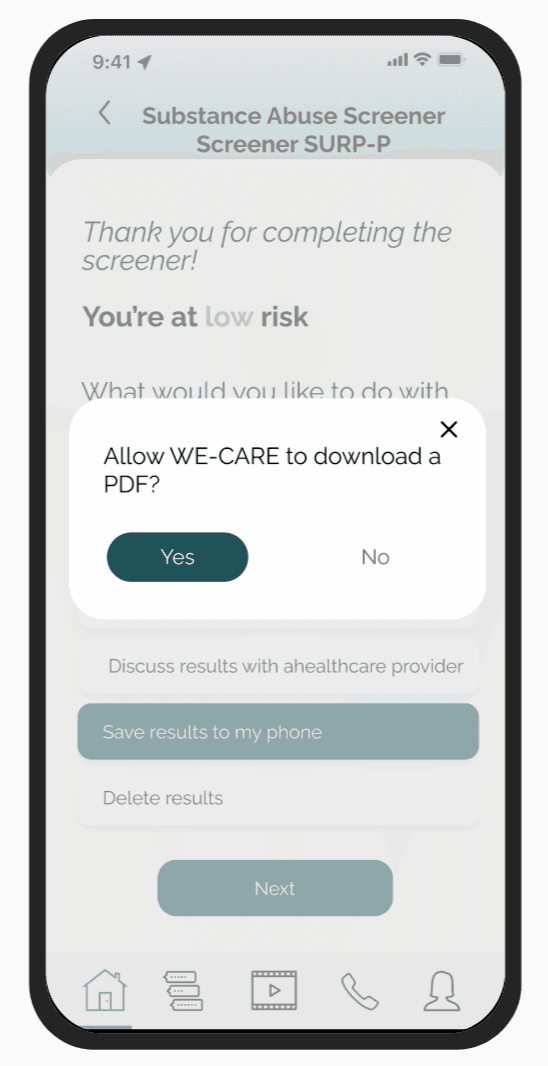
- Post Screening: Low Risk: save results to phone as PDF
- Post Screening: High Risk save results to app
- Post Screening: High risk save results as PDF
- Post Screening: delete results applicable to high-risk users and low risk users
Sketches/Storyboard
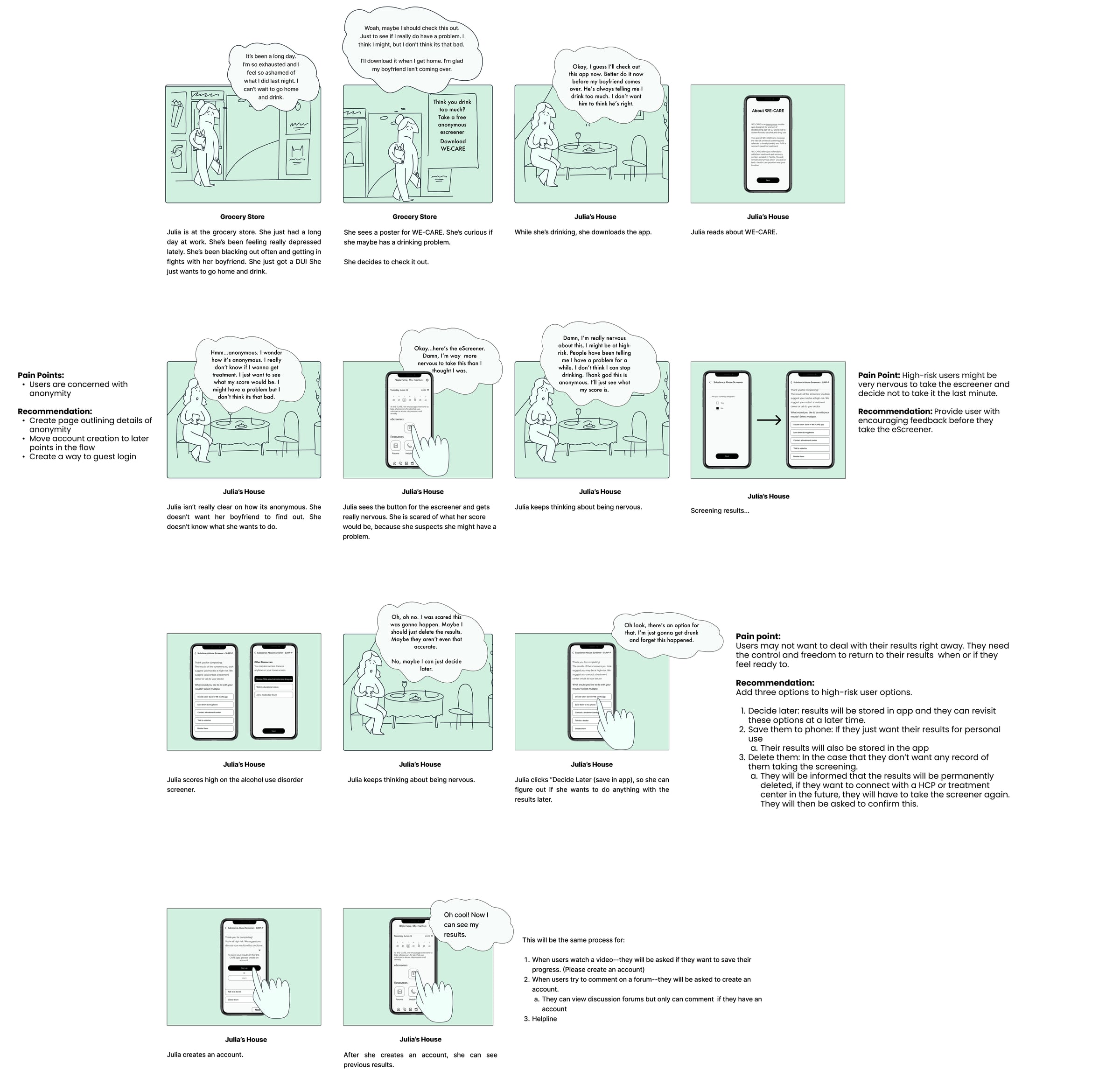
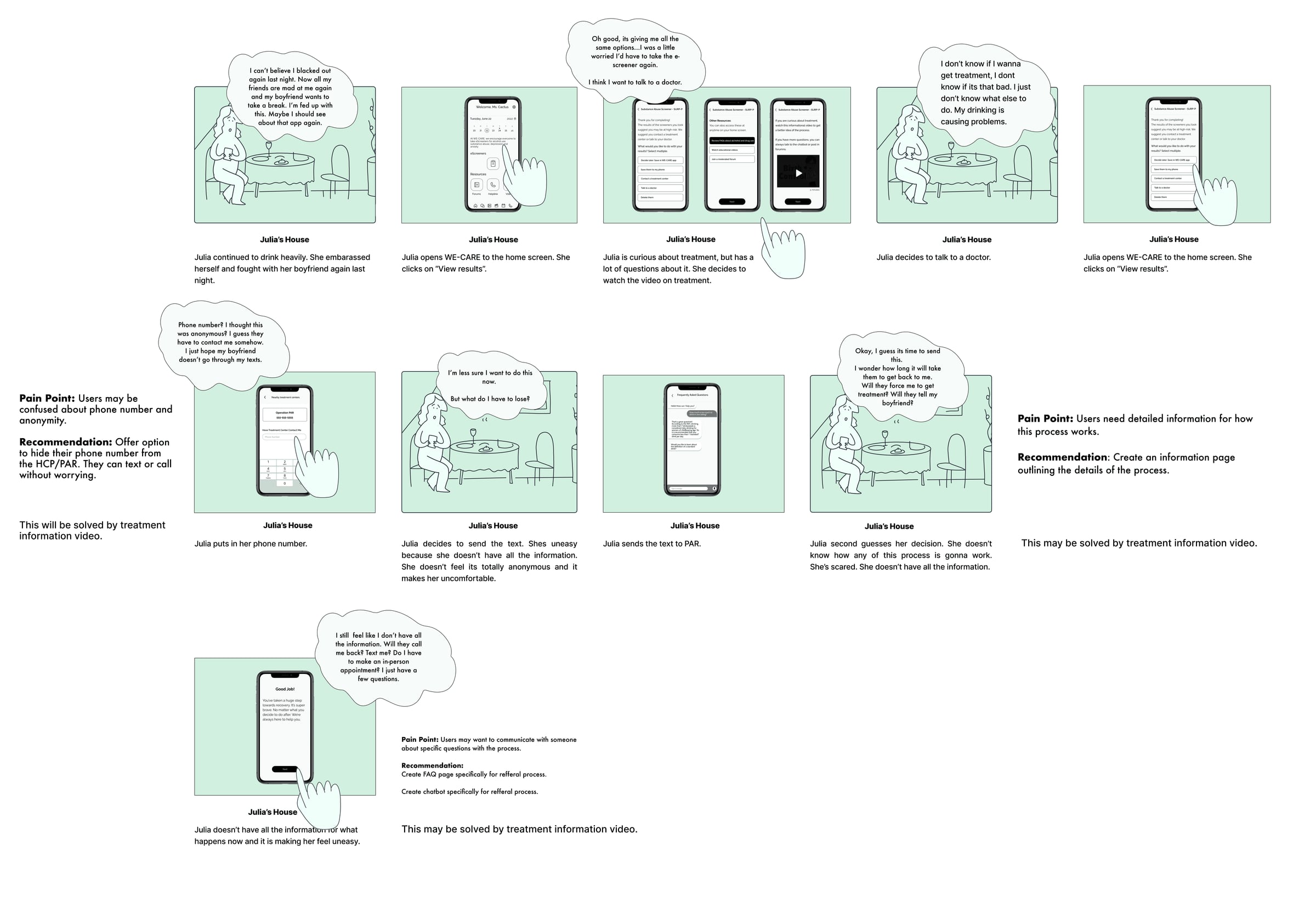
Storyboards were created to visualize Julia's journey, illustrating her pain points and decision-making process when encountering a WE-CARE ad.
Last week, Julia saw an ad for the app and hesitated to try it. Uncertain if she truly needed it, a difficult situation led her to reconsider. Realizing she had nothing to lose, she decided to seek help through WE-CARE.
This storyboard highlights user hesitation, emotional triggers, and the turning point that leads high-risk users to engage with the app.
CompanyName&Visual/UIStyle
Product Name: WE-CARE
Meaning:Stands for “Women Engaged in Comprehensive Care for Substance Use.”
Rationale:Short, easy to pronounce, and conveys the app's supportive nature.
Logo
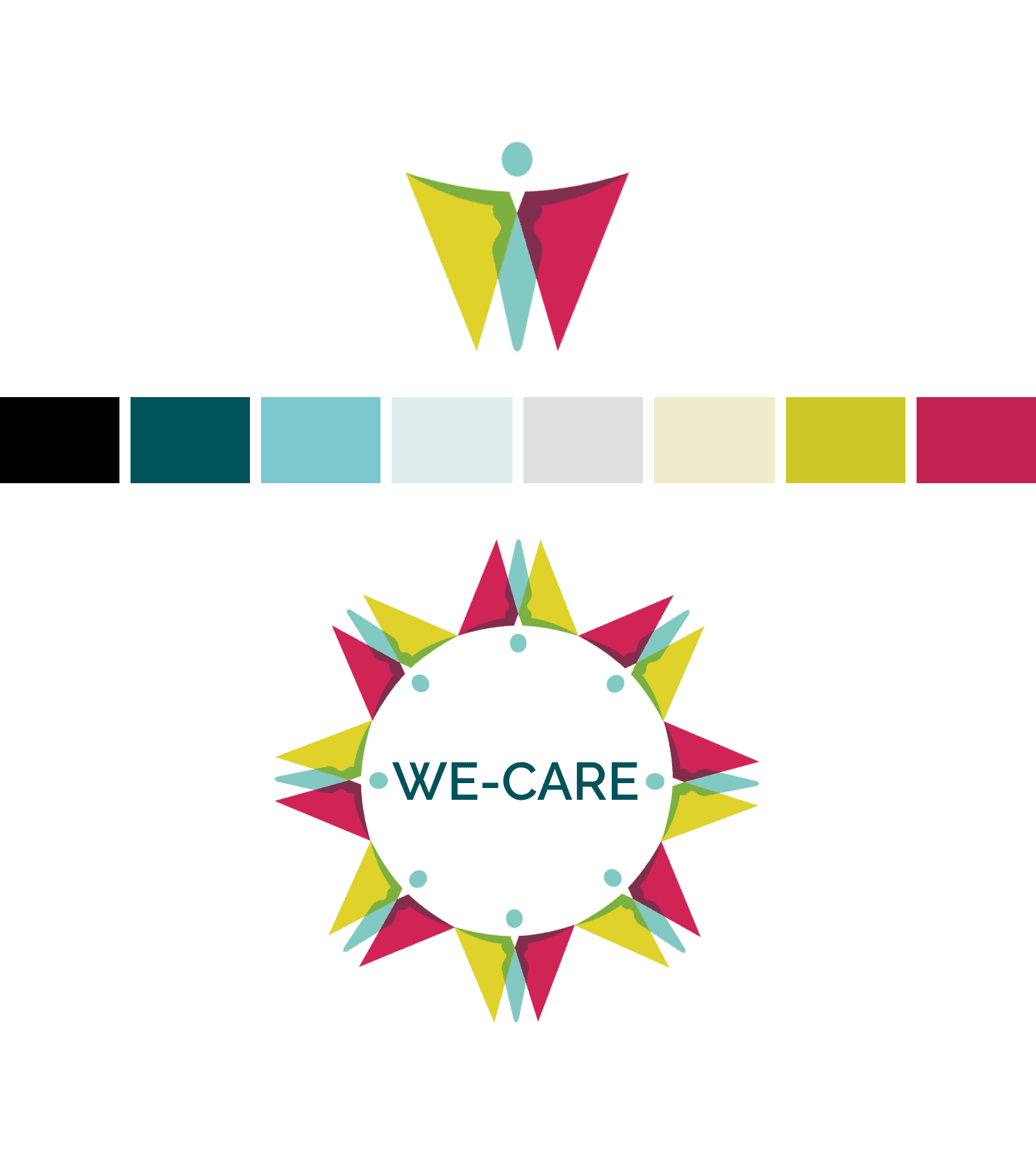
- Multiple logo variations were explored, ensuring alignment with branding
- The chosen design and colors were consistently applied across low- and high-fidelity screens
Colors
- Dark green & yellow – Represent reliability, harmony, and growth
- Light blue – Symbolizes trust and self-expression
- Dark red – Draws attention and conveys energy and passion
Font
- Raleway was selected for its professional, clean, and sharp look
- Works well for bold, capitalized text, making it ideal for titles and headers
Icons
In creating low and high fidelity mockups for the app, I utilized the “Icon8” library's “IOS 16” for the app icons.
Illustrations
In creating low and high fidelity mockups for the app, I utilized the “Icon8” library.
Brand Personality
WE-CARE is designed to be a gentle, supportive, and understanding companion, offering solutions while respecting user autonomy. By ensuring anonymity, it removes the stigma of seeking help and creates a safe, judgment-free space for women to reach out.
Brand Attributes
The app embodies trust, care, and encouragement, making it:
- Supportive & understanding – Friendly, respectful, and optimistic
- Safe & private – Anonymous and comforting
- Empowering & informative – Encouraging, helpful, and calming
Prototype
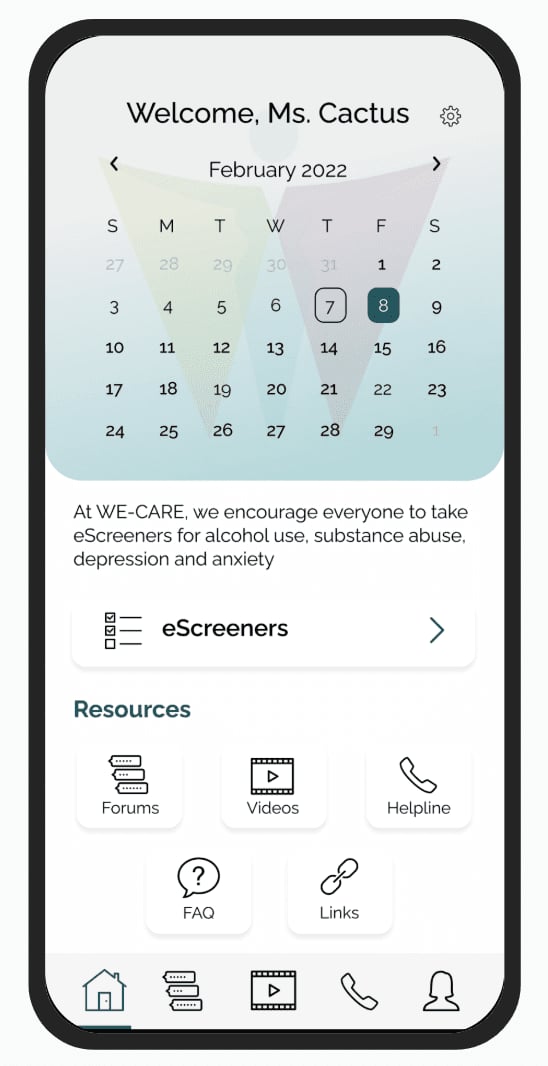
The initial low-fidelity mockups included key screens for:
- Onboarding & login
- Setting reminders
- Home & profile pages
- Helpline & support access
- e-Screeners for high- and low-risk users
The team refined these designs, improving usability and visual consistency. Below are the enhanced versions of the client-provided screens.
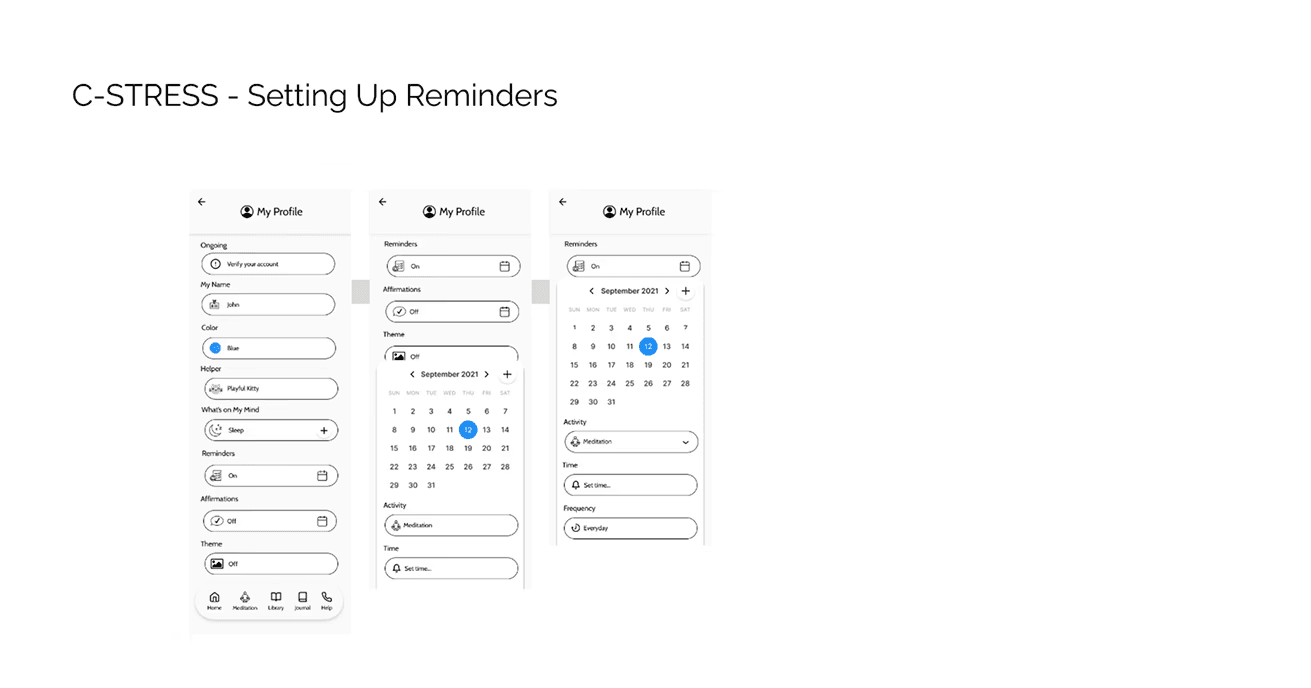
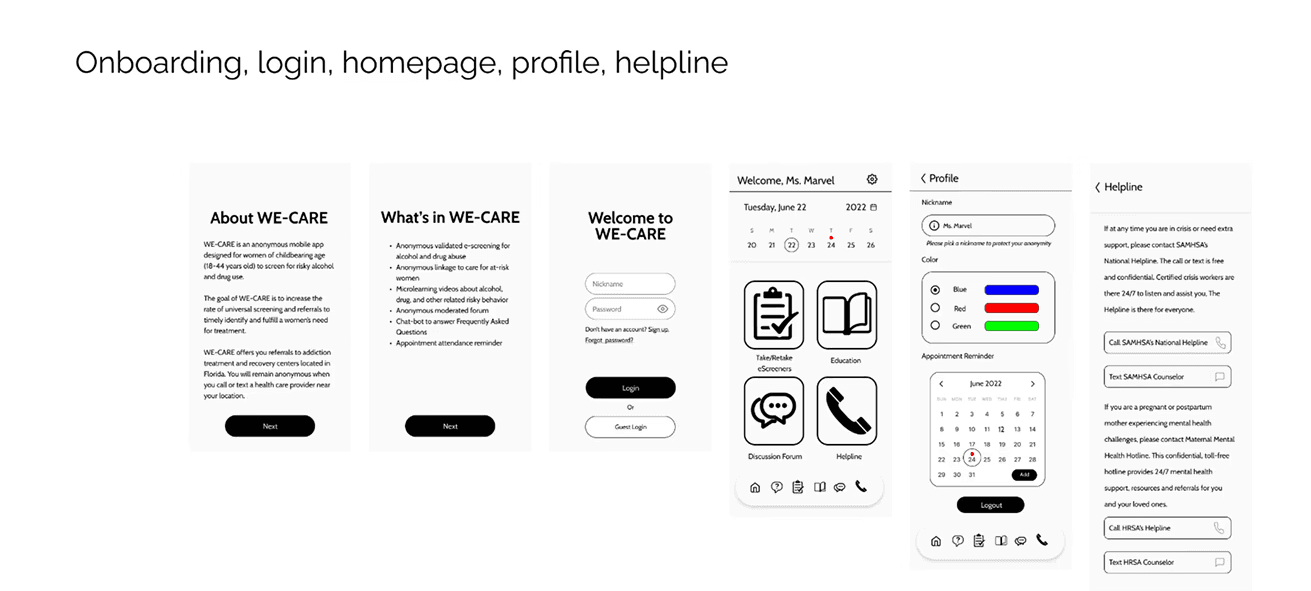
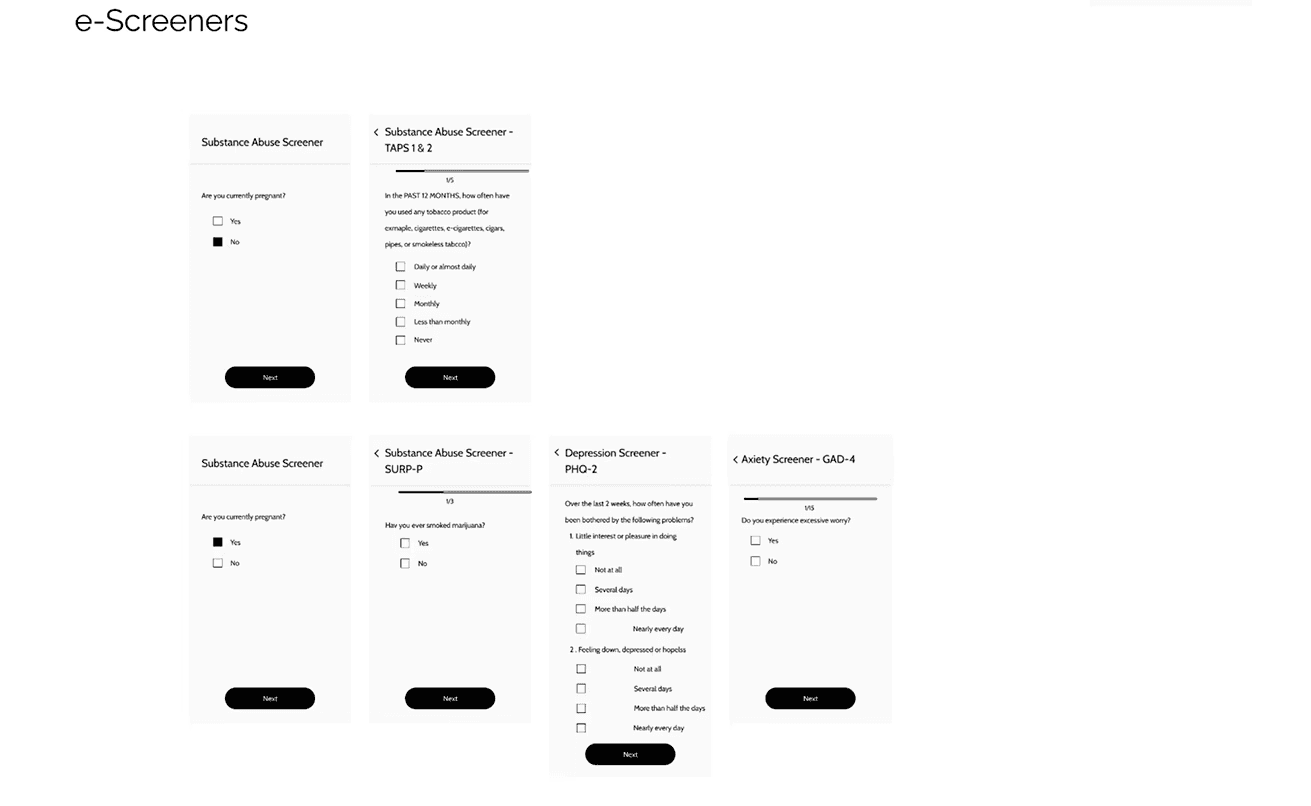
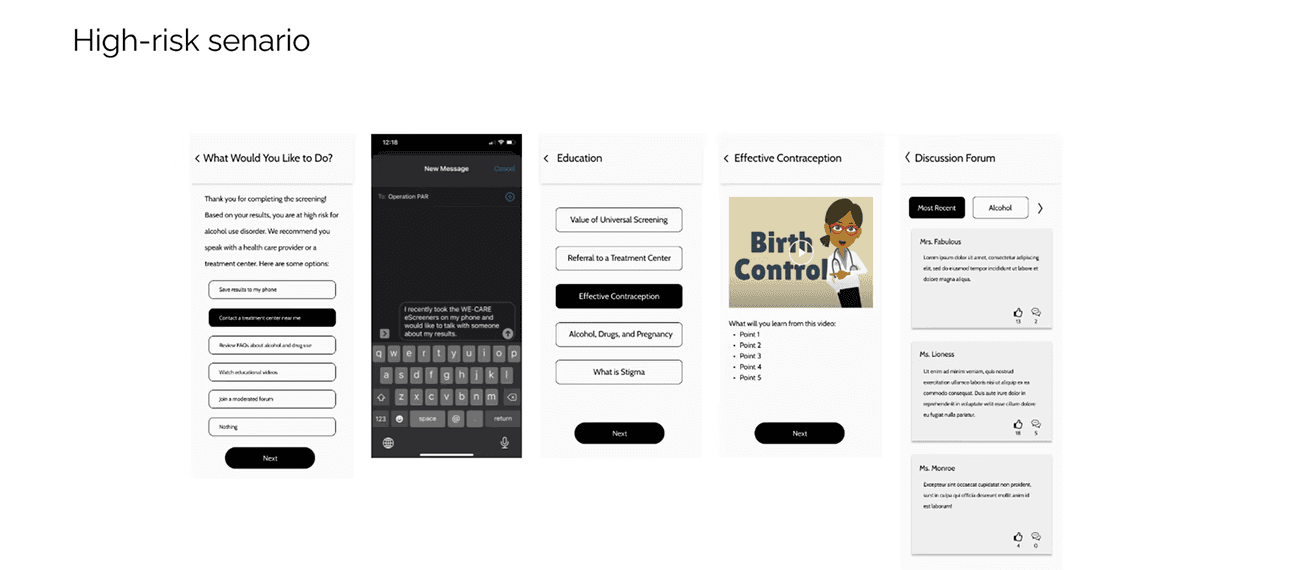
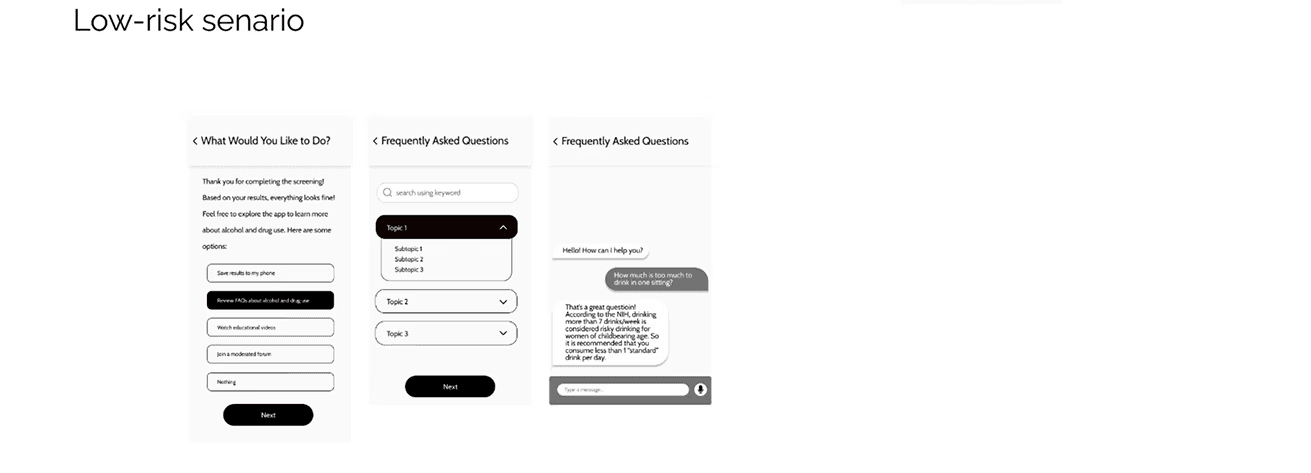
ExampleScreensfromFirstPrototype
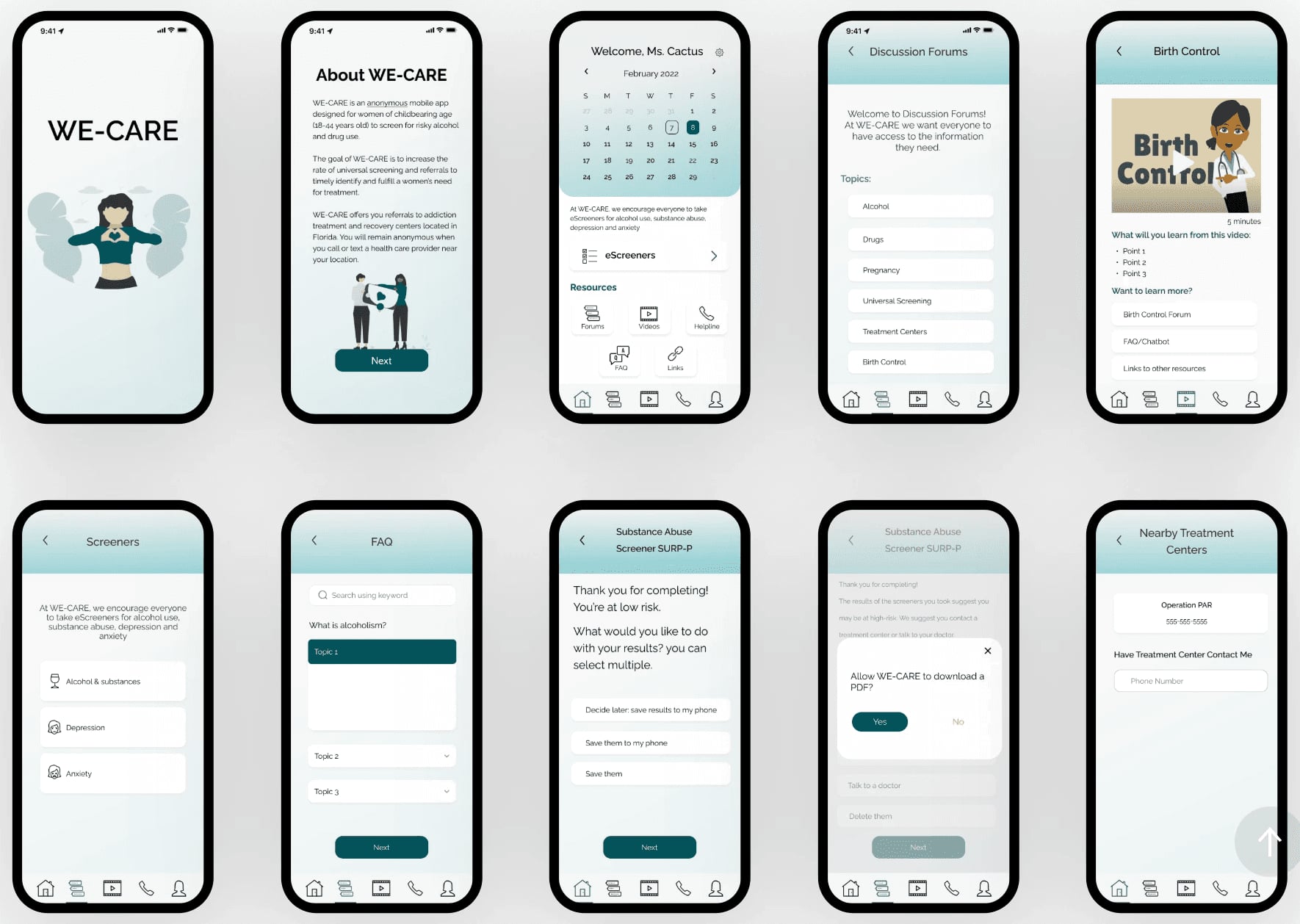
I collaborated with my team to understand the main issues with the app, while Beneton Technologies hired a specialized research agency to conduct user testing on early mockups with potential users. The research agency provided us with feedback and recommendations for improving the screens, including preferred colors and themes. Based on this feedback, we created some initial high fidelity mockups.
Test
Usability Testing
After receiving insights from user testing, I worked on updating the prototype of the app. To evaluate the changes, I conducted a test with five users and assigned them three tasks to complete, including:
- Taking a screener
- Deleting screener results
- Contacting a treatment center
Although users were able to complete the tasks without any significant problems, there were some instances where they experienced confusion during the test.
TakeAScreener
Three users were assigned the task of taking a screener, and they completed the questionnaire until they reached the results screens with options on how to proceed. In the first prototype, these options were divided into different screens, with the last one providing resources such as FAQs, educational videos, or joining a forum. Some users expressed dissatisfaction with this format, as they thought they had seen all the available options and completed the task, but missed out on important resources provided by the app.
Redesign
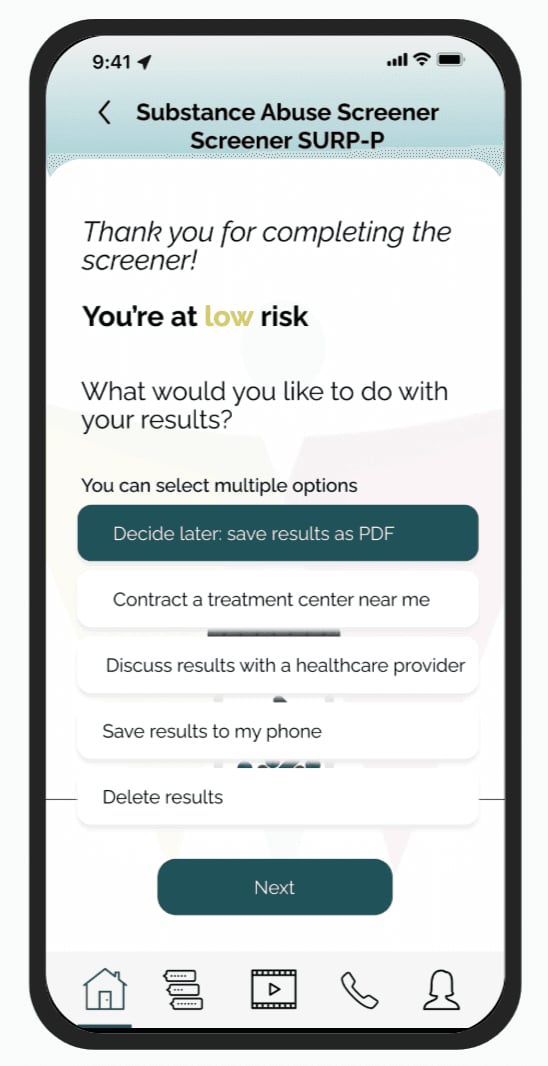
After receiving feedback from users about the format of the results screens in the app's prototype, including suggestions about design improvements, I decided to combine the last two screens into one to reduce the number of steps required to access all options. This change aimed to improve user experience and make it easier for them to see all available options at once.

DeleteResults
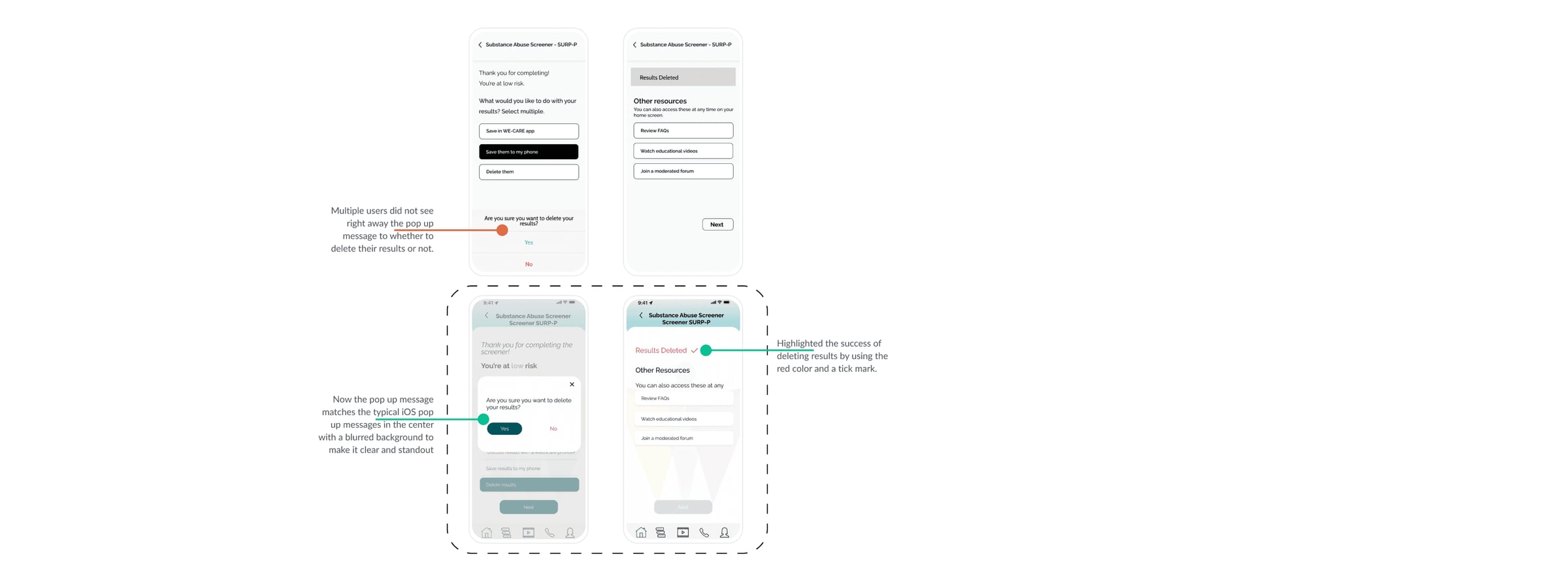
Several users provided feedback that they did not immediately notice the pop-up message for deleting their results because it was located at the bottom of the screen and did not stand out. This caused them to take a moment to realize the message.
The pop-up message for deleting results has been redesigned to match the typical iOS pop-up messages, appearing in the center with a blurred background to make it clear and stand out.

ContactATreatmentCenter
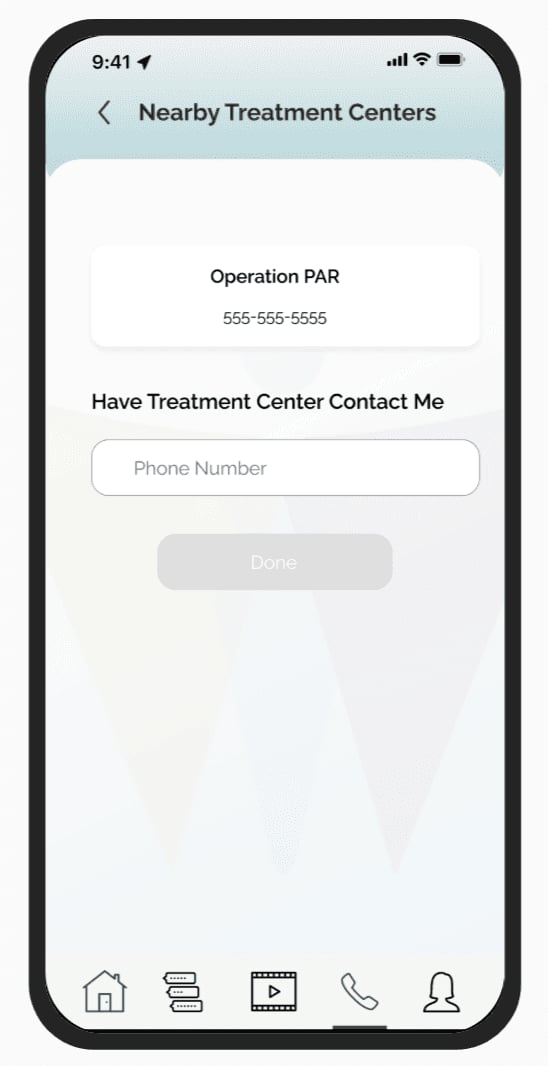
Users had difficulty contacting a nearby treatment center immediately after receiving their results during the testing of the initial prototype. This was particularly problematic for users who were deemed at high risk as they had to go back to the home screen to call the helpline, which was not a direct or intuitive process.
Based on feedback from multiple users, I incorporated a “Contact a treatment center near me” option in the list of options to enable users to take immediate action without having to go back to the main screen menu.

NextRoundofUserTesting
The updated prototype was tested again with five new users, with a focus on aesthetics and design. Users completed the tasks without any issues.
Takeaways
- The need for a better workflow for taking an e-screener
- Improvements in UI elements and color palette
- The use of concise wording in buttons and calls to actions
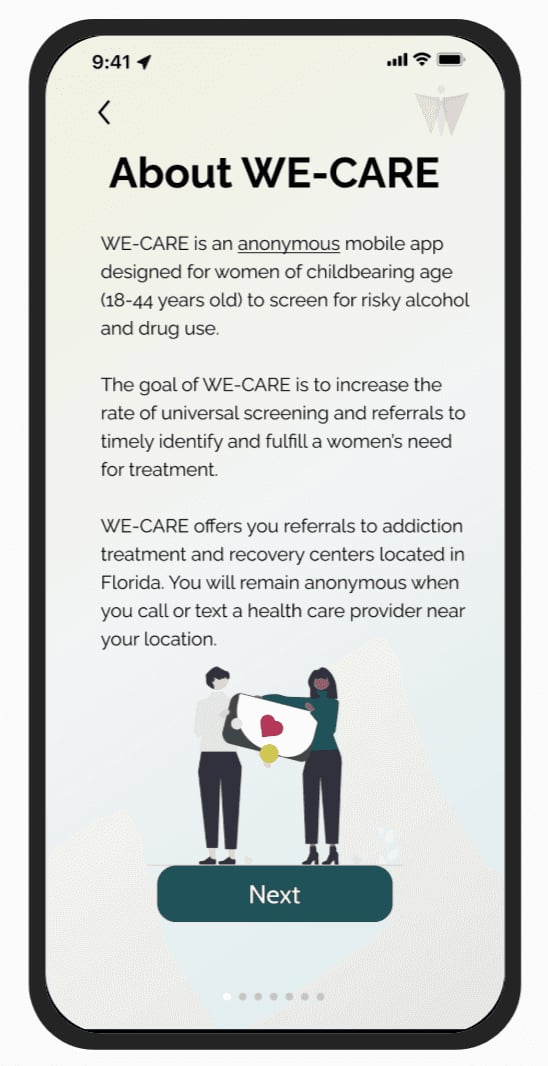
OnboardingScreens
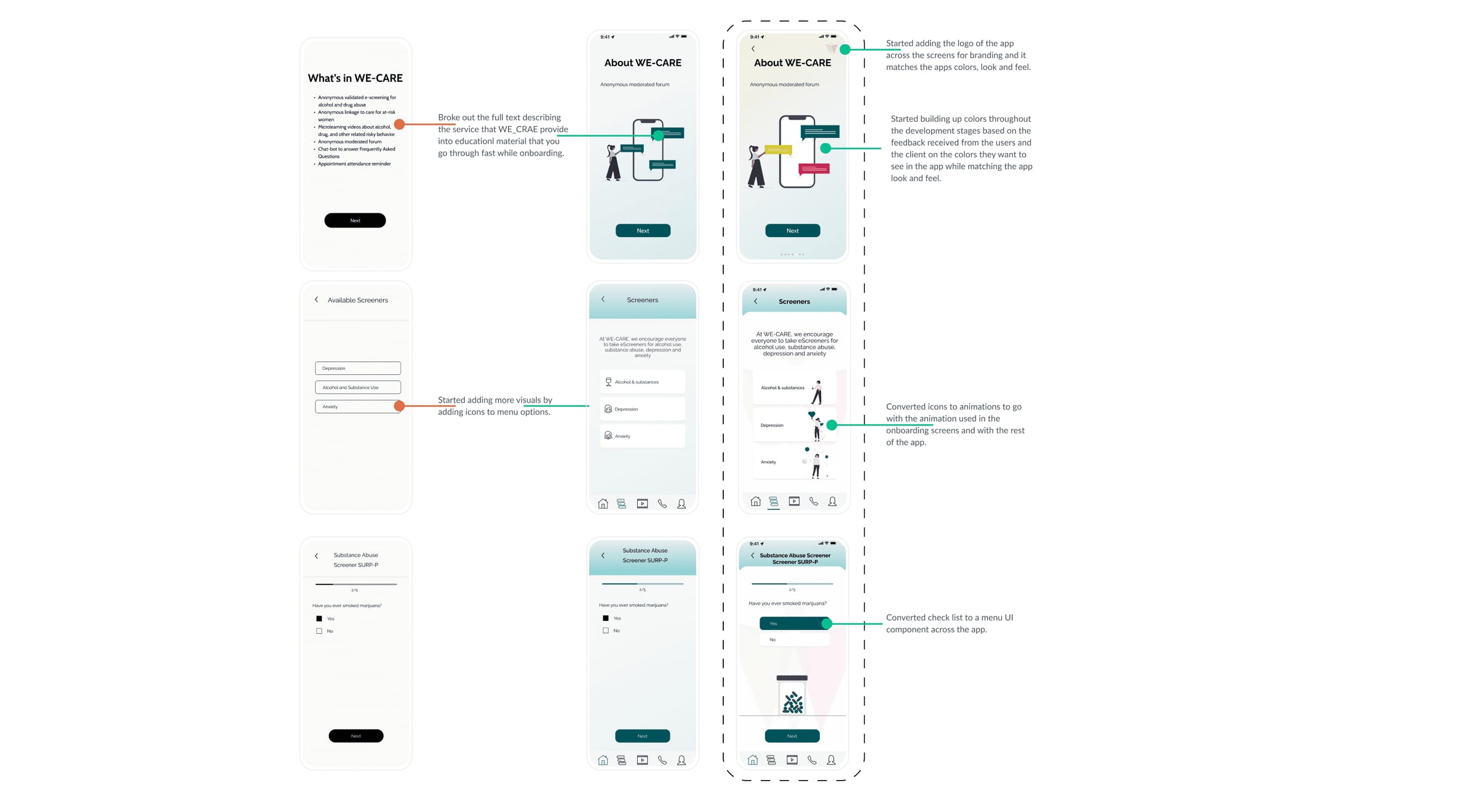
The initial two screens of the app provided background information about what WE-CARE offers, but users either skipped over it quickly or did not read it carefully.
To address the issue of users skipping or not reading the background information about what WE-CARE offers, the solution was to divide the information into multiple screens, add illustrations, and use the color palette to make it more engaging and appealing to the user.
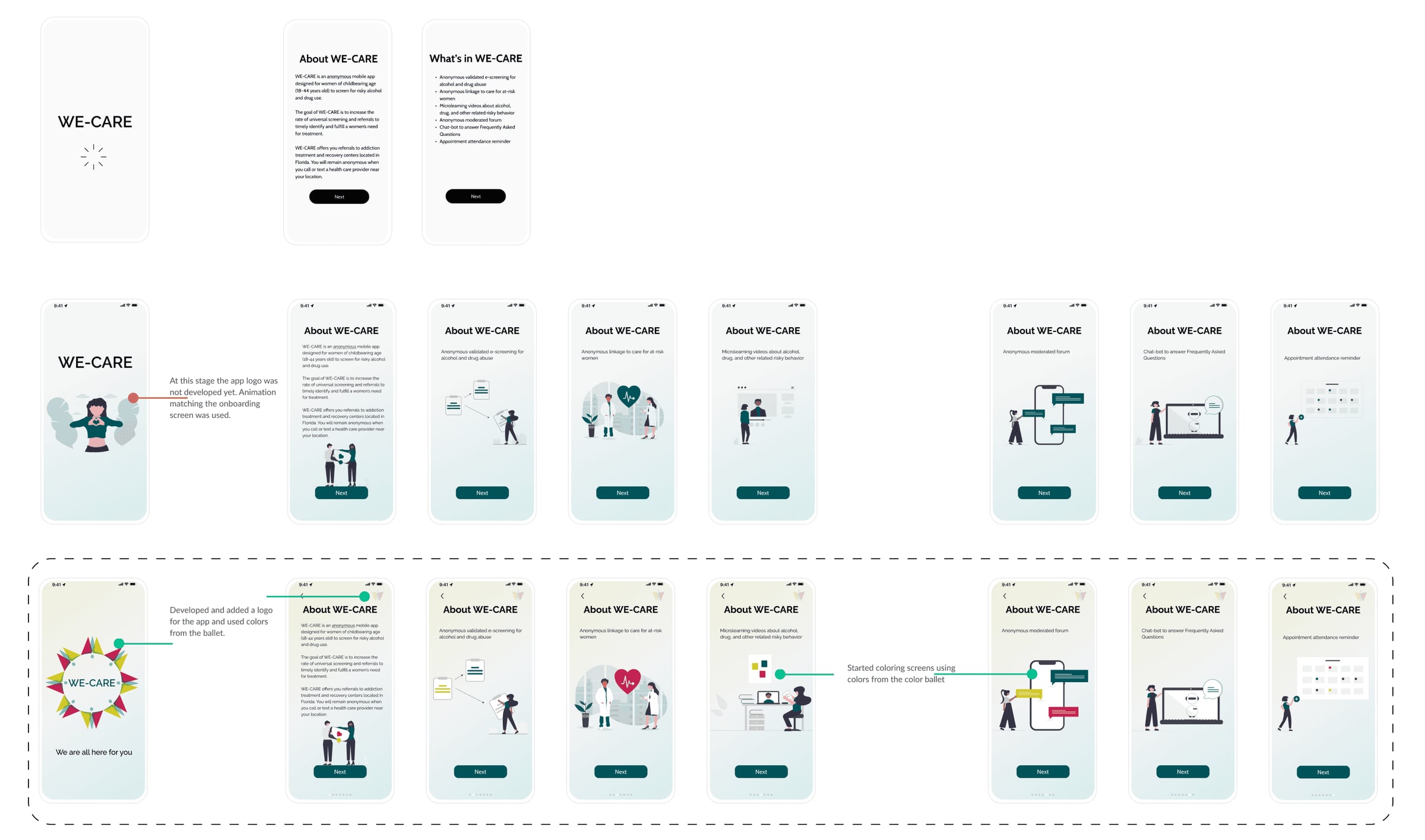

SomeScreensDevelopment
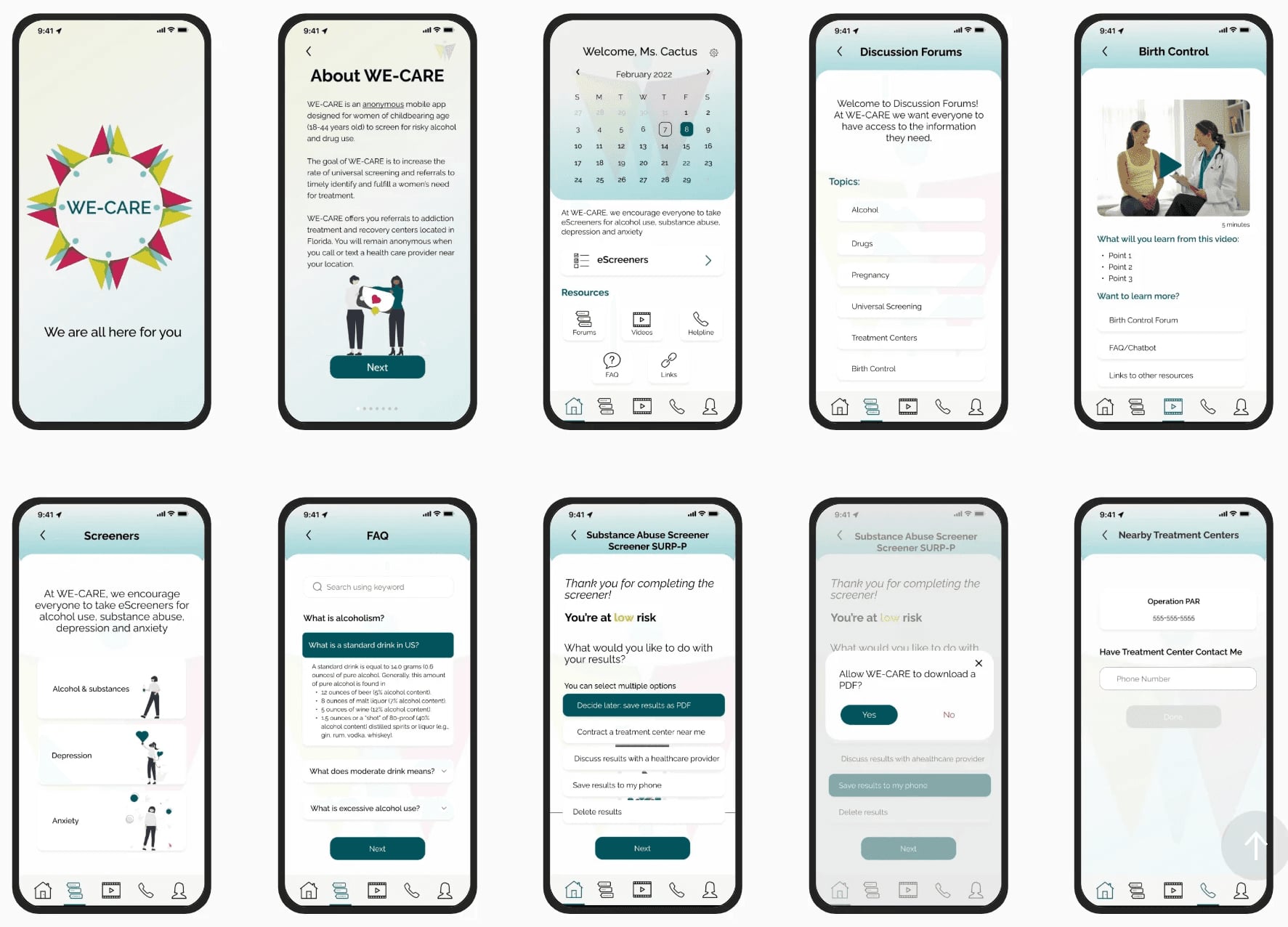
Minor changes were made to various screens throughout the app to update the formatting and ensure consistency across sections.
Reflection&NextSteps
- Looking ahead to future development, I recommend the following:
- Implement a reminder function within the homepage menu
- Develop 'My Profile' pages to offer more options and customizations
- Create questionnaires for additional screeners, such as those for depression and anxiety