
VA – Automated Conversion Agent (ACA)
Designed a structured, audit-ready financial data conversion workflow aligned with FMBT and iFAMS standards. Translated complex mapping logic into a guided, transparent experience with parsing previews, validation states, and traceable outputs.
Guidehouse: AI Studio – VA / FMBT · 2025
Overview
Designed a guided workflow to support legacy-to-iFAMS financial data conversion.
The experience replaces fragmented spreadsheet-driven processes with a structured, step-by-step interface that makes parsing, mapping, validation, and audit review visible and traceable.
This was built as a high-fidelity demonstration aligned to FMBT and iFAMS standards.
Prototype walkthrough: Inputs → Parsing → Results and Validation.
TheProblem
VA financial conversions were:
- Spreadsheet-heavy
- Rules stored in disconnected documents
- Hard to validate before submission
- Difficult to audit end-to-end
Users had limited visibility into:
- What was uploaded
- How mapping rules were applied
- Where errors occurred
- Whether outputs were audit-ready
The process was technical, opaque, and risky.
MyRole
Led UX design for the Automated Conversion Agent, translating complex financial conversion logic into a structured, transparent, and audit-ready workflow aligned with FMBT and iFAMS standards.
DesignChallenge
How might we translate a highly technical, rules-driven financial conversion process into a structured, confidence-building experience that:
- Reduces user error
- Surfaces issues early
- Makes transformation logic visible
- Supports audit and traceability
MyApproach
I structured the experience into 3 clear phases:
- Inputs
- Parsing & Mapping
- Results & Validating
Each step mirrors how analysts already think, but removes ambiguity and hidden logic.
Step1:StructuredInputs
Users upload:
- Input Data File
- Interface Control Document (ICD)
- Accounting Crosswalk
Instead of silent uploads, the UI:
- Confirms records loaded
- Flags missing requirements
- Shows readiness state before proceeding
This prevents blind processing.
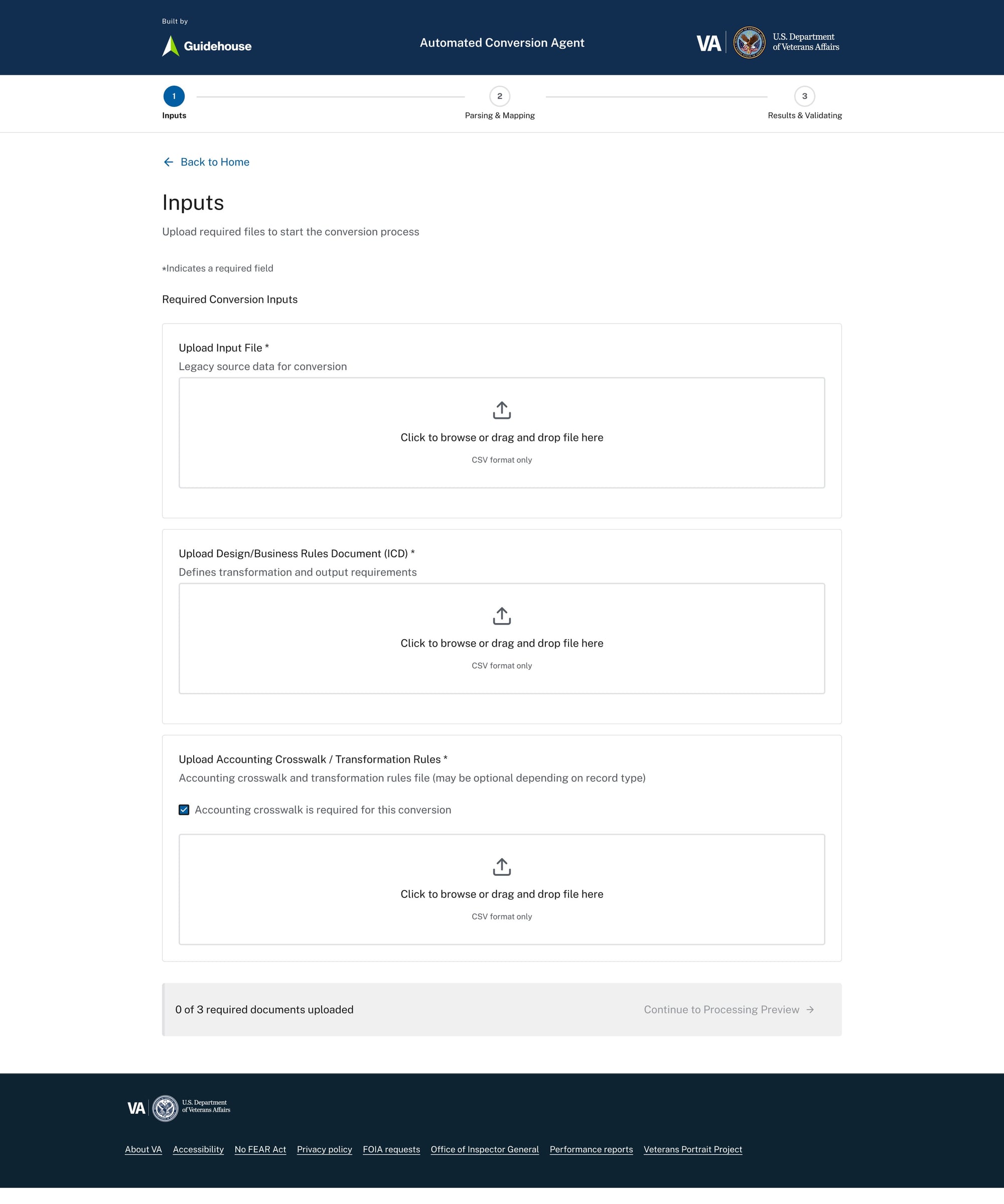
Structured file intake aligned to defined mapping and financial transformation rules
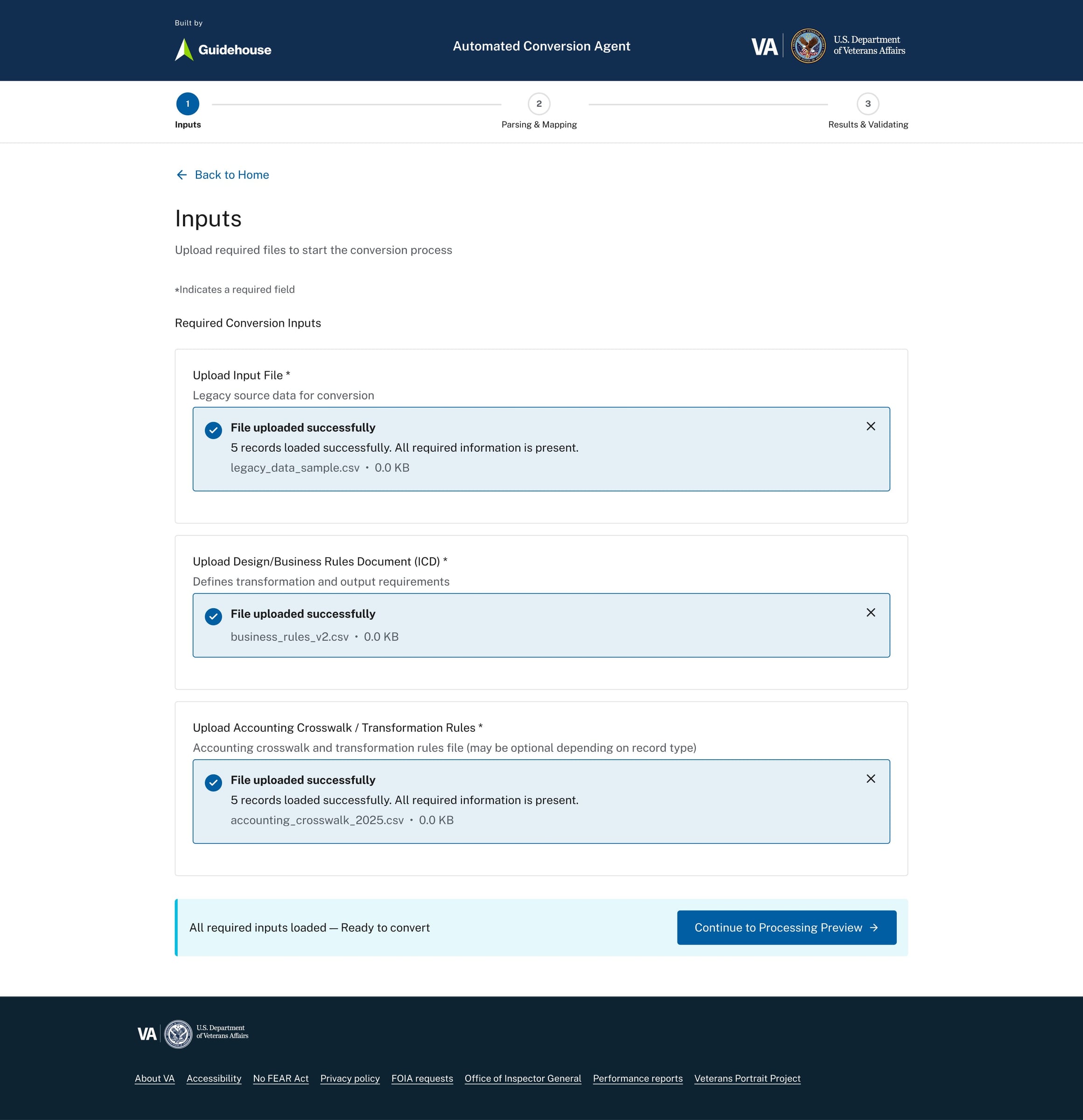
Upload confirmation with record counts and readiness validation before processing
Step2:Parsing&MappingPreview
Before conversion completes, users see:
- Parsed transaction preview
- Applied accounting crosswalk
- Record counts
- Mapping references
This step makes transformation logic visible.
Users can validate:
- Transaction type mapping
- Fund status mapping
- SOC alignment
- Vendor relationships
No black box behavior.
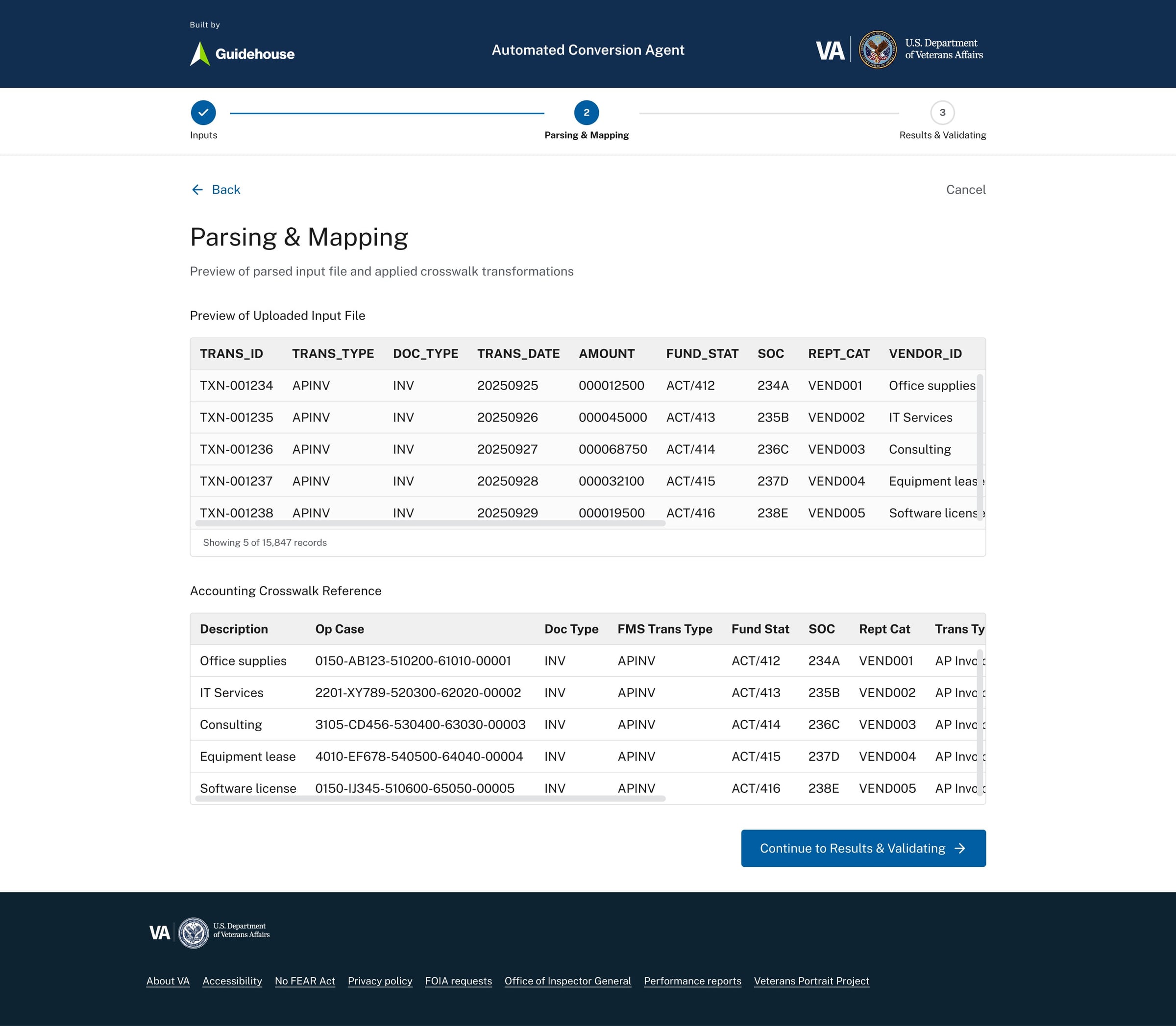
Parsed transaction preview showing applied accounting crosswalk and mapped fields
Mapping logic surfaced before output generation to increase transparency and trust
Step3:Results&Validation
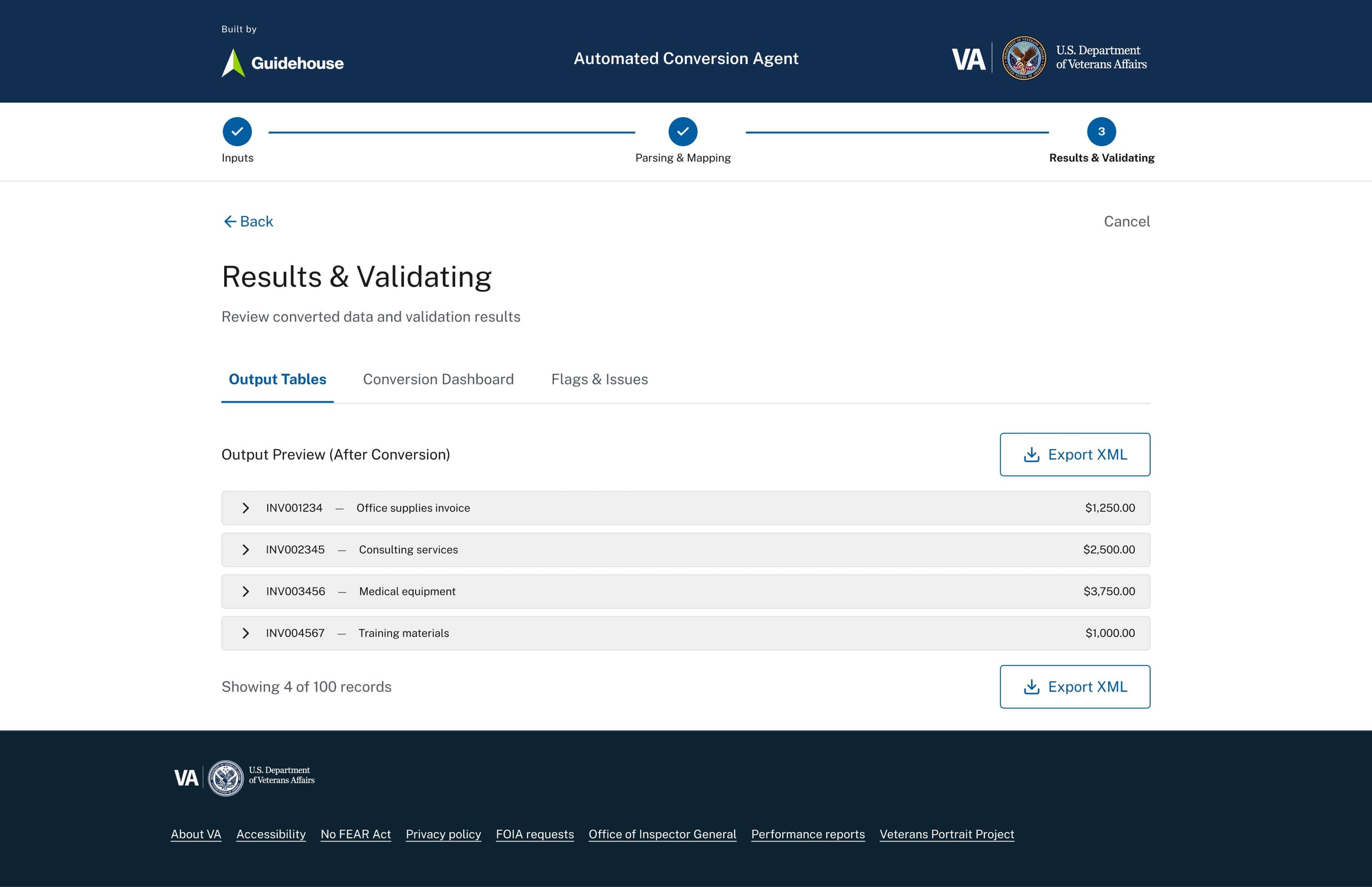
After processing, users review:
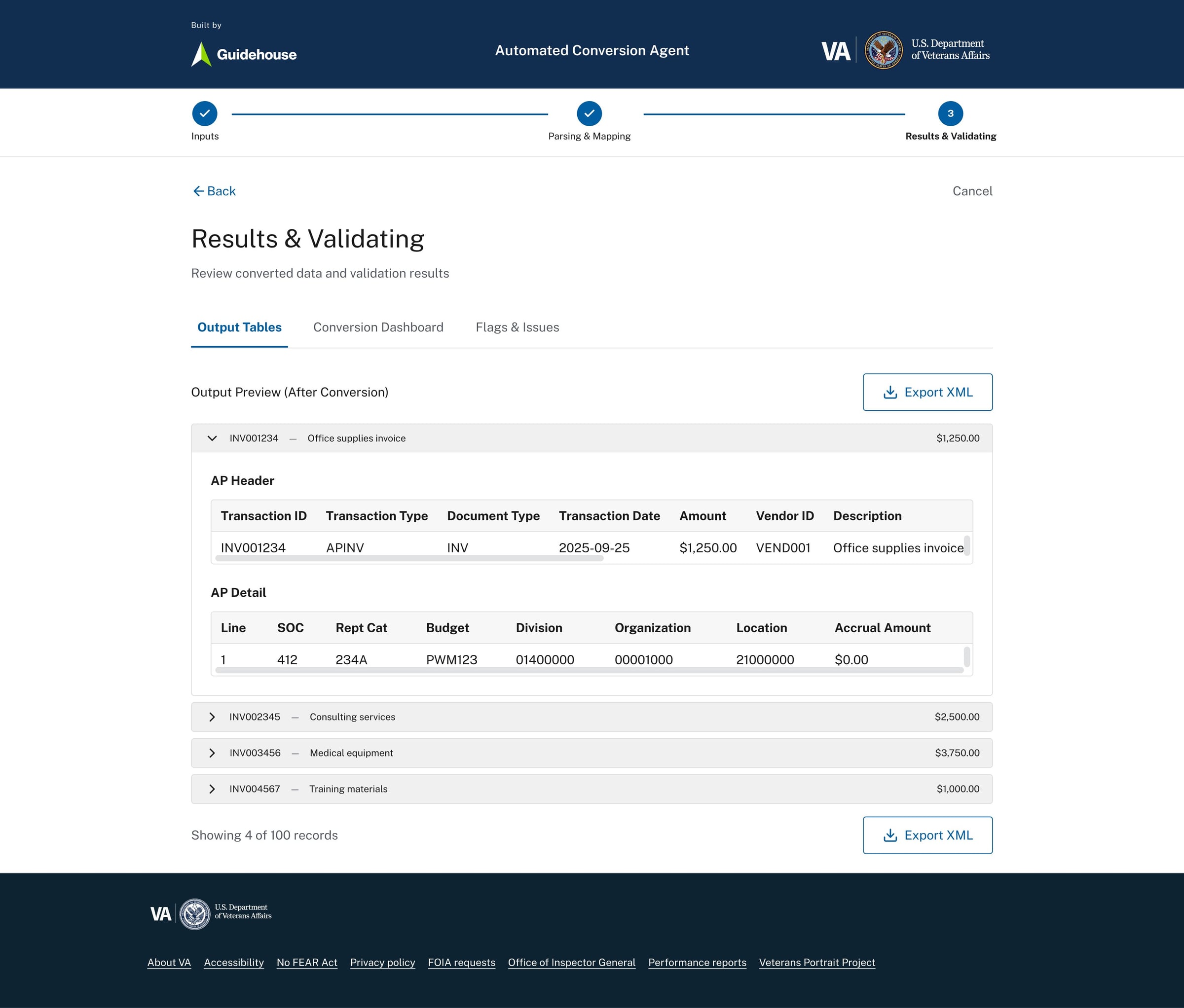
- Output Tables
- Expandable AP headers and line details
- Exportable XML
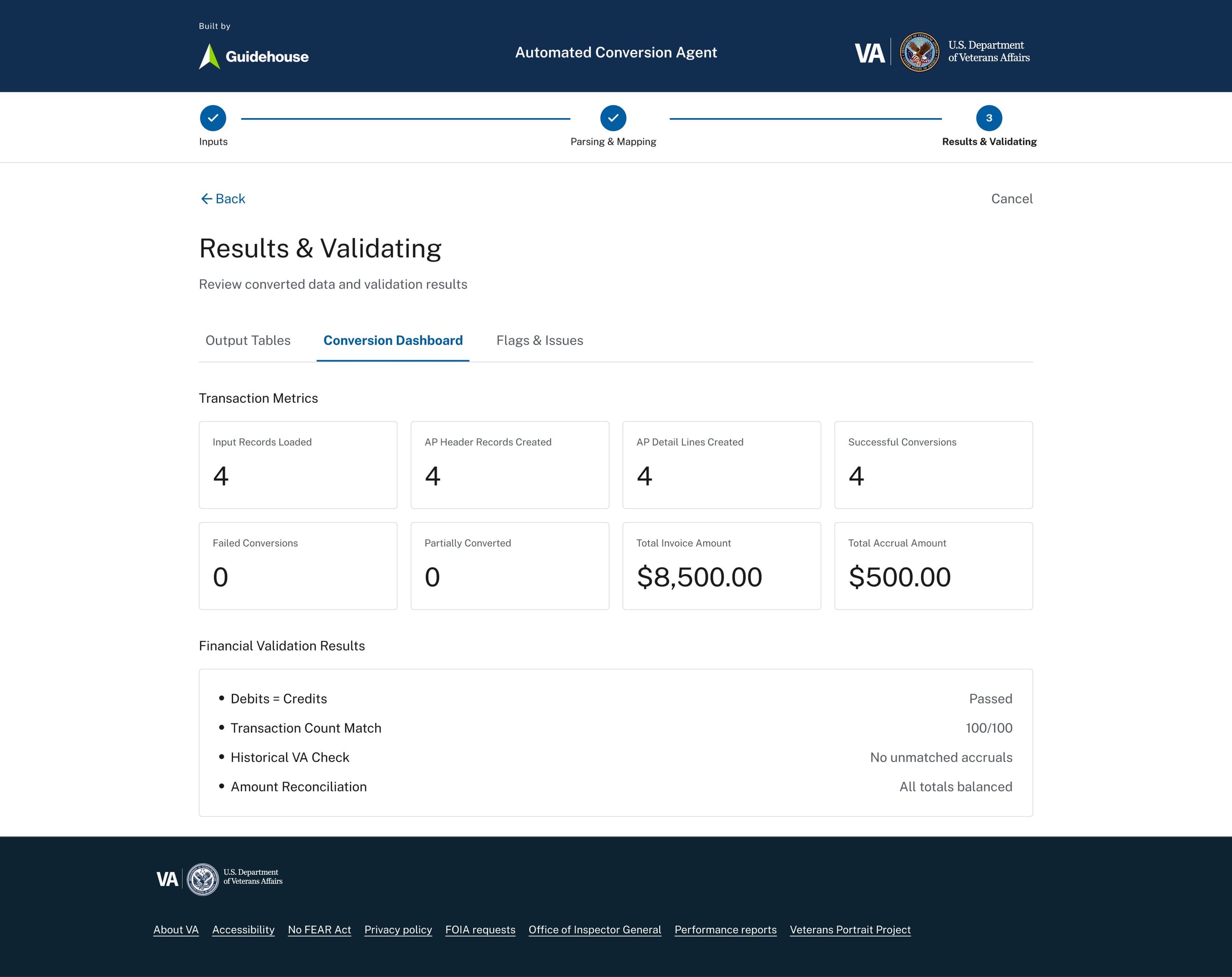
- Conversion Dashboard
- Input records loaded
- Records created
- Success rate
- Invoice totals
- Accrual totals
- Flags & Issues
Clear breakdown of:
- Errors
- Warnings
- Field-level mismatches
- Missing mappings
Conversion dashboard summarizing records processed, totals, and success rate
Detailed output view with expandable records and export-ready structure
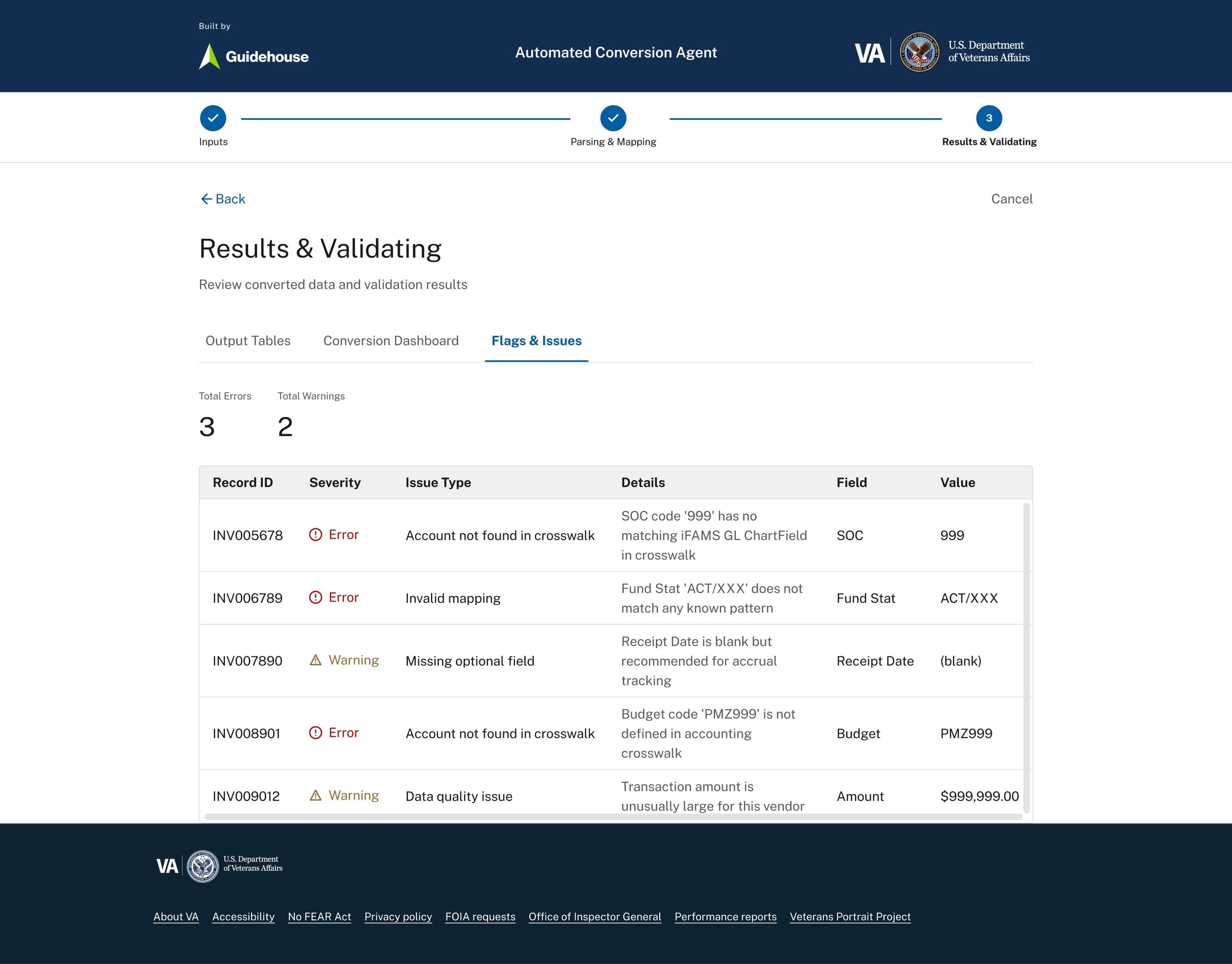
Error and warning breakdown with severity indicators and field-level traceability
PersistentConversionHistory
The history dashboard provides:
- Total runs
- Success trends
- Subsystem breakdown (AP, AR, GL, Fixed Assets)
- Historical success rate
- Red flags
This supports:
- Audit review
- Performance tracking
- Risk monitoring
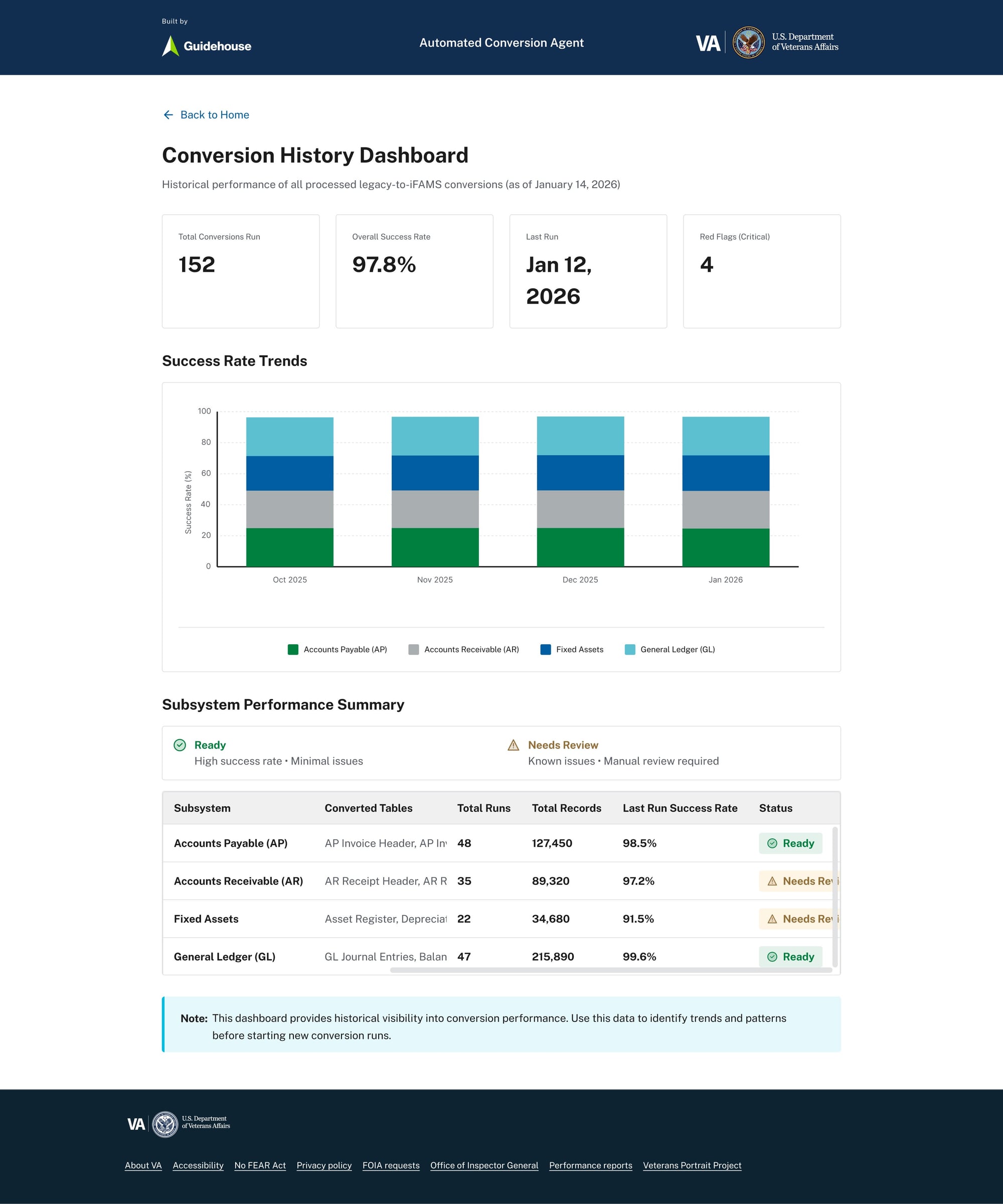
Historical run dashboard tracking subsystem performance and conversion trends over time
KeyUXDecisions
- 1. Linear, guided workflow
Reduces cognitive overload in a technical process. - 2. Preview before commit
Users validate logic before generating outputs. - 3. Transparent error handling
No generic “failed” messages. Each issue includes record ID, field, and value. - 4. Metrics alongside detail
Users see both macro performance and micro-level breakdowns. - 5. VA-aligned visual system
Familiar, formal, structured. Built for trust.
WhatThisDemonstrates(FromaUXPerspective)
- Turning a rules-driven backend process into a clear front-end workflow
- Designing for auditability and compliance
- Making AI/automation explainable
- Supporting financial governance through UI clarity
- Reducing perceived risk through visibility
Outcome
- Standardized conversion workflow
- Visible transformation logic
- Structured validation before export
- Audit-ready outputs
- Reusable UX blueprint for future interface tooling
This shifts conversion from “technical batch process” to “guided financial workflow.”