
Case Management with Embedded AI
Designed an AI-assisted case management workflow for a regulated Defense & Security environment, embedding explainable AI into existing processes while preserving human oversight, auditability, and trust.
Guidehouse: AI Studio – Defense & Security · 2026
Context
This work was completed as part of the AI Studio – Defense & Security vertical, where I design and evaluate AI-assisted workflows for highly regulated, review-heavy environments.
The project served as a design vehicle to explore how AI can be embedded into existing case-management workflows while preserving trust, auditability, and human accountability. The focus was on demonstrating design judgment under constraint rather than showcasing a standalone product.
MyRole
Product Designer (UX/UI)
I owned the UX and interaction design end to end, including:
- Framing the problem from stakeholder conversations
- Defining workflows and interaction patterns
- Designing high-fidelity, system-aligned screens
- Making judgment calls around AI behavior, review, and compliance
TheChallenge
The core challenge was not introducing AI.
It was integrating AI into workflows where errors are costly and oversight is mandatory.
From discussions and reviews, key tensions emerged:
- Work is organized by cases, but information is fragmented
- High-risk documents require careful verification
- Review flows are sequential and time-consuming
- AI must be explainable, traceable, and easy to challenge
These constraints shaped every design decision.
Goals
- Keep the case as the primary organizing unit
- Make AI actions explicit and user-controlled
- Preserve human review and approval
- Make sourcing and verification visible by default
- Design something that could realistically live inside enterprise systems
Approach
My approach was workflow-first and constraint-aware.
I:
- Started from how users already work, not from AI capabilities
- Treated AI as assistive, not autonomous
- Designed interactions that support review rather than bypass it
- Prioritized clarity, predictability, and restraint
The result is a calm, explainable experience aligned with real operational expectations.
DesignWalkthrough
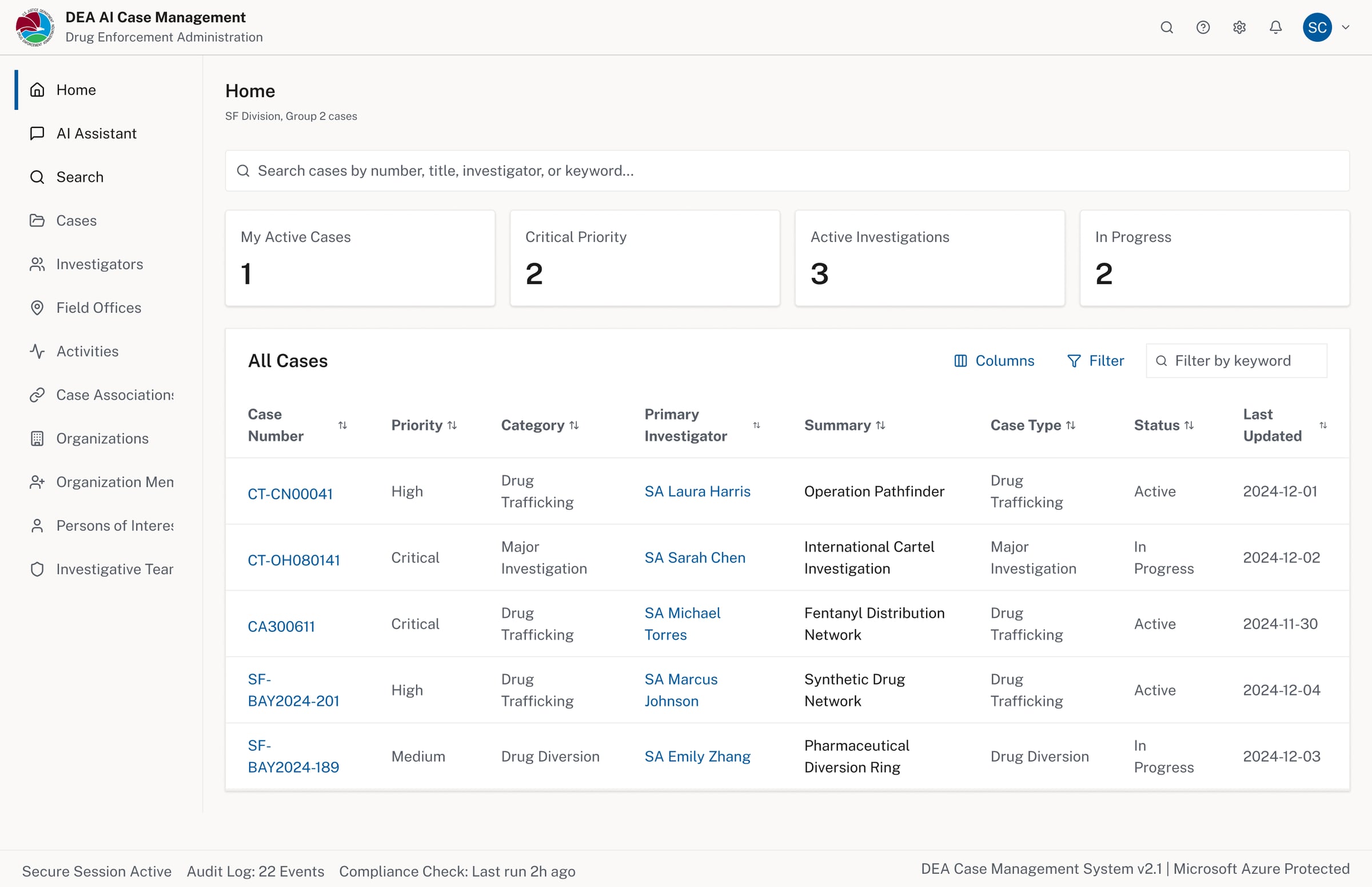
Case list dashboard — the primary organizing unit, keeping investigators oriented across all active work
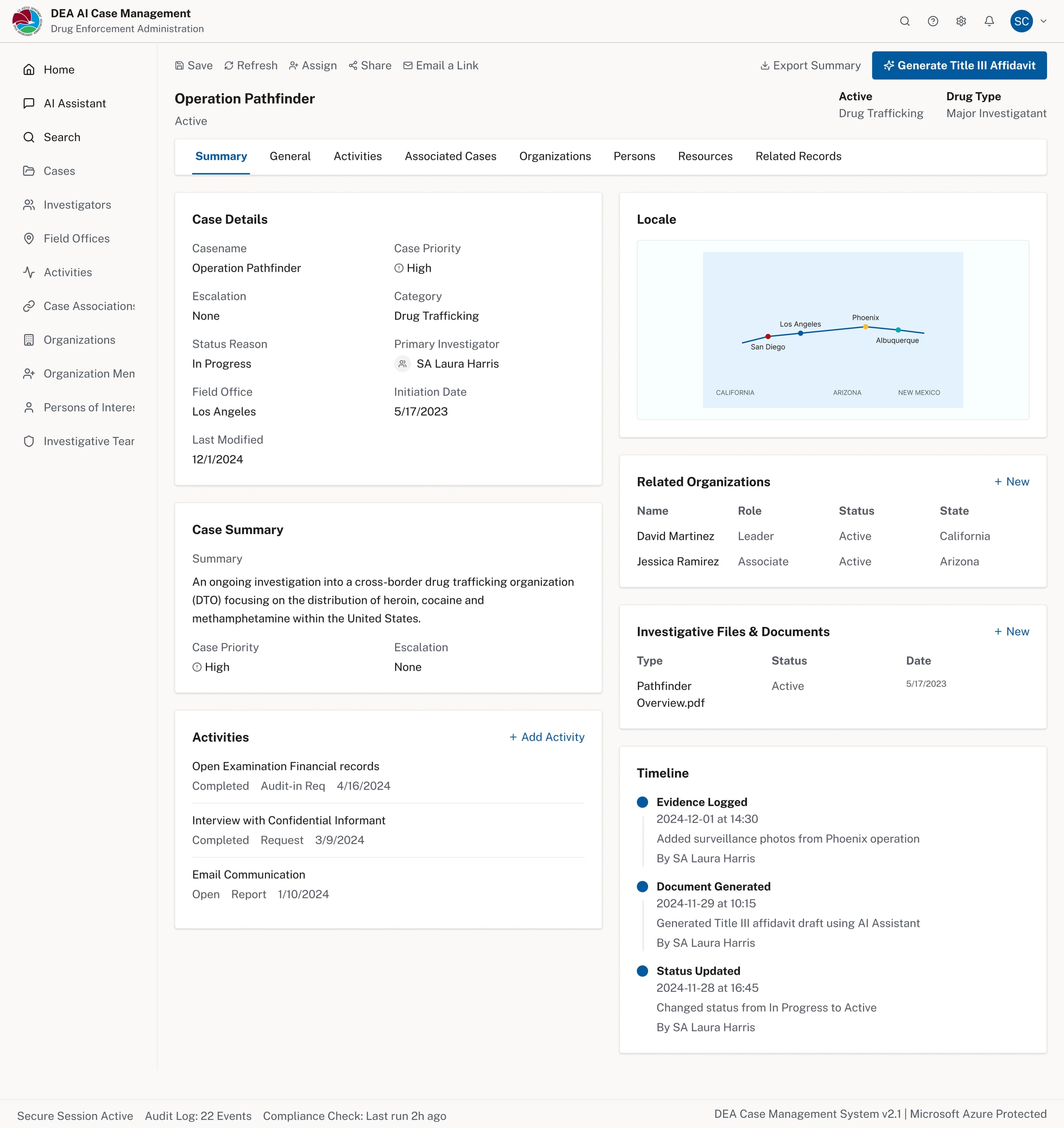
Case detail — summary, activities, timeline, related organizations, and investigative files in one view
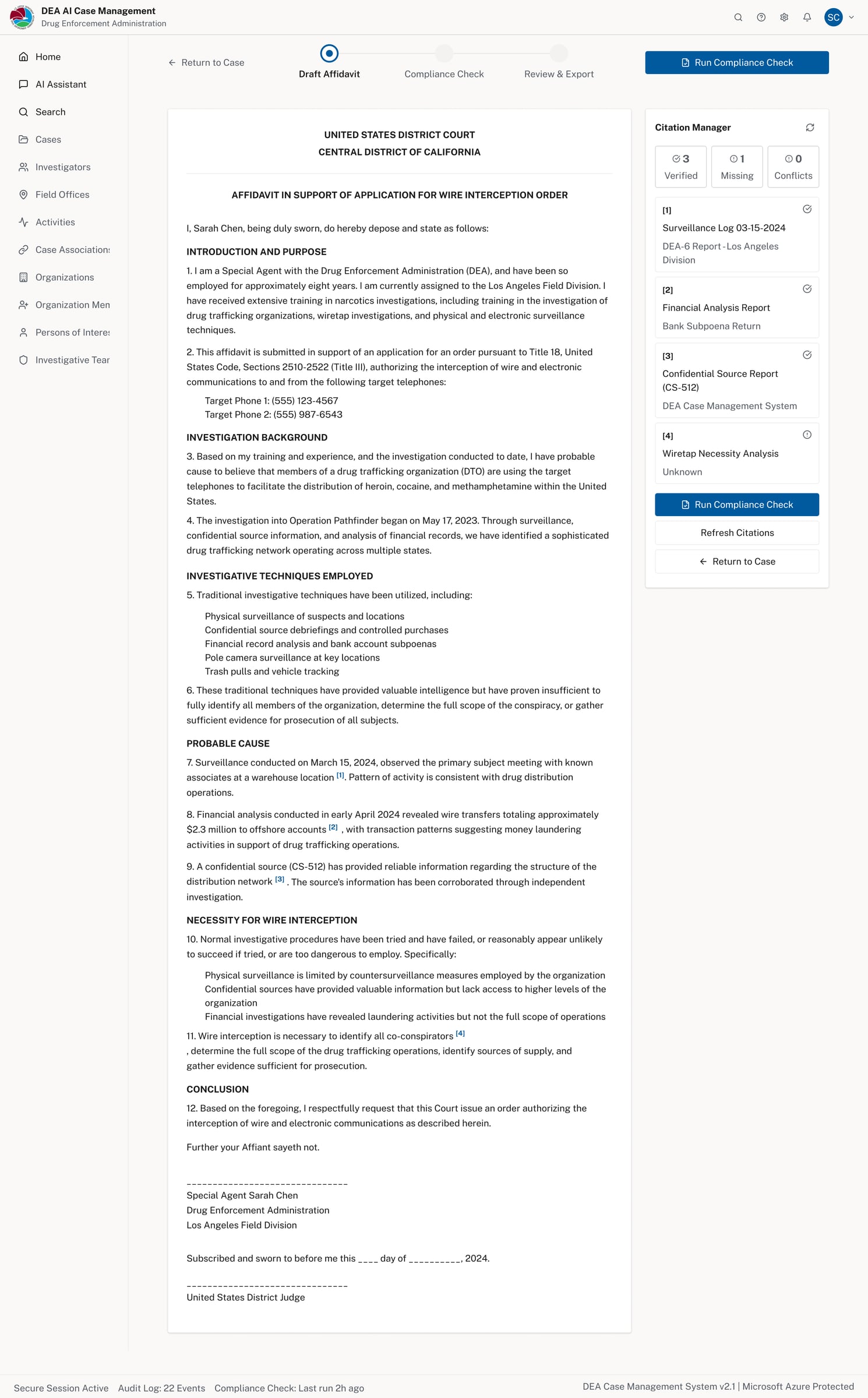
AI-assisted affidavit drafting — generated within the case context, ready for compliance review
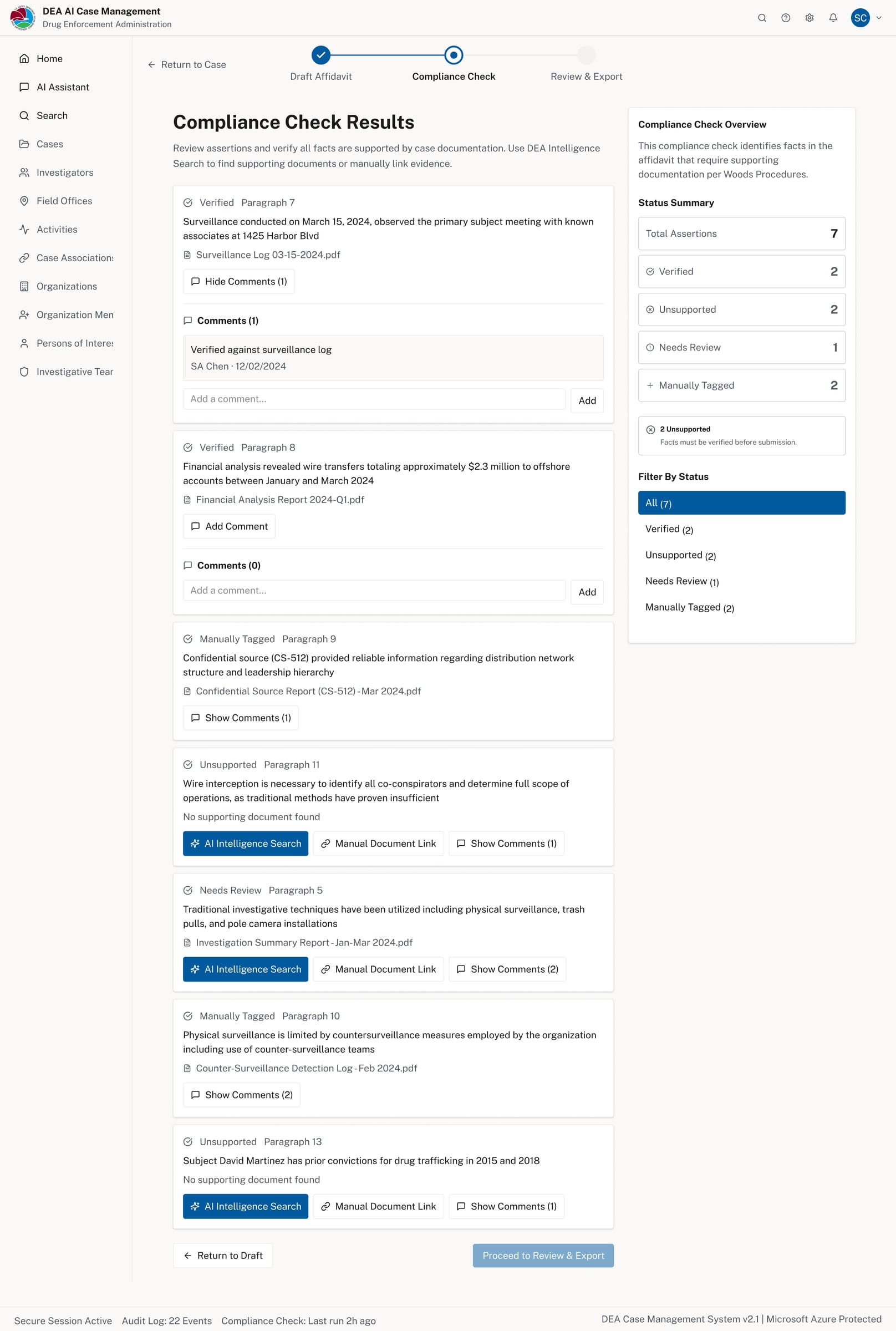
Compliance Check — each assertion is surfaced with its supporting document and status for human review
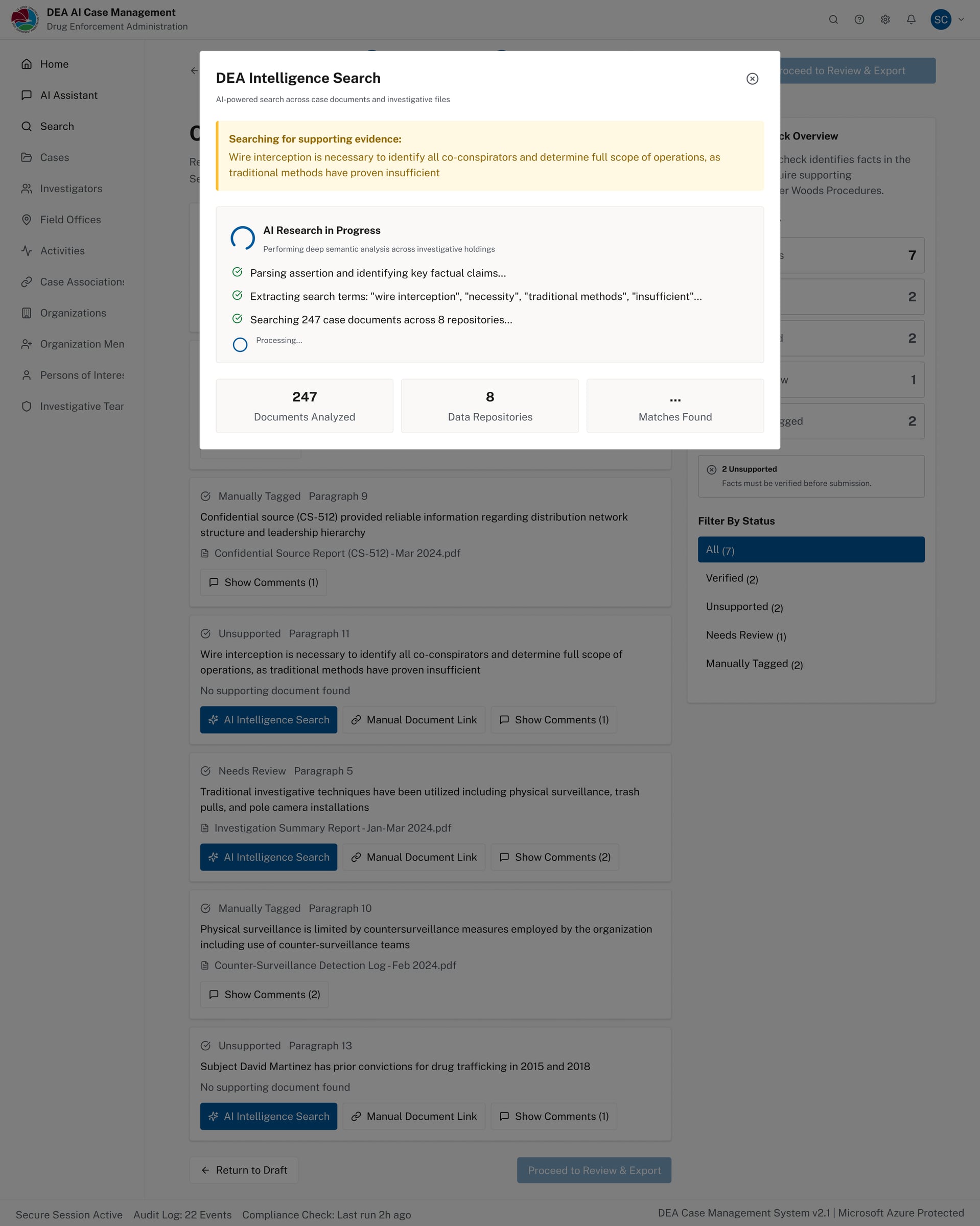
AI Intelligence Search in progress — parsing assertions, extracting key claims, searching 247 documents
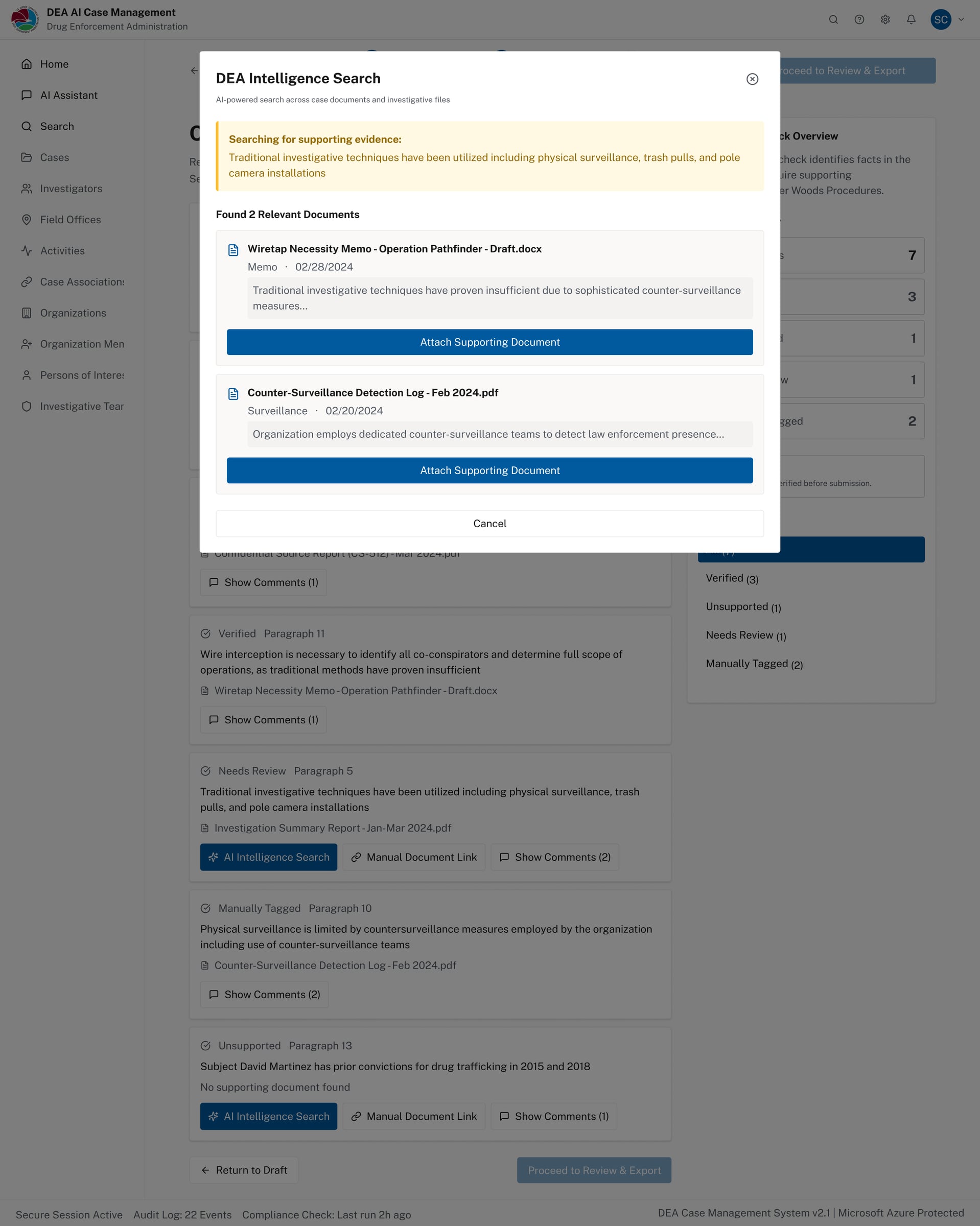
AI search results — relevant documents surfaced with one-click attachment to support the assertion
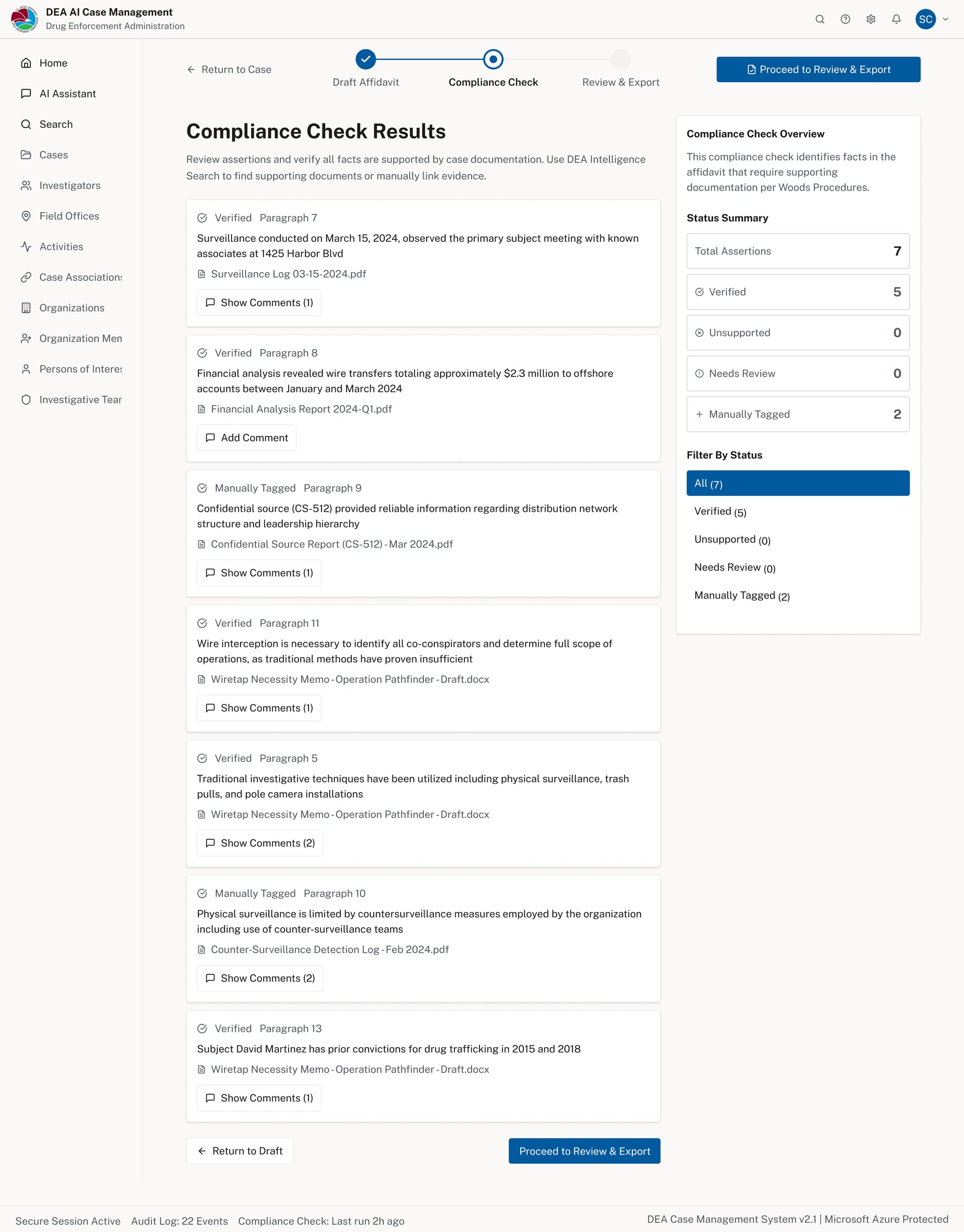
Compliance results after AI verification — status summary updated, unsupported assertions resolved
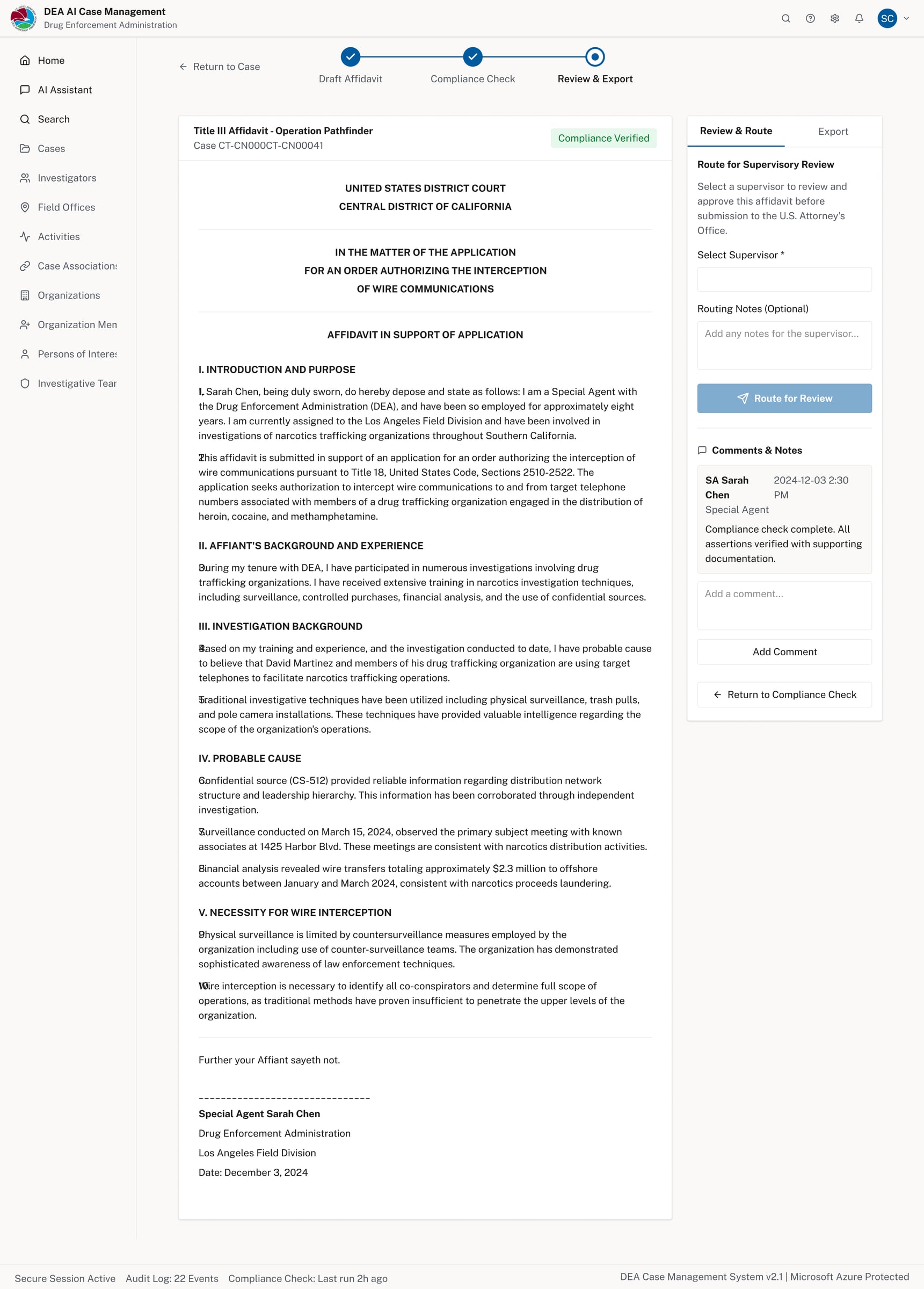
Review & Export — compliance verified, routed to supervisory review with optional reviewer selection
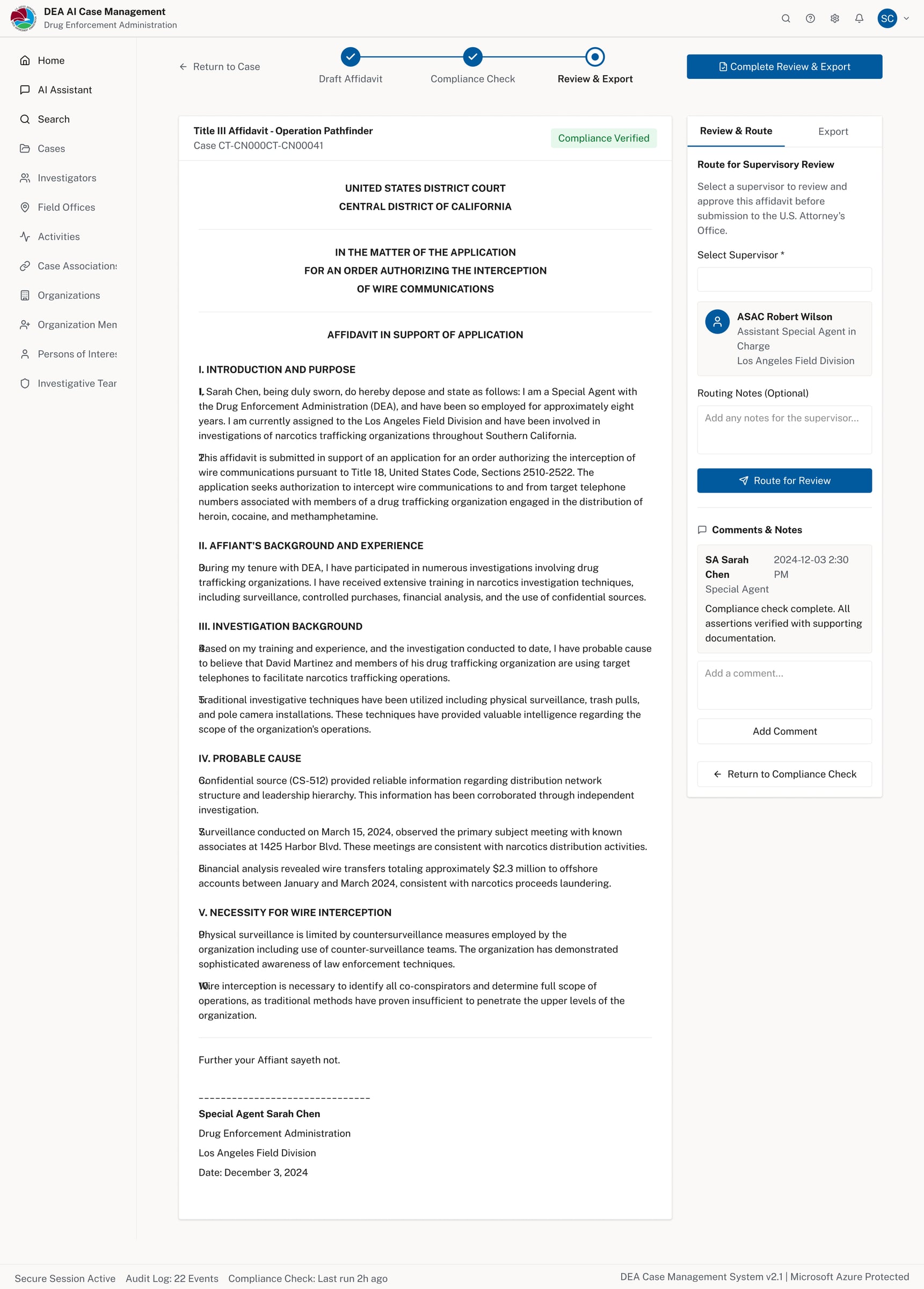
Routed for review — human-in-the-loop approval step with named supervisor and audit trail
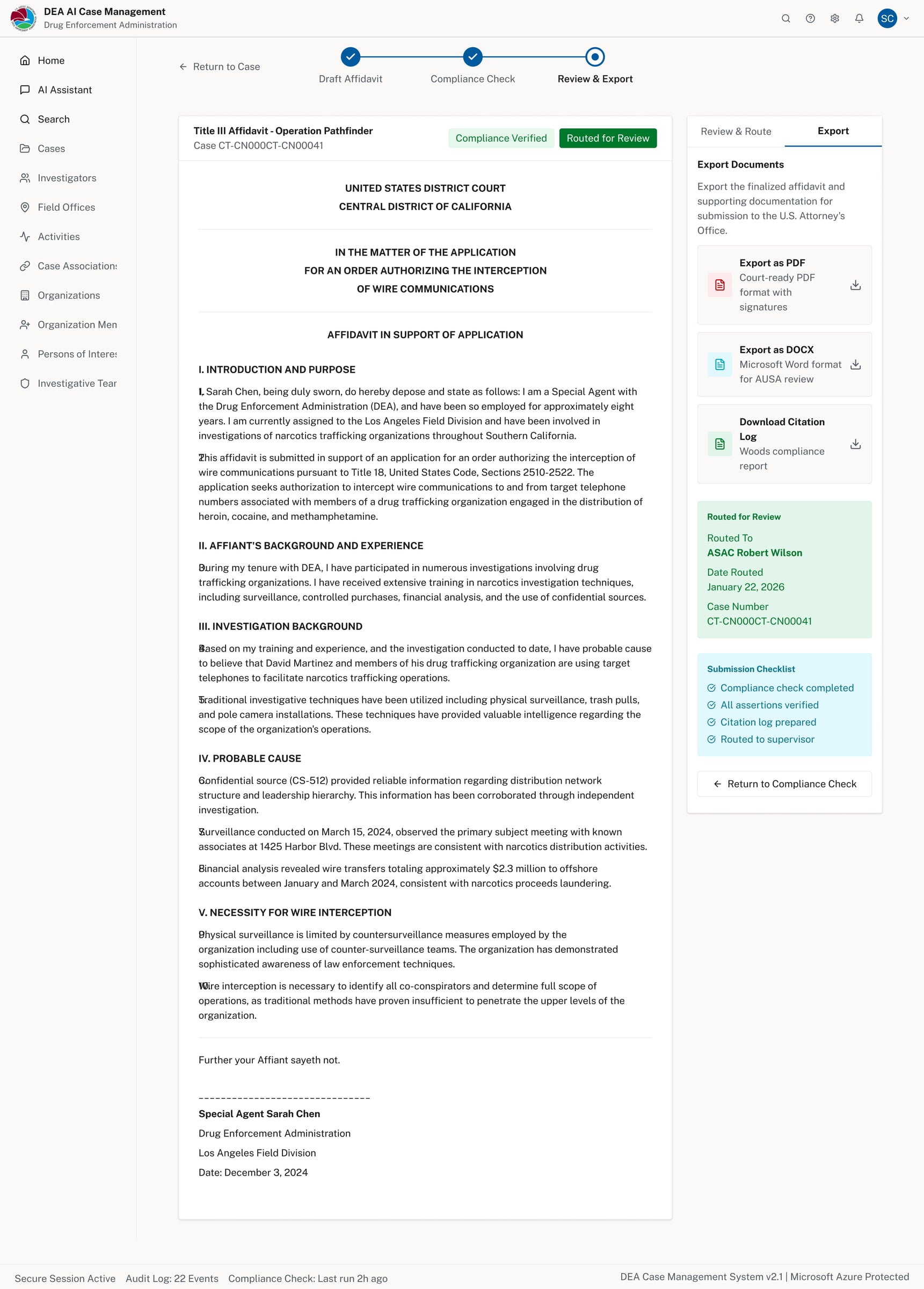
Export panel — affidavit exportable as PDF or DOCX with a submission checklist before filing
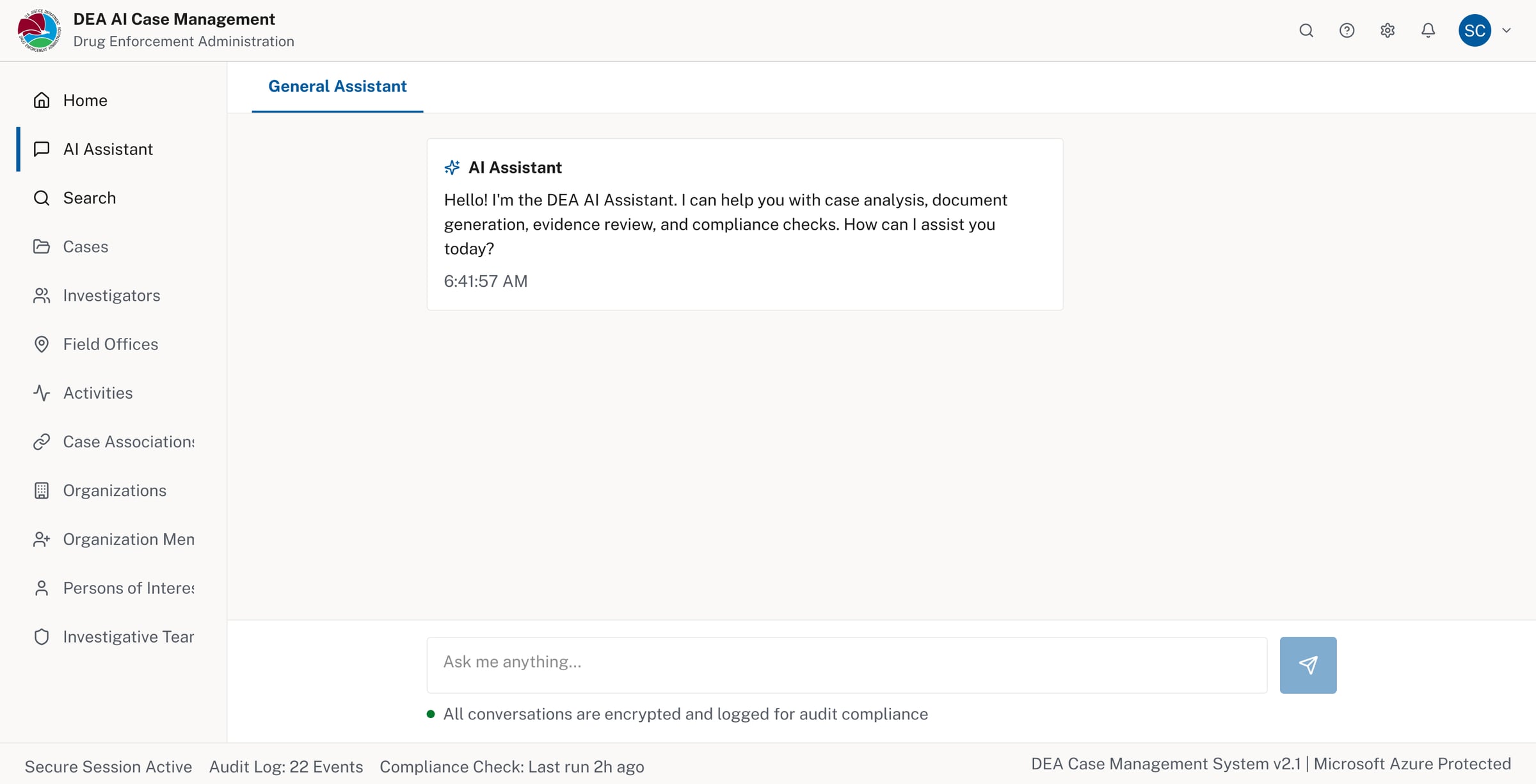
AI Assistant (general mode) — available system-wide, encrypted and logged for audit compliance
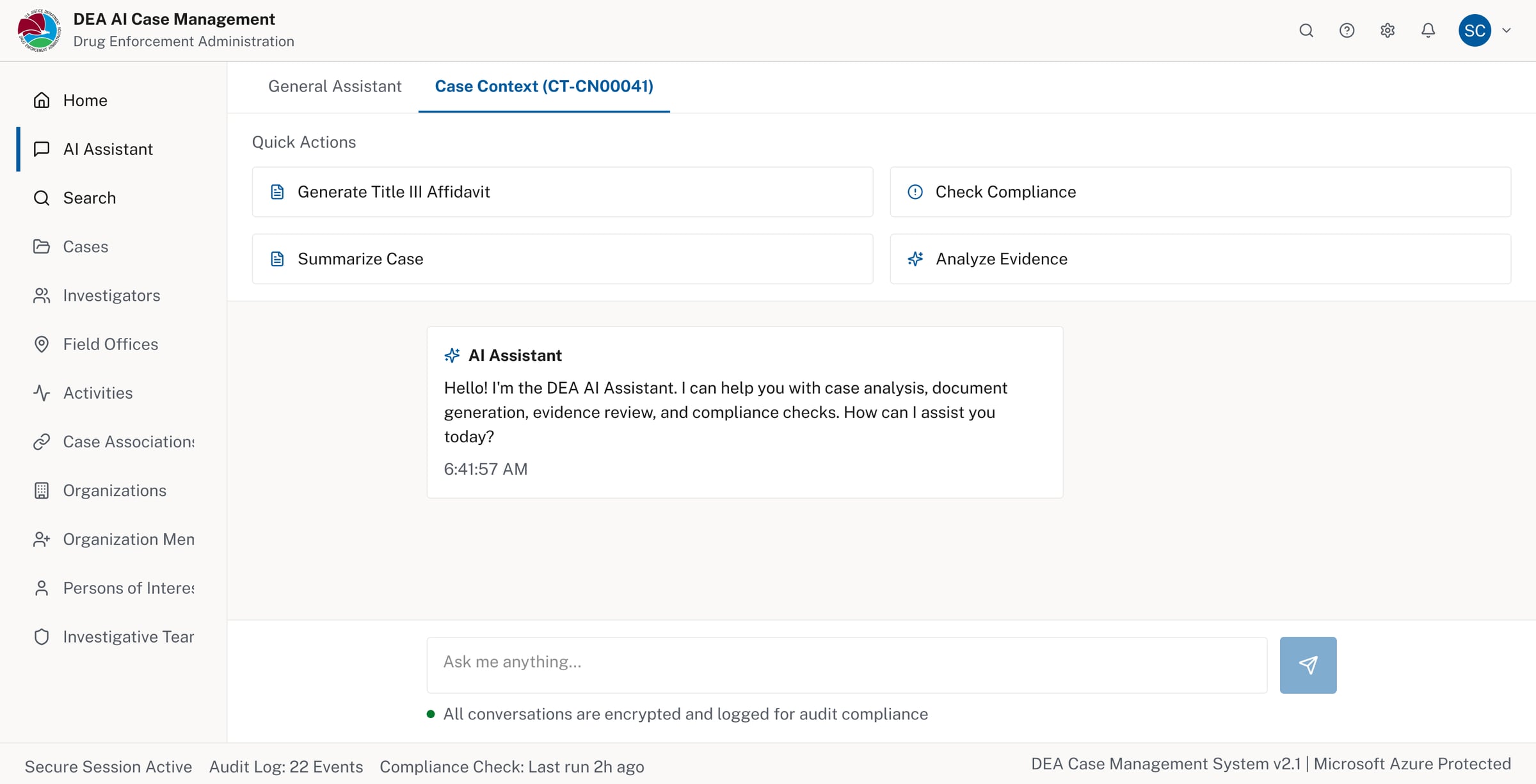
AI Assistant (case context) — surfaces relevant quick actions scoped to the active case
KeyUXDecisions
- No chat-first interface: AI actions live inside the case and are intentionally triggered
- Provenance by default: Citations remain visible to support verification
- Human-in-the-loop: No automatic submissions or hidden automation
- Progressive disclosure: Advanced checks appear only when relevant
DesignSystem&PlatformAlignment
- To keep the work grounded in reality, I designed within established enterprise constraints:
- Used USWDS patterns to align with accessibility and federal UI expectations
- Designed workflows that fit Microsoft Dynamics-style case management
- Explored how the same interactions map to Fluent UI for enterprise consistency
- This ensured the concept reflects systems people already trust and know.
WhatThisProjectDemonstrates
- Responsible AI design in Defense & Security contexts
- Translating abstract constraints into usable structure
- Clear tradeoffs between automation and control
- Comfort working within enterprise platforms and standards
- Prioritizing trust, clarity, and review over novelty
Reflection
This project reinforced a principle that guides my work in regulated environments:
Good UX should reduce risk, not introduce it.
By embedding AI into familiar case workflows and established design systems, the experience supports human judgment rather than competing with it.